







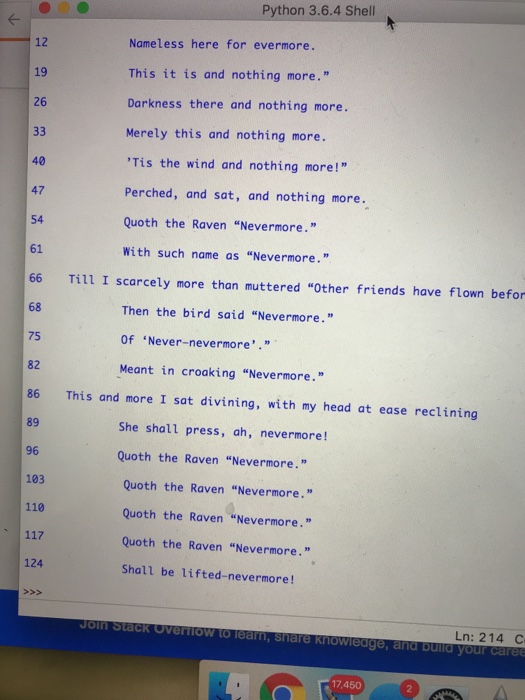
Question: Python! How can I remove the blank lines in between the lines with text. Right now it looks like this: Line A Line B Want
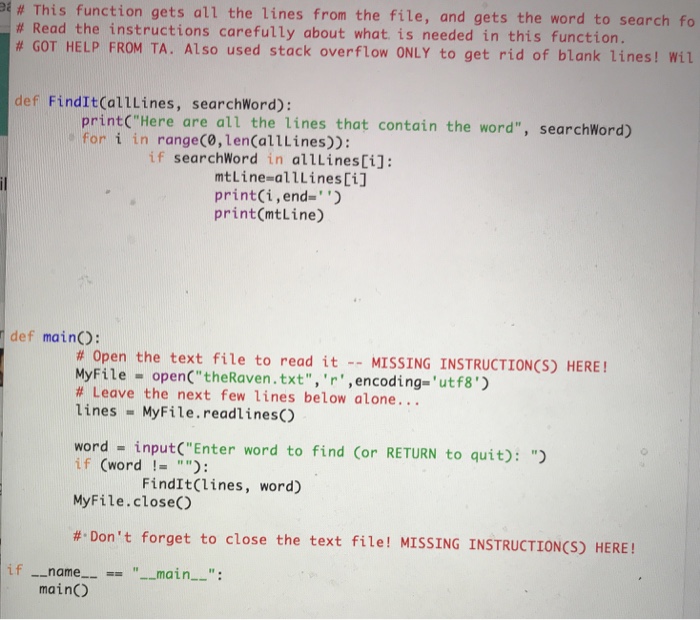
# This function gets all the lines from the file, and gets the word to search fo # Read the instructions carefully about what is needed in this function # GOT HELP FROM TA. Also used stack overflow ONLY to get rid of blank lines! Wit def FindIt(alllines, searchWord): printC"Here are all the lines that contain the word", searchWord) o for i in rangeCo,len(allLines)): if searchWord in allLinesCi]: mtLine-alllinesCi] print(i,end" print(mtLine) def mainO: # Open the text file to read it -- MISSING INSTRUCTION(S) HERE! MyFile openC" theRaven.txt",'r',encoding-'utf8') # Leave the next few lines below alone lines MyFile.readlinesC) word inputC"Enter word to find Cor RETURN to quit): " if (word ! MyFile.close #-Don't forget to close the text file! MISSING INSTRUCTION(S) HERE! FindIt(lines, word) if -_name mainc "main
Step by Step Solution
There are 3 Steps involved in it

Get step-by-step solutions from verified subject matter experts
 Study Help