







Question: %%% Python Jupitar Notebook %%%%% # 2.a. Example from slides # TODO: Run this and then add code to try at least 3 what ifs.
%%% Python Jupitar Notebook %%%%%
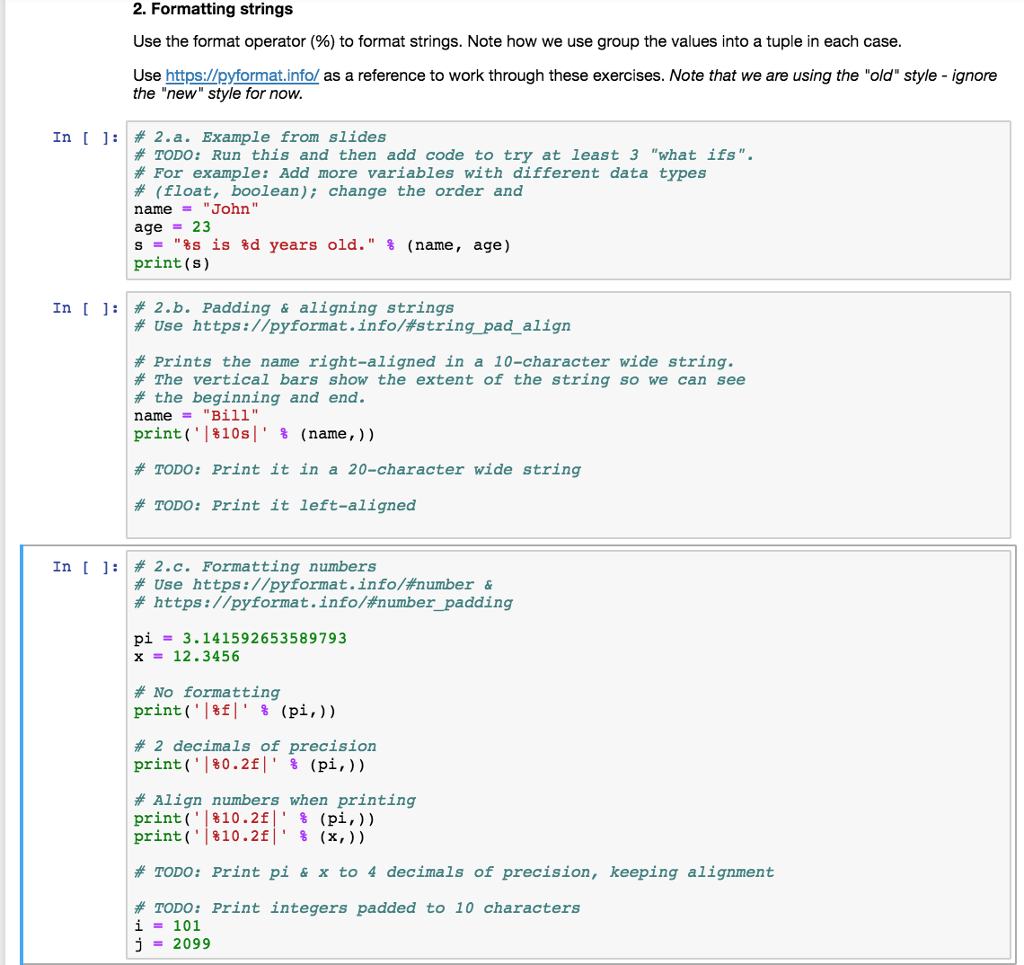
# 2.a. Example from slides # TODO: Run this and then add code to try at least 3 "what ifs". # For example: Add more variables with different data types # (float, boolean); change the order and name = "John" age = 23 s = "%s is %d years old." % (name, age) print(s)
# 2.b. Padding & aligning strings # Use https://pyformat.info/#string_pad_align
# Prints the name right-aligned in a 10-character wide string. # The vertical bars show the extent of the string so we can see # the beginning and end. name = "Bill" print('|%10s|' % (name,))
# TODO: Print it in a 20-character wide string
# TODO: Print it left-aligned
# 2.c. Formatting numbers # Use https://pyformat.info/#number & # https://pyformat.info/#number_padding
pi = 3.141592653589793 x = 12.3456
# No formatting print('|%f|' % (pi,))
# 2 decimals of precision print('|%0.2f|' % (pi,))
# Align numbers when printing print('|%10.2f|' % (pi,)) print('|%10.2f|' % (x,))
# TODO: Print pi & x to 4 decimals of precision, keeping alignment
# TODO: Print integers padded to 10 characters i = 101 j = 2099
2. Formatting strings Use the format operator (%) to format strings. Note how we use group the values into a tuple in each case Use https://pyformat.info/ as a reference to work through these exercises. Note that we are using the "old" style - ignore the "new style for now In [ ]: # 2.a. Example from slides # TODO: Run this and then add code to try at least 3 "what ifs" # For example: Add more variables with different data types # (float, boolean); change the order and name = " John " age-23 s = "%s is %d years old." % (name , age) print (s) In [ ]: | # 2.b. Padding & aligning strings # Use https://pyformat.info/#string_pad align # Prints the name right-aligned in a 10-character wide string. # The vertical bars show the extent of the string so we can see # the beginning and end. name"Bill" print ('1810s!' % (name , )) # TODO: Print it in a 20-character wide string # TODO: Print it left-aligned In [ ]: # 2.c. Formatting numbers # Use https://pyformat.info/#number & # https://pyformat.info/#number_padding pi3.141592653589793 x = 12.3456 # No formatting print ('I&E!' % (pl.)) # 2 decimals of precision print ('I %0.2f!' % (pl.)) # Align numbers when printing print('1810.2f_ % (pl.)) print (.18102f!' % (x, ) ) # TODO: Print pi & x to 4 decimals of precision, keeping alignment # TODO: Print integers padded to 10 characters i-101 j2099
Step by Step Solution
There are 3 Steps involved in it

Get step-by-step solutions from verified subject matter experts
 Study Help