







Question: PYTHON LANGUAGE Part 3 (more challenging, if you have time) After creating an empty board with board = [[.,.,.],[.,.,.],[.,.,.]] and having a placePiece()-function as described
PYTHON LANGUAGE
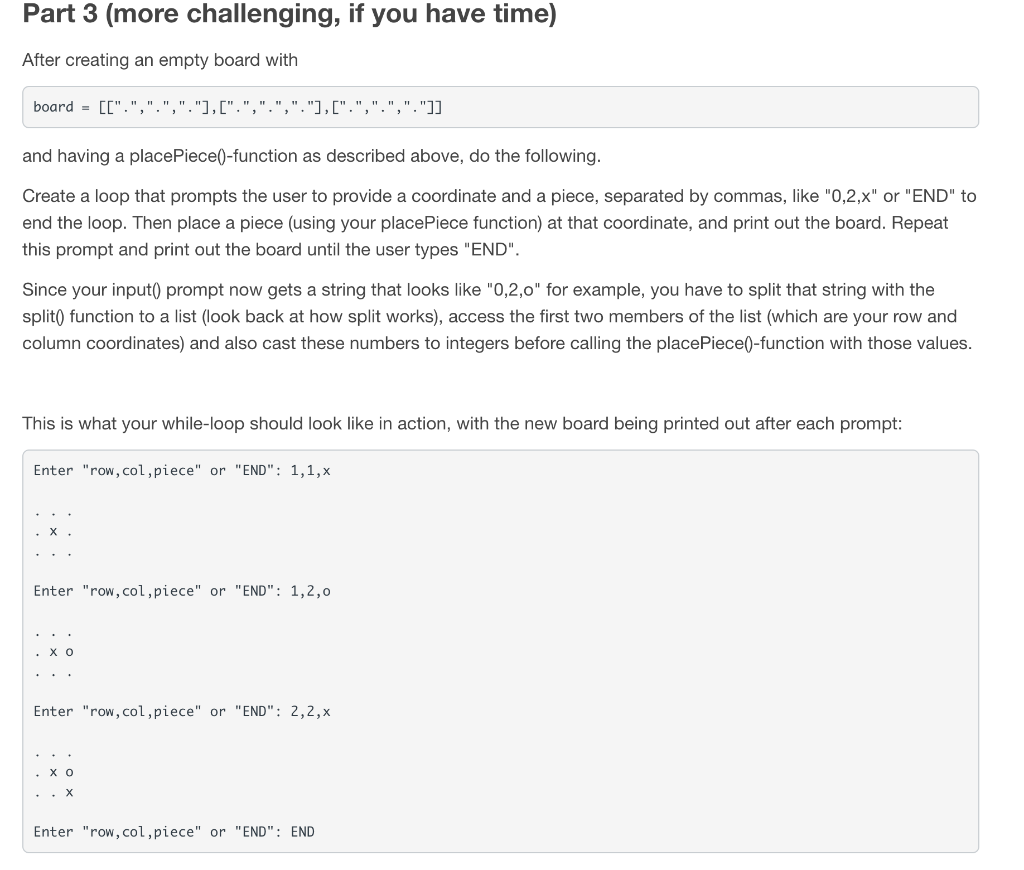
Part 3 (more challenging, if you have time) After creating an empty board with board = [[".",".","."],[".",".","."],[".",".","."]] and having a placePiece()-function as described above, do the following. Create a loop that prompts the user to provide a coordinate and a piece, separated by commas, like "0,2,x" or "END" to end the loop. Then place a piece (using your placePiece function) at that coordinate, and print out the board. Repeat this prompt and print out the board until the user types "END". Since your input() prompt now gets a string that looks like "0,2,0" for example, you have to split that string with the split() function to a list (look back at how split works), access the first two members of the list (which are your row and column coordinates) and also cast these numbers to integers before calling the placePiece()-function with those values. This is what your while-loop should look like in action, with the new board being printed out after each prompt: Enter "row, col,piece" or "END": 1,1,x .x. Enter "row,col,piece" or "END": 1,2,0 . .. . Xo Enter "row,col,piece" or "END": 2,2,X . XO Enter "row, col,piece" or "END": END
Step by Step Solution
There are 3 Steps involved in it

Get step-by-step solutions from verified subject matter experts
 Study Help