







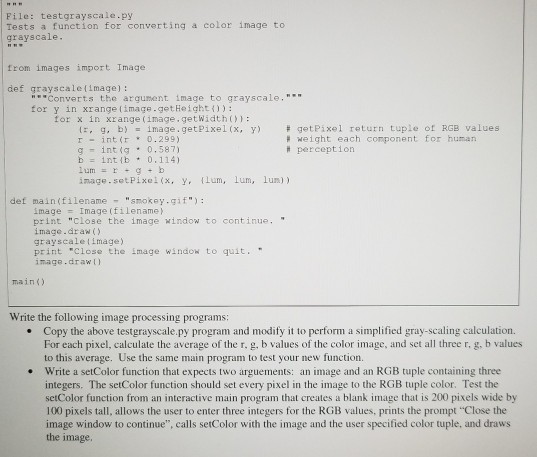
Question: python please File: testgrayscale.py Tests a function for converting a color image to grayscale from images import Image def grayscalefimage) Converts the argunent image to
python please
File: testgrayscale.py Tests a function for converting a color image to grayscale from images import Image def grayscalefimage) """Converts the argunent image to grayscale, tor ornsinuange( inage.getPixel (?.'yi for x in xrange (image.getWidthO getPixel return tuple of RGB values weight each component for human {r, r- g, b) int(r -image.getpixel(x, ?0.299) y) # perception lum = r + g + b inage.setPixel(x, y. Lum, lum, lum)) def main(filename "smokey.gif") image Image(filename print "close the image window to continue, image.araw) grayscaletimage) print "close the image windo to quit. image.draw) main() Write the following image processing programs: Copy the above testgrayscale.py program and modify it to perform a simplified gray-scaling calculation. For each pixel, calculate the average of the r. g. b values of the color image, and set all three r, g. b values to this average. Use the same main program to test your new function. Write a setColor function that expects two arguements: an image and an RGB tuple containing three integers. The setColor function should set every pixel in the image to the RGB tuple color. Test the setColor function from an interactive main program that creates a blank image that is 200 pixels wide by 100 pixels tall, allows the user to enter three integers for the RGB values, prints the prompt "Close the image window to continue", calls setColor with the image and the user specified color tuple, and draws the image
Step by Step Solution
There are 3 Steps involved in it

Get step-by-step solutions from verified subject matter experts
 Study Help