







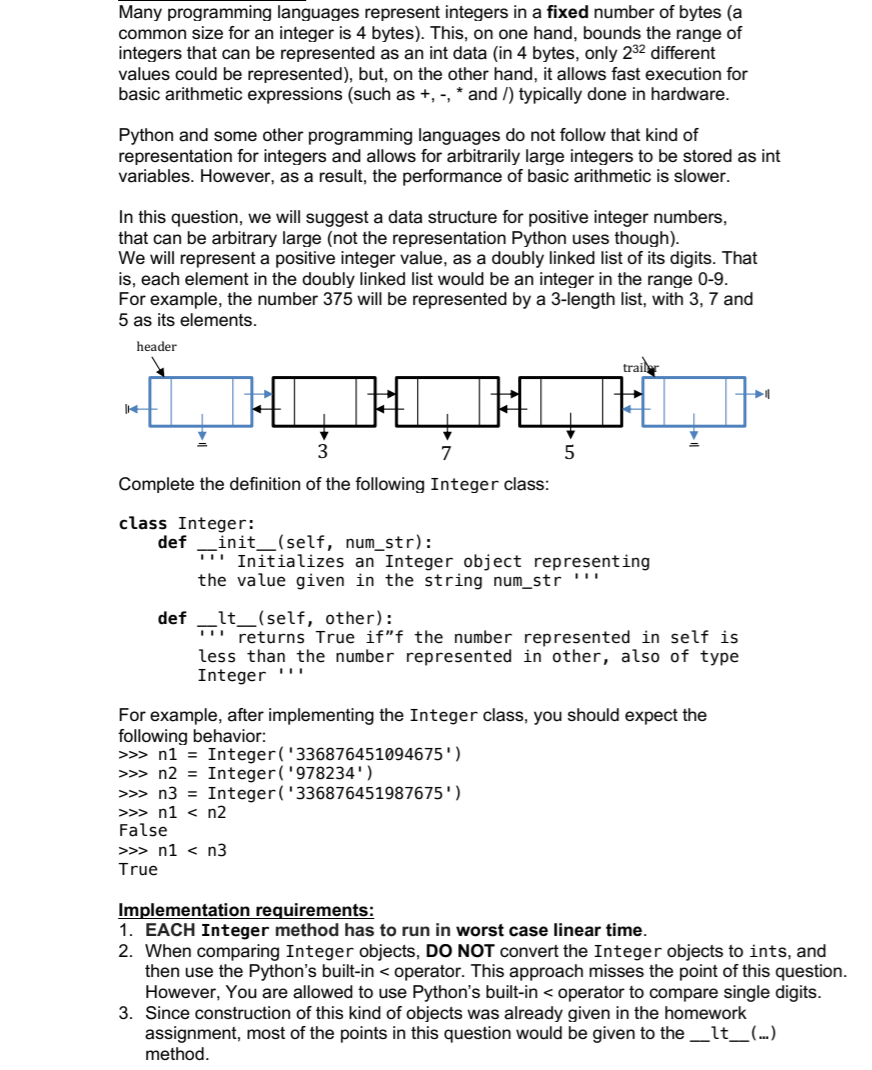
Question: PYTHON: Please use the following code as reference: Many programming languages represent integers in a fixed number of bytes (a common size for an integer
PYTHON:
Please use the following code as reference:
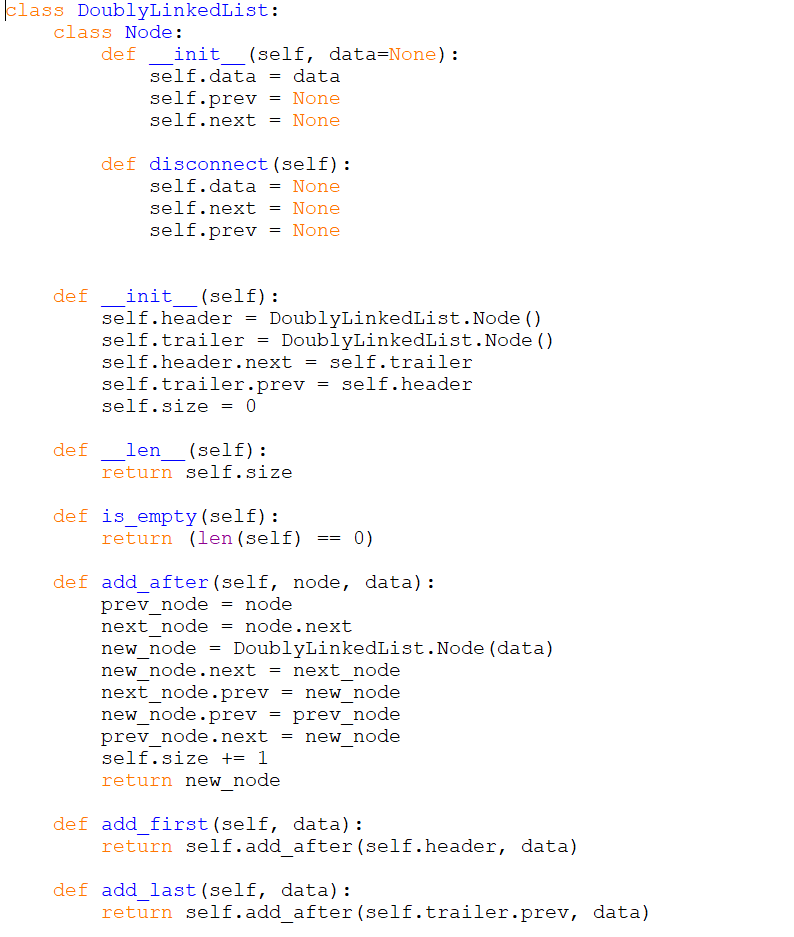
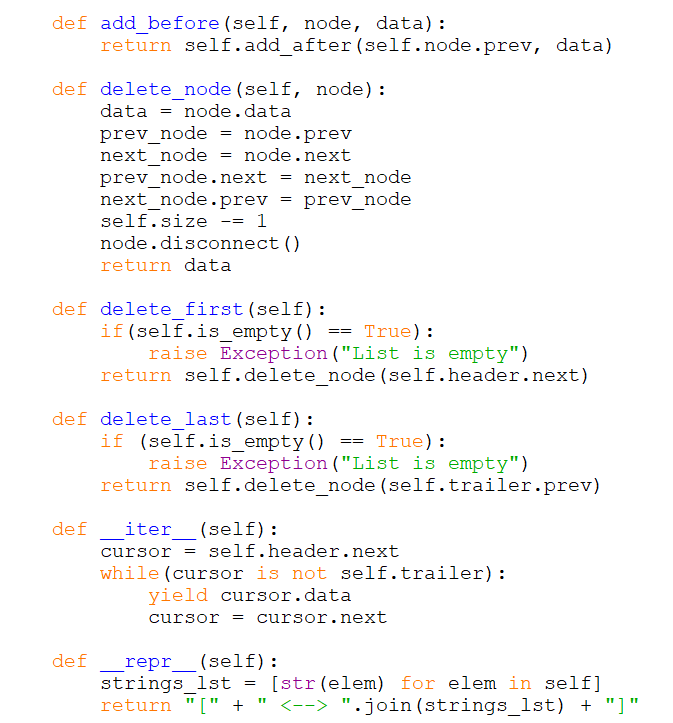
Many programming languages represent integers in a fixed number of bytes (a common size for an integer is 4 bytes). This, on one hand, bounds the range of integers that can be represented as an int data (in 4 bytes, only 22 different values could be represented), but, on the other hand, it allows fast execution for basic arithmetic expressions (such as +, -, * and /) typically done in hardware. Python and some other programming languages do not follow that kind of representation for integers and allows for arbitrarily large integers to be stored as int variables. However, as a result, the performance of basic arithmetic is slower. In this question, we will suggest a data structure for positive integer numbers, that can be arbitrary large (not the representation Python uses though). We will represent a positive integer value, a doubly linked list of its digits. That is, each element in the doubly linked list would be an integer in the range 0-9. For example, the number 375 will be represented by a 3-length list, with 3, 7 and 5 as its elements. header 14 H 3 7 Complete the definition of the following Integer class: class Integer: 5 trailer def _init__(self, num_str): Initializes an Integer object representing the value given in the string num_str >>> n1 < n3 True def _lt_(self, other): returns True if"f the number represented in self is less than the number represented in other, also of type Integer For example, after implementing the Integer class, you should expect the following behavior: >>> n1 = Integer ('336876451094675') >>> n2 = Integer ('978234') >>> n3 = Integer ('336876451987675') >>> n1 < n2 False Implementation requirements: 1. EACH Integer method has to run in worst case linear time. 2. When comparing Integer objects, DO NOT convert the Integer objects to ints, and then use the Python's built-in < operator. This approach misses the point of this question. However, You are allowed to use Python's built-in < operator to compare single digits. 3. Since construction of this kind of objects was already given in the homework assignment, most of the points in this question would be given to the ___lt_(...) method.
Step by Step Solution
There are 3 Steps involved in it
To complete the Integer class we need to implement an init method to initialize an instance of the Integer class with the number represented by a stri... View full answer

Get step-by-step solutions from verified subject matter experts
 Study Help