







Question: Python Programming Exercise 7.9 Develop three algorithms for lightening, darkening, and color filtering as three related Python functions, lighten, darken, and colorFilter. The first two
 Python Programming Exercise 7.9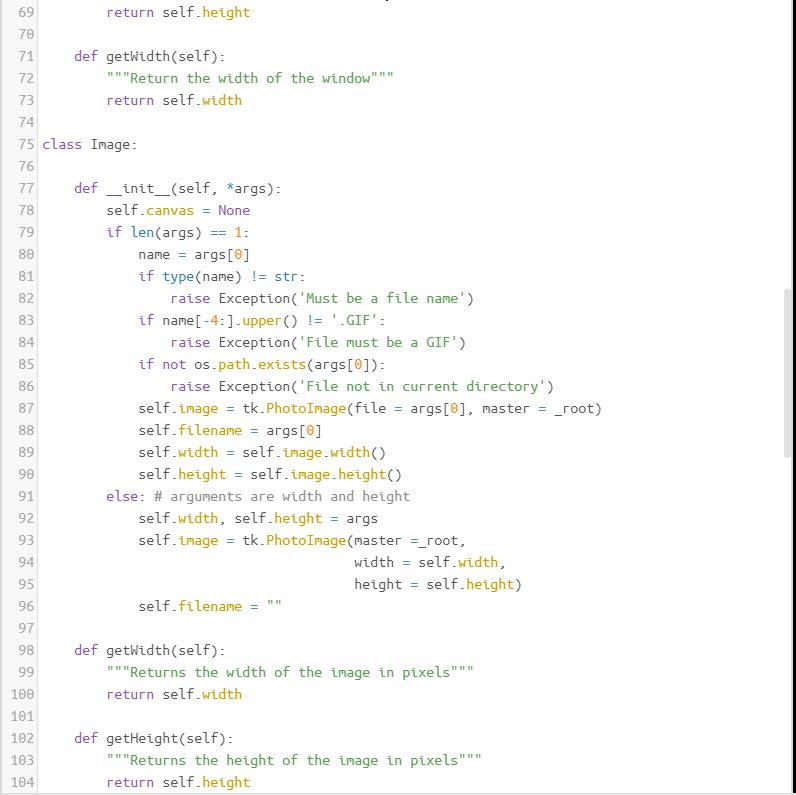
Develop three algorithms for lightening, darkening, and color filtering as three related Python functions, lighten, darken, and colorFilter. The first two functions should expect an image and a positive integer as arguments. The third function should expect an image and a tuple of integers (the RGB values) as arguments.
The following session shows how these functions can be used with the hypothetical images image1, image2, and image3, which are initially transparent:
>>> image1 = Image(100, 50) >>> image2 = Image(100, 50) >>> image3 = Image(100, 50) >>> lighten(image1, 128) # Converts to gray >>> darken(image2, 64) # Converts to dark gray >>> colorFilter(image3, (255, 0, 0)) # Converts to red
Note that the function colorFilter should do most of the work.
This is the format that was provided but I don't know where to go from here.
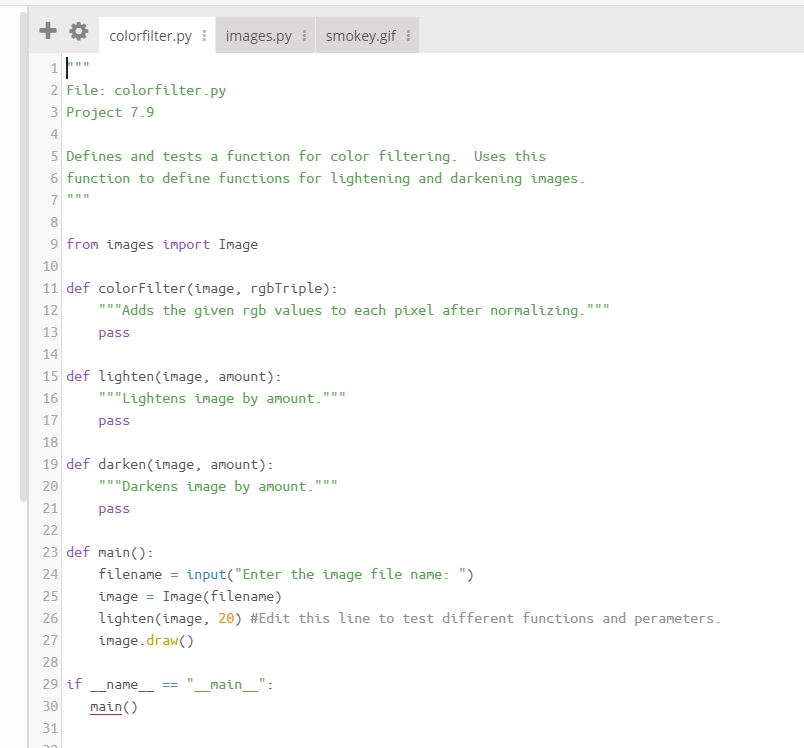
""" File: colorfilter.py Project 7.9
Defines and tests a function for color filtering. Uses this function to define functions for lightening and darkening images. """
from images import Image
def colorFilter(image, rgbTriple): """Adds the given rgb values to each pixel after normalizing.""" pass
def lighten(image, amount): """Lightens image by amount.""" pass
def darken(image, amount): """Darkens image by amount.""" pass
def main(): filename = input("Enter the image file name: ") image = Image(filename) lighten(image, 20) #Edit this line to test different functions and perameters. image.draw()
if __name__ == "__main__": main()
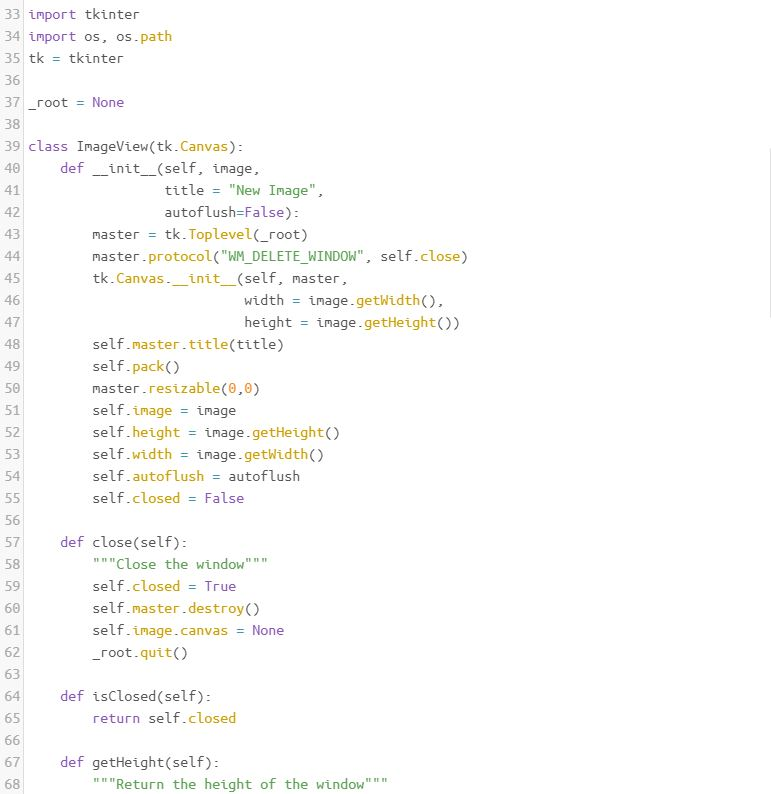
#### IMAGES MODULE
images.py
"""
images.py
Revised for Python 3.2, 2011.
This module, written by Kenneth Lambert, supports simple image processing.
The Image class represents either an image loaded from a GIF file or a
blank image.
To instantiate an image from a file, enter
image = Image(aGifFileName)
To instantiate a blank image, enter
image = Image(aWidth, aHeight)
Image methods:
draw() Displays the image in a window
getWidth() -> anInt The width in pixels
getHeight() -> anInt The height in pixels
getPixel(x, y) -> (r, g, b) The RGB values of pixel at x, y
setPixel(x, y, (r, g, b)) Resets pixel at x, y to (r, g, b)
save() Saves the image to the current file name
save(aFileName) Saves the image to fileName
LICENSE: This is open-source software released under the terms of the
GPL (http://www.gnu.org/licenses/gpl.html).
"""
import tkinter
import os, os.path
tk = tkinter
_root = None
class ImageView(tk.Canvas):
def __init__(self, image,
title = "New Image",
autoflush=False):
master = tk.Toplevel(_root)
master.protocol("WM_DELETE_WINDOW", self.close)
tk.Canvas.__init__(self, master,
width = image.getWidth(),
height = image.getHeight())
self.master.title(title)
self.pack()
master.resizable(0,0)
self.image = image
self.height = image.getHeight()
self.width = image.getWidth()
self.autoflush = autoflush
self.closed = False
def close(self):
"""Close the window"""
self.closed = True
self.master.destroy()
self.image.canvas = None
_root.quit()
def isClosed(self):
return self.closed
def getHeight(self):
"""Return the height of the window"""
return self.height
def getWidth(self):
"""Return the width of the window"""
return self.width
class Image:
def __init__(self, *args):
self.canvas = None
if len(args) == 1:
name = args[0]
if type(name) != str:
raise Exception('Must be a file name')
if name[-4:].upper() != '.GIF':
raise Exception('File must be a GIF')
if not os.path.exists(args[0]):
raise Exception('File not in current directory')
self.image = tk.PhotoImage(file = args[0], master = _root)
self.filename = args[0]
self.width = self.image.width()
self.height = self.image.height()
else: # arguments are width and height
self.width, self.height = args
self.image = tk.PhotoImage(master =_root,
width = self.width,
height = self.height)
self.filename = ""
def getWidth(self):
"""Returns the width of the image in pixels"""
return self.width
def getHeight(self):
"""Returns the height of the image in pixels"""
return self.height
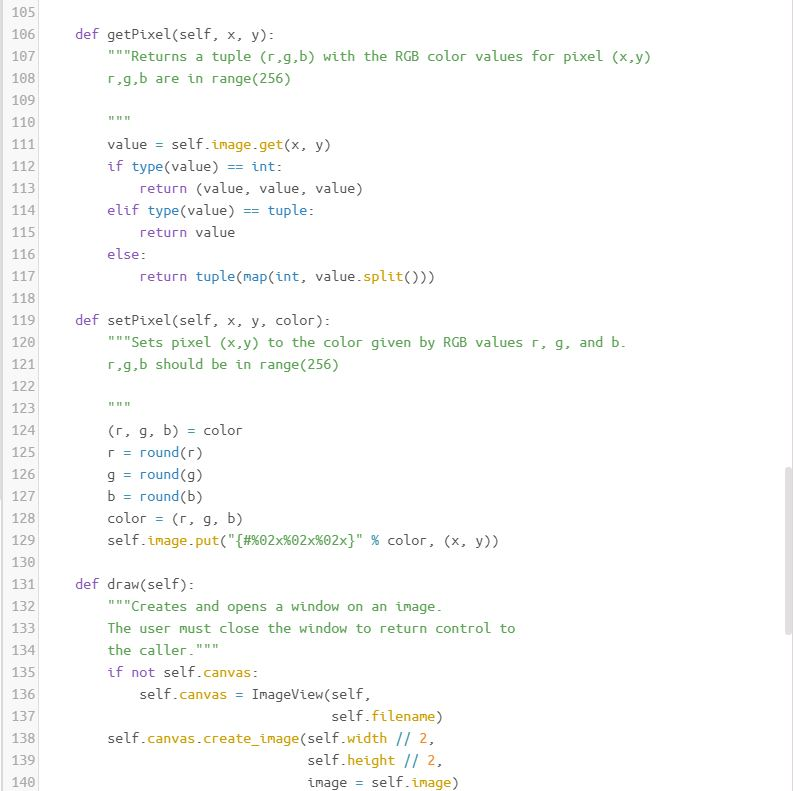
def getPixel(self, x, y):
"""Returns a tuple (r,g,b) with the RGB color values for pixel (x,y)
r,g,b are in range(256)
"""
value = self.image.get(x, y)
if type(value) == int:
return (value, value, value)
elif type(value) == tuple:
return value
else:
return tuple(map(int, value.split()))
def setPixel(self, x, y, color):
"""Sets pixel (x,y) to the color given by RGB values r, g, and b.
r,g,b should be in range(256)
"""
(r, g, b) = color
r = round(r)
g = round(g)
b = round(b)
color = (r, g, b)
self.image.put("{#%02x%02x%02x}" % color, (x, y))
def draw(self):
"""Creates and opens a window on an image.
The user must close the window to return control to
the caller."""
if not self.canvas:
self.canvas = ImageView(self,
self.filename)
self.canvas.create_image(self.width // 2,
self.height // 2,
image = self.image)
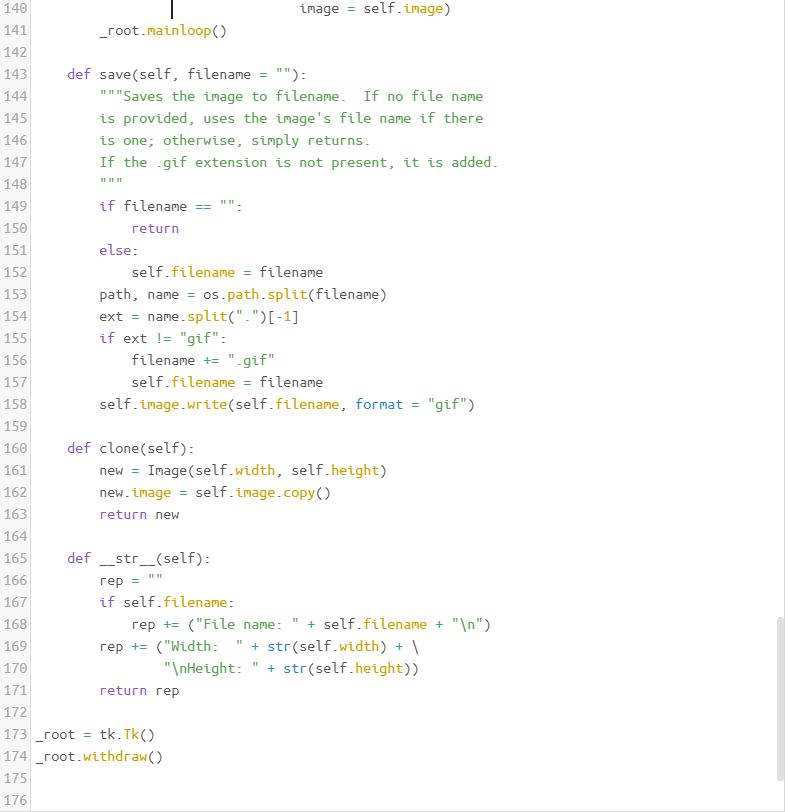
_root.mainloop()
def save(self, filename = ""):
"""Saves the image to filename. If no file name
is provided, uses the image's file name if there
is one; otherwise, simply returns.
If the .gif extension is not present, it is added.
"""
if filename == "":
return
else:
self.filename = filename
path, name = os.path.split(filename)
ext = name.split(".")[-1]
if ext != "gif":
filename += ".gif"
self.filename = filename
self.image.write(self.filename, format = "gif")
def clone(self):
new = Image(self.width, self.height)
new.image = self.image.copy()
return new
def __str__(self):
rep = ""
if self.filename:
rep += ("File name: " + self.filename + " ")
rep += ("Width: " + str(self.width) + \
" Height: " + str(self.height))
return rep
_root = tk.Tk()
_root.withdraw()
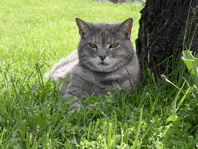
smokey.gif
33 import tkinter 34 import os, os.path 35 tk tkinter 36 37' root None 38 39 class InageView(tk.Canvas): 40 def init (self, inage, title "New Image" autoflush-False): 42 master tk.Toplevel(_root) naster.protocol("WM DELETE WINDOW, self.close) tk.Canvas init (self, master 43 45 46 47 48 49 50 51 52 53 54 width = i age.getlidth(), height inage.getHeight)) self.master.title(title self pack() master.resizable(0,0) self.inage inage self. height t age .getheight() self.width inage.getwidth) self.autoflush autoflush self.closed False 56 57 def close(self): 58 mn"Close the window self-closed = True self.master.destroy() self.inage.canvas None _root.quit) 60 61 62 63 64 65 def isClosed(self) return self.closed def getHeight(self): 67 68 """Return the height of the windowm 33 import tkinter 34 import os, os.path 35 tk tkinter 36 37' root None 38 39 class InageView(tk.Canvas): 40 def init (self, inage, title "New Image" autoflush-False): 42 master tk.Toplevel(_root) naster.protocol("WM DELETE WINDOW, self.close) tk.Canvas init (self, master 43 45 46 47 48 49 50 51 52 53 54 width = i age.getlidth(), height inage.getHeight)) self.master.title(title self pack() master.resizable(0,0) self.inage inage self. height t age .getheight() self.width inage.getwidth) self.autoflush autoflush self.closed False 56 57 def close(self): 58 mn"Close the window self-closed = True self.master.destroy() self.inage.canvas None _root.quit) 60 61 62 63 64 65 def isClosed(self) return self.closed def getHeight(self): 67 68 """Return the height of the windowm
Step by Step Solution
There are 3 Steps involved in it

Get step-by-step solutions from verified subject matter experts
 Study Help