







Question: PYTHON PROGRAMMING Your aim in this project is to create your own digital mandala using an object-oriented Python application. The program's essential functions will be
PYTHON PROGRAMMING
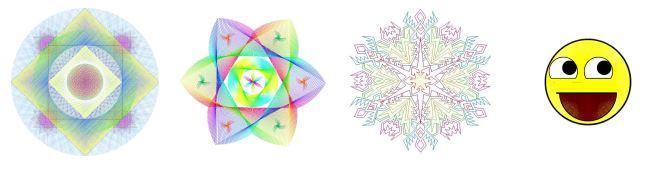
Your aim in this project is to create your own digital mandala using an object-oriented Python application. The program's essential functions will be the same for all students, but you are free to create your final output anyway you want: colorful, detailed, simple, or even funny! Here are a few samples of what you may accomplish as inspiration: (And yes, that last one counts as a mandala too... in the broadest sense of the word.)

The first few lines of your code for each file should be similar to the following:

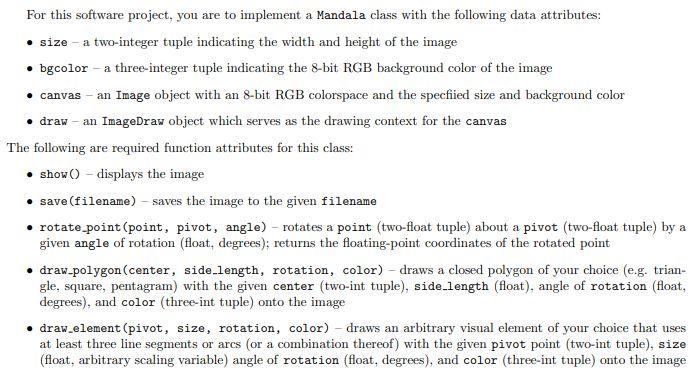
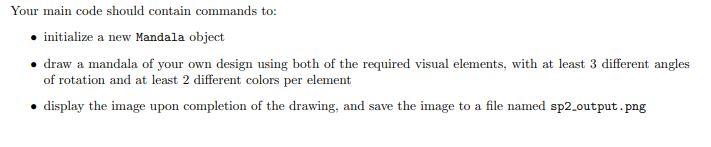
196 Now, how can we use these commands to design a mandala? As we saw in the introduction, a mandala is composed of several repeating elements placed and rotated about a central point. We could use indivdual line () and arc() function calls to hard-code our drawings one stroke at a time, as in the example above. But as programmers, we know that if we wanted to use a series of commands repetitively throughout our code, we could group and abstract them as functions to perform a unified behavior. Moreover, instead of having to deal with the Image and ImageDraw objects separately, we could create a single class which lets the end user initialize both of these at once, and access all of the necessary drawing tools through a single object. a For this software project, you are to implement a Mandala class with the following data attributes: size - a two-integer tuple indicating the width and height of the image bgcolor - a three-integer tuple indicating the 8-bit RGB background color of the image canvas - an Image object with an 8-bit RGB colorspace and the specfied size and background color draw - an ImageDraw object which serves as the drawing context for the canvas The following are required function attributes for this class: .show() - displays the image save (filename) - saves the image to the given filename rotate point (point, pivot, angle) - rotates a point (two-float tuple) about a pivot (two-float tuple) by a given angle of rotation (float, degrees); returns the floating-point coordinates of the rotated point draw-polygon(center, side.length, rotation, color) - draws a closed polygon of your choice (e.g. trian- gle, square, pentagram) with the given center (two-int tuple), side-length (float), angle of rotation (float, degrees), and color (three-int tuple) onto the image draw_element(pivot, size, rotation, color) - draws an arbitrary visual element of your choice that uses at least three line segments or arcs (or a combination thereof) with the given pivot point (two-int tuple), size (float, arbitrary scaling variable) angle of rotation (float. degrees), and color (three-int tuple) onto the image Your main code should contain commands to: initialize a new Mandala object draw a mandala of your own design using both of the required visual elements, with at least 3 different angles of rotation and at least 2 different colors per element display the image upon completion of the drawing, and save the image to a file named sp2_output.png Bp2.mandala.py import PIL.Image, PIL.ImageDraw from math import sin, cos, pi sp2.main.py from sp2_mandala import + class Mandala: # insert your constructor and methods below if -_name__ __main__': + insert your main code below
Step by Step Solution
There are 3 Steps involved in it

Get step-by-step solutions from verified subject matter experts
 Study Help