







Question: Python (.py file) Beginners Class Note: We haven't learned %-20s and end==. Is there a way of writing the code not using those. If so
Python (.py file)
Beginners Class
Note: We haven't learned "%-20s" and end=="". Is there a way of writing the code not using those. If so can you show. Thank you
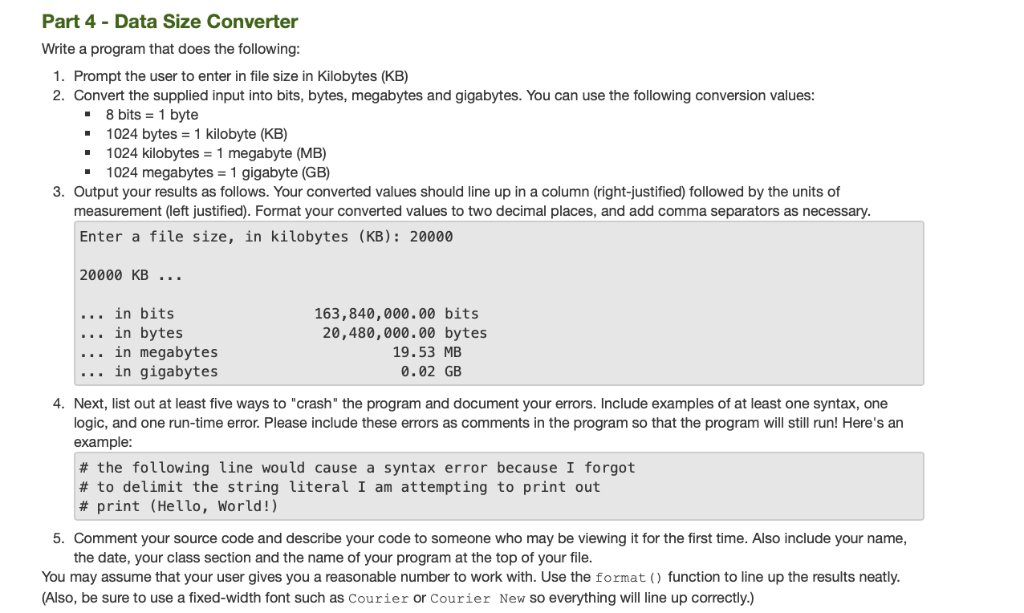
Part 4 - Data Size Converter Write a program that does the following 1. Prompt the user to enter in file size in Kilobytes (KB) 2. Convert the supplied input into bits, bytes, megabytes and gigabytes. You can use the following conversion values: 8 bits 1 byte 1024 bytes = 1 kilobyte (KB) 1024 kilobytes 1 megabyte (MB) - 1024 megabytes 1 gigabyte (GB) 3. Output your results as follows. Your converted values should line up in a column (right-justified) followed by the units of measurement (left justified). Format your converted values to two decimal places, and add comma separators as necessary. Enter a file size, in kilobytes (KB): 20000 20000 KB in bits in bytes in megabytes in gigabytes 163,840,000.00 bits 20,480,000.00 bytes 19.53 MB 0.02 GB 4. Next, list out at least five ways to "crash" the program and document your errors. Include examples of at least one syntax, one logic, and one run-time error. Please include these errors as comments in the program so that the program will still run! Here's an example # the following line would cause a syntax error because I forgot # to delimit the string literal I am attempting to print out # print (Hello, World!) 5. Comment your source code and describe your code to someone who may be viewing it for the first time. Also include your name, the date, your class section and the name of your program at the top of your file You may assume that your user gives you a reasonable number to work with. Use the format ) function to line up the results neatly (Also, be sure to use a fixed-width font such as Courier or Courier New so everything will line up correctly.)
Step by Step Solution
There are 3 Steps involved in it

Get step-by-step solutions from verified subject matter experts
 Study Help