







Question: Python Python Python Python Python Python Python Python Python Python Python Python Python Python Python def print_score(name, value): print(name, '=' * (value//5)) 1 2 3
Python Python Python Python Python Python Python Python Python Python Python Python Python Python Python
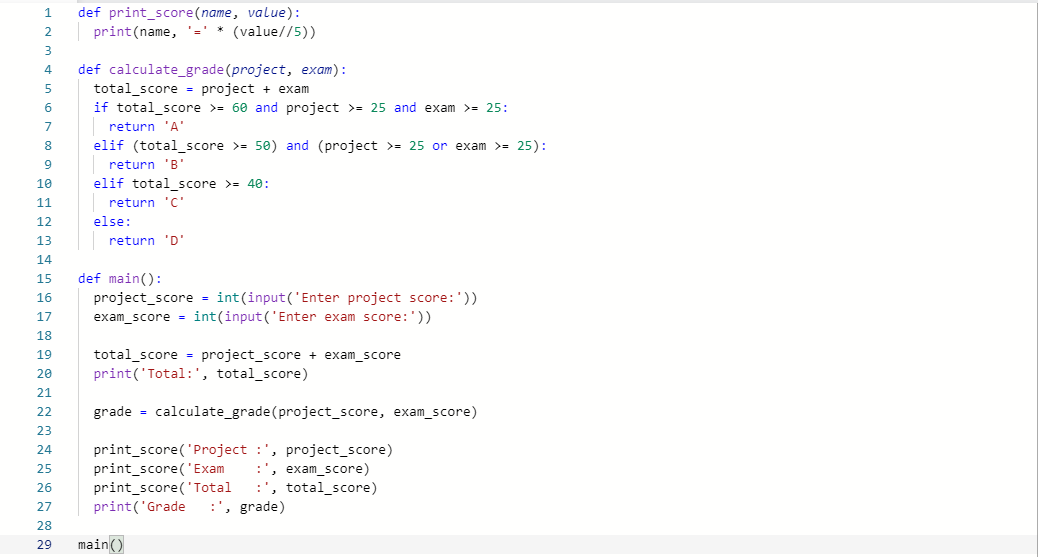
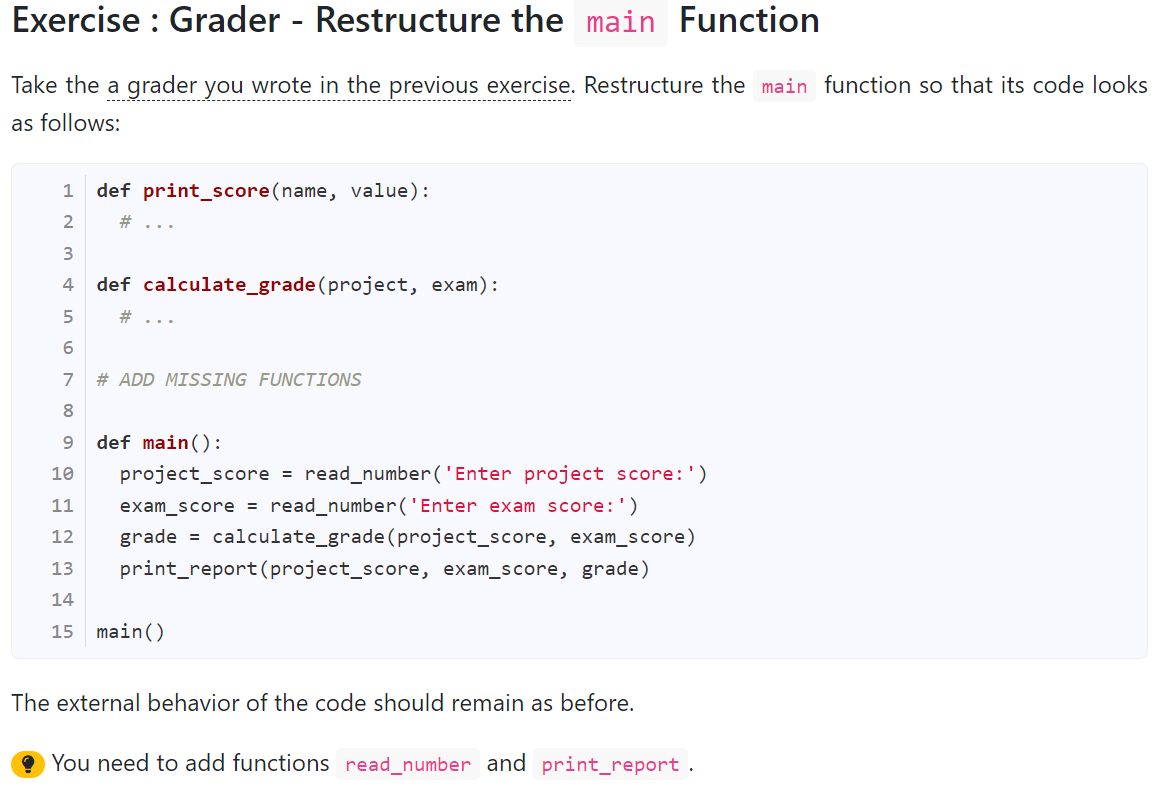
def print_score(name, value): print(name, '=' * (value//5)) 1 2 3 4 5 6 7 8 def calculate_grade (project, exam): total_score = project + exam if total_score >= 60 and project >= 25 and exam >= 25: return 'A' elif (total_score >= 50) and (project >= 25 or exam >= 25): return 'B elif total_score >= 40: return 'C' else: return 'D' 9 10 11 12 13 14 15 16 17 def main(): project_score = int(input('Enter project score:')) exam_score = int(input('Enter exam score:')) 18 19 total_score = project_score + exam_score print('Total:', total_score) 20 grade = calculate_grade (project_score, exam_score) 21 22 23 24 25 26 27 28 29 print_score('Project :', project_score) print_score('Exam :', exam_score) print_score('Total :', total_score) print('Grade :', grade) main() Exercise : Grader - Restructure the main Function Take the a grader you wrote in the previous exercise. Restructure the main function so that its code looks as follows: 1 def print_score(name, value): # ... 2 3 4 def calculate_grade (project, exam): 5 # ... 6 7 # ADD MISSING FUNCTIONS 8 9 10 11 def main(): project_score = read_number('Enter project score:') exam_score = read_number('Enter exam score:') grade = calculate_grade (project_score, exam_score) print_report(project_score, exam_score, grade) 12 13 14 15 main() The external behavior of the code should remain as before. ? You need to add functions read_number and print_report
Step by Step Solution
There are 3 Steps involved in it

Get step-by-step solutions from verified subject matter experts
 Study Help