







Question: Python socket programming . Can you pls write NEAT and add comments so I can understand whats going on. Port-3310 Blazerid-bia1994 Your program has to
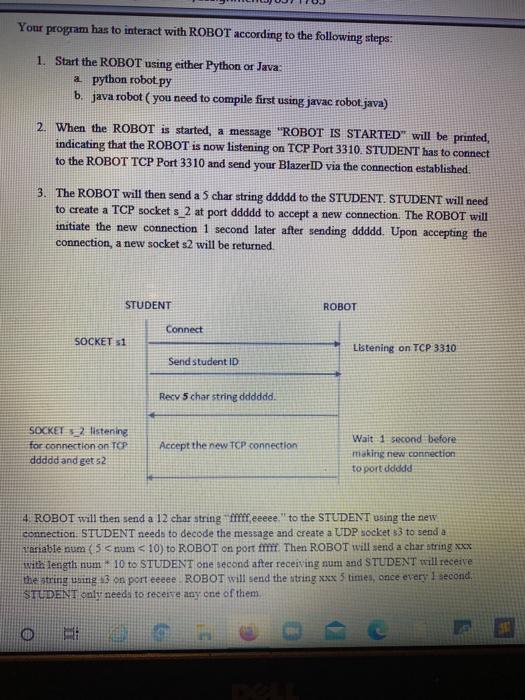
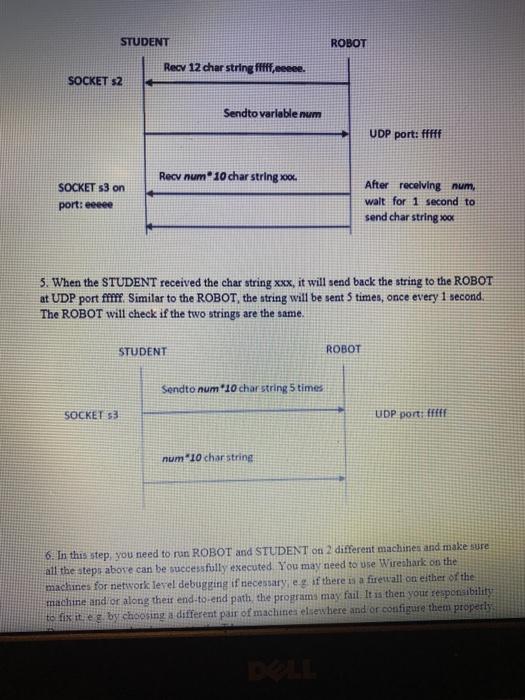
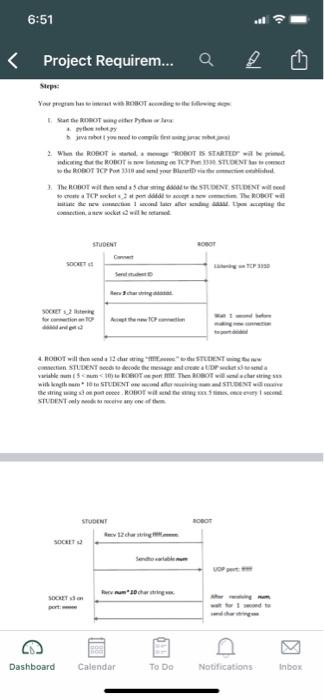
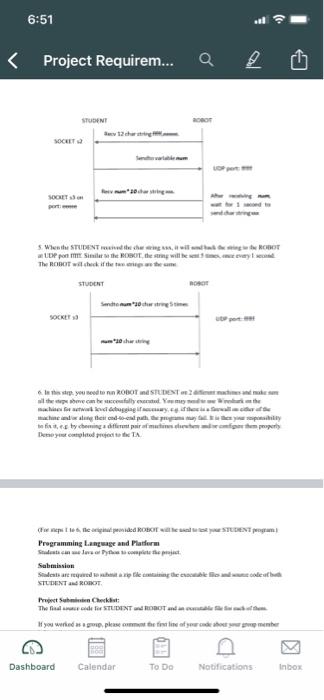
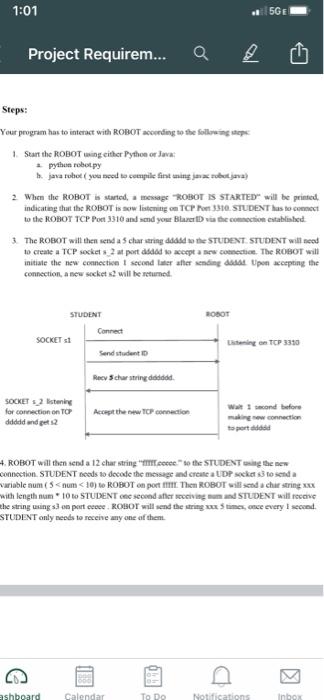
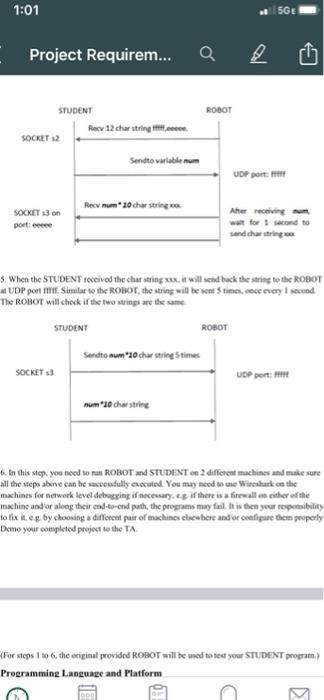
Your program has to interact with ROBOT according to the following steps: 1. Start the ROBOT using either Python or Java: a python robot py b. java robot (you need to compile first using javac roboljava) 2. When the ROBOT is started, a message "ROBOT IS STARTED" will be printed, indicating that the ROBOT is now listening on TCP Port 3310. STUDENT has to connect to the ROBOT TCP Port 3310 and send your Blazer ID via the connection established. 3. The ROBOT will then send a 5 char string ddddd to the STUDENT STUDENT will need to create a TCP socket s_2 at port ddddd to accept a new connection. The ROBOT will initiate the new connection 1 second later after sending ddddd. Upon accepting the connection, a new socket s2 will be returned STUDENT ROBOT Connect SOCKET 51 Listening on TCP 3310 Send student ID Recy 5 char string dddddd. SOCKET listening for connection on TOP ddddd and get 52 Accept the new TCP connection Wait 1 second before making new connection to port ddodd 4. ROBOT will then send a 12 char string fffifeeeee" to the STUDENT using the new connection. STUDENT needs to decode the message and create a UDP socket 3 to send a variable num (5 num
Step by Step Solution
There are 3 Steps involved in it

Get step-by-step solutions from verified subject matter experts
 Study Help