







Question: Python. The pictures are part of the code, they are inside the module skiimage. I do not have any other data to give. # These
Python. The pictures are part of the code, they are inside the module skiimage. I do not have any other data to give.
# These are *colour* images (See Problem Solving 2). astro = util.img_as_float(skdata.astronaut()) hubble = util.img_as_float(skdata.hubble_deep_field()) # These are *grayscale* images (See Lecture 13, Demo 2). coins = util.img_as_float(skdata.coins()) cameraman = util.img_as_float(skdata.camera())
############# DO NOT MODIFY THIS CODE ############################### import numpy as np import skimage.data as skdata import skimage.util as util import matplotlib.pyplot as plt plt.gray() # use gray colourmap for displaying grayscale images. plt.title('Yes, this figure window is blank -- just ignore it.') # Load original images (this code would be given) # These are *colour* images (See Problem Solving 2). astro = util.img_as_float(skdata.astronaut()) hubble = util.img_as_float(skdata.hubble_deep_field()) # These are *grayscale* images (See Lecture 13, Demo 2). coins = util.img_as_float(skdata.coins()) cameraman = util.img_as_float(skdata.camera()) ##################################################################### # Start your program here. ############# DO NOT MODIFY THIS CODE ############################### plt.show() ##################################################################### 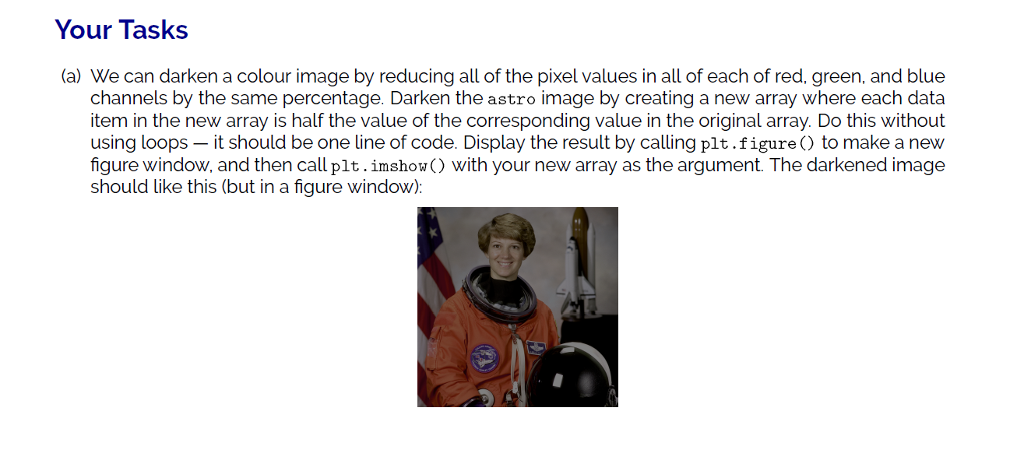
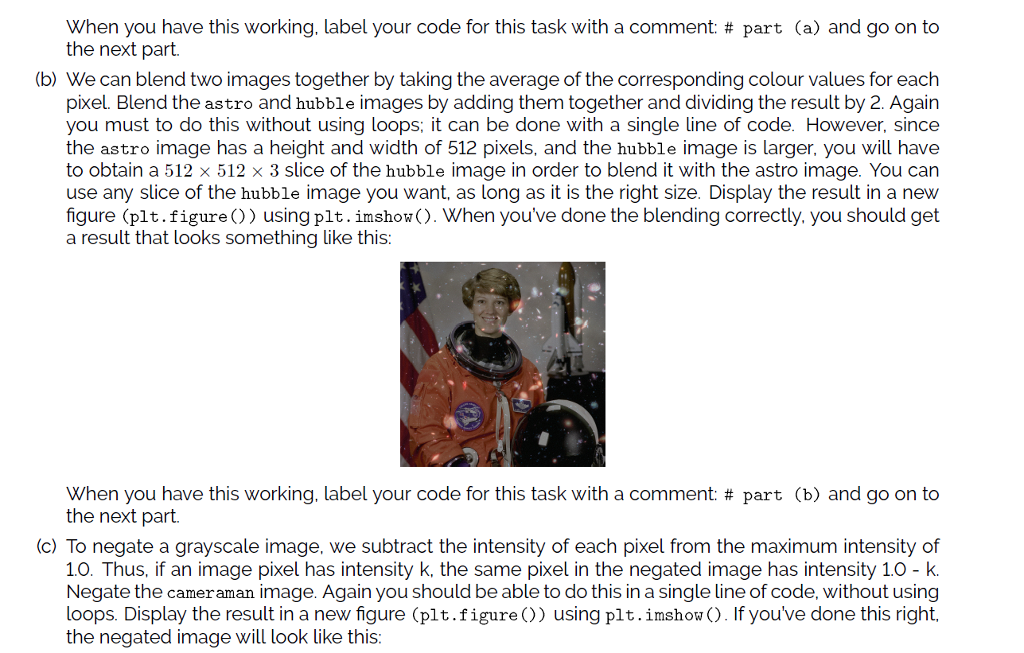
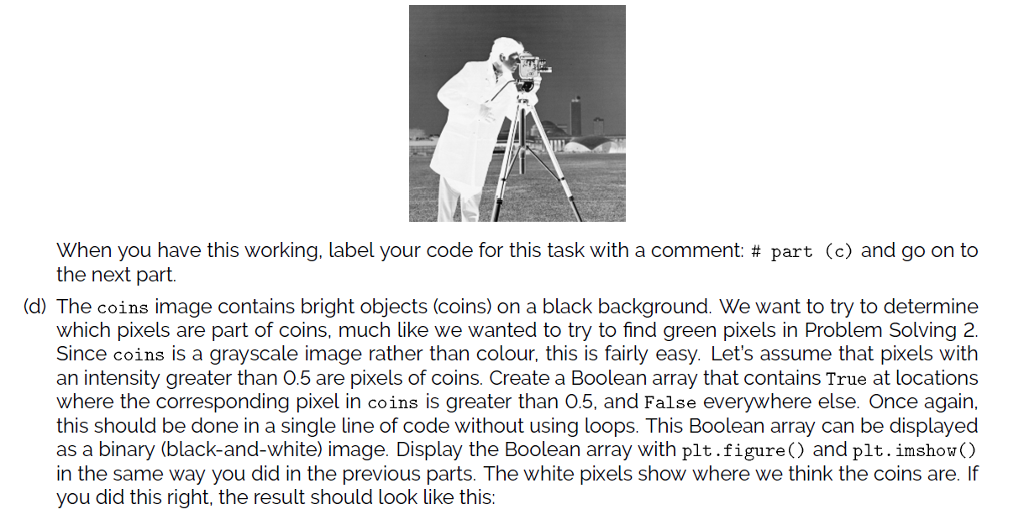
Your Tasks (a) We can darken a colour image by reducing all of the pixel values in all of each of red. green, and blue channels by the same percentage. Darken the astro image by creating a new array where each data item in the new array is half the value of the corresponding value in the original array. Do this without using loops - it should be one line of code. Display the result by calling plt.figure) to make a new figure window, and then call plt.imshow() with your new array as the argument. The darkened image should like this (but in a figure window)
Step by Step Solution
There are 3 Steps involved in it
1 Expert Approved Answer
Step: 1 Unlock

Question Has Been Solved by an Expert!
Get step-by-step solutions from verified subject matter experts
Step: 2 Unlock
Step: 3 Unlock
 Study Help