







Question: Python: Urgent !!! IM POSTING THIS QUESTION THIRD TIME. PLEASE POST THE CORRECT CODE Question 1: Your task for this question is to write the
Python:
Urgent !!! IM POSTING THIS QUESTION THIRD TIME. PLEASE POST THE CORRECT CODE
Question 1:
Your task for this question is to write the event handler for the Button.
The method retrieves whatever the user has typed into the Entry and checks to see if the entry is numeric. If the entry is numeric, it displays a showinfo box reporting the number of lemons required for the desired number of teaspoons. If the entry is not numeric, it displays a message in a showinfo box reporting that. Regardless of what the user types, the Entry is cleared as the last thing that the event handler does.
When the GUI is complete, it will look like the following when you type LemonJuice().mainloop():
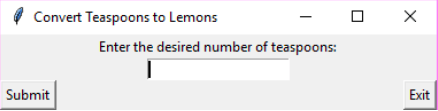
If the user types a valid number into the entry, for example, as follows:
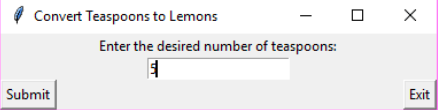
and then presses the Submit button, the following pop-up window is displayed:
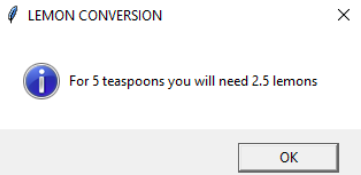
If the user types alphabetic characters into the entry for example, as follows:
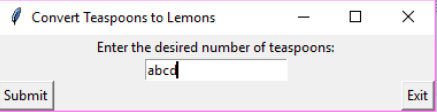
and then presses the button, then the following pop-up window is displayed:
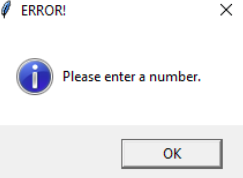
In any of the above cases, after the user dismisses the pop-up window, the entry should be cleared as follows:
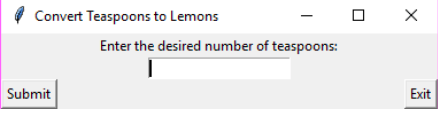
template:
from tkinter import * #Tk, Label, Entry, Button, TOP, LEFT, END from tkinter.messagebox import showinfo import sys from html.parser import HTMLParser import urllib.request import urllib.response
class LemonJuice(Tk):
def __init__(self, parent=None): Tk.__init__(self, parent) self.title('Convert Teaspoons to Lemons') self.make_widgets() # Define the main function def make_widgets(self):
Label(self, text="Enter the desired number of teaspoons:").pack(side=TOP)
self.ent = Entry(self) self.ent.pack(side=TOP) self.ent.focus_set()
# Event handler def cmd(): pass btn=Button(self, text="Submit", command=cmd).pack(side=LEFT) btn1=Button(self, text='Exit', command=self.destroy).pack(side=RIGHT)
Convert Teaspoons to Lemons Enter the desired number of teaspoons Submit Exit
Step by Step Solution
There are 3 Steps involved in it

Get step-by-step solutions from verified subject matter experts
 Study Help