







Question: Python3 Working with Html Deliverables You must use functions to modularize your work in a logical way You should use exception handling where necessary as
Python3 Working with Html
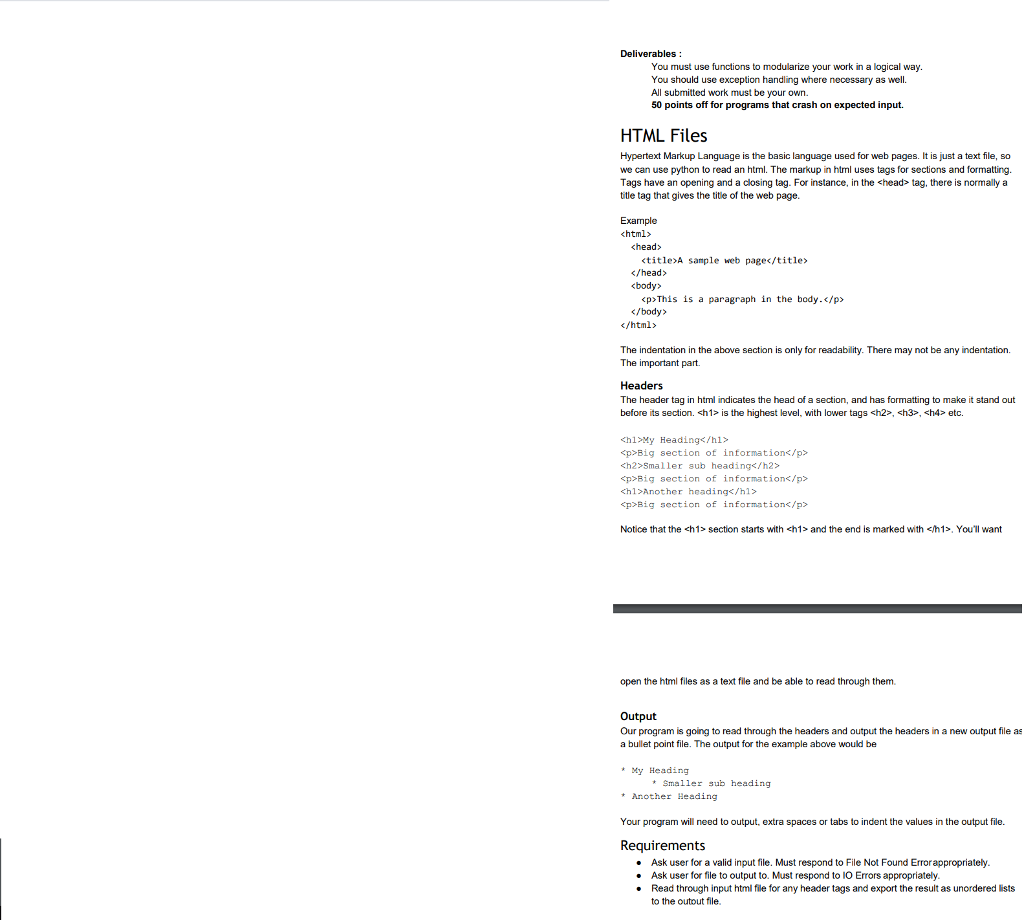
Deliverables You must use functions to modularize your work in a logical way You should use exception handling where necessary as well. All submitted work must be your own. 50 points off for programs t hat crash on expected input HTML Files Hypertext Markup Language is the basic language used for web pages. It is just a text file, so we can use python to read an html. The markup in html uses tags for sections and formatting. Tags have an opening and a closing tag. For instance, in the tag, there is normally a title tag that gives the title of the web page. Example chead>
This is a paragraph in the body./p The indentation in the above section is only for readability. There may not be any indentation. The important part. Headers The header tag in html indicates the head of a section, and has formatting to make it stand out before its section. sh1 is the highest level, with lower tags sh2>, sh3>, h4 etc. h1My Heading p>Big section of informations/p>
Smaller sub heading
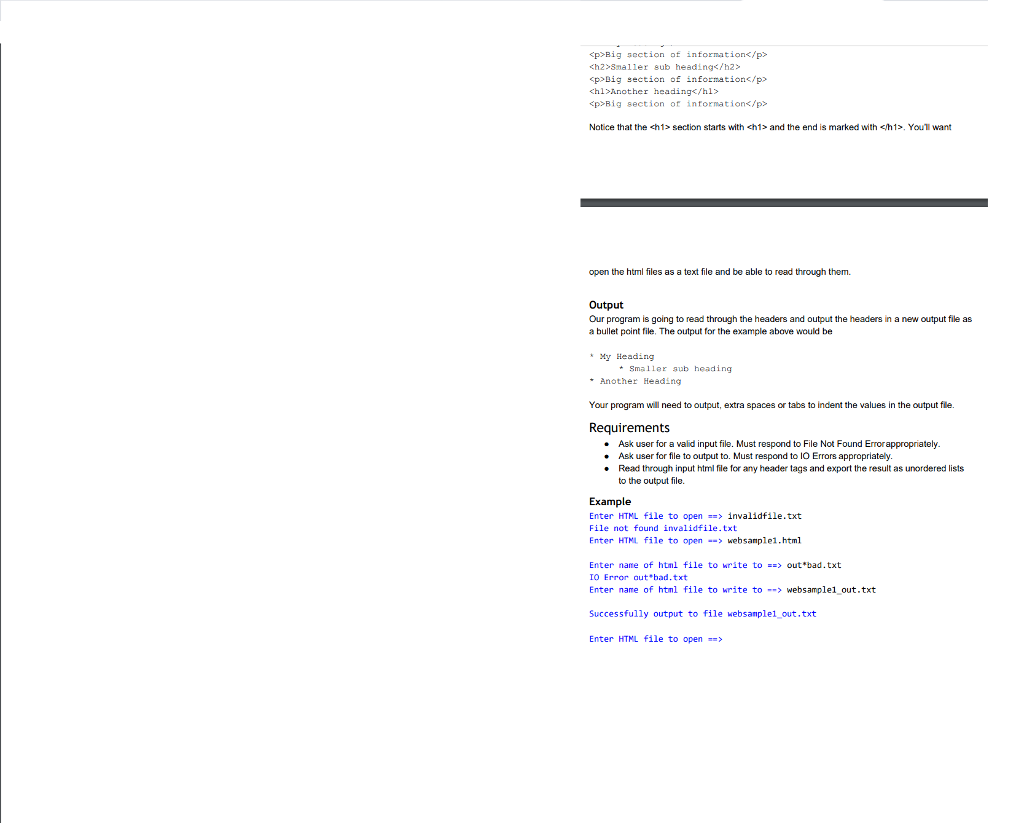
p>Big section of informations/p> Big section of information This is a paragraph in the body./p The indentation in the above section is only for readability. There may not be any indentation. The important part. Headers The header tag in html indicates the head of a section, and has formatting to make it stand out before its section. sh1 is the highest level, with lower tags sh2>, sh3>, h4 etc. h1My Heading p>Big section of informations/p> Big section of information, You'll want open the html files as a text file and be able to read through them. Output Our program is going to read through the headers and output the headers in a new output le as a bullet point file. The output for the example above would be My Heading Smaller sub heading Another Heading Your program will need to output, extra spaces or tabs to indent the values in the output file. Requirements . Ask user for a valid input file. Must respond to File Not Found Errorappropriately . Ask user for file to output to. Must respond to lO Errors appropriately . Read through input html file for any header tags and export the result as unordered ists to the outout file. Deliverables You must use functions to modularize your work in a logical way You should use exception handling where necessary as well. All submitted work must be your own. 50 points off for programs t hat crash on expected input HTML Files Hypertext Markup Language is the basic language used for web pages. It is just a text file, so we can use python to read an html. The markup in html uses tags for sections and formatting. Tags have an opening and a closing tag. For instance, in the tag, there is normally a title tag that gives the title of the web page. Example chead>
Smaller sub heading
p>Big section of informations/p> , You'll want open the html files as a text file and be able to read through them. Output Our program is going to read through the headers and output the headers in a new output le as a bullet point file. The output for the example above would be My Heading Smaller sub heading Another Heading Your program will need to output, extra spaces or tabs to indent the values in the output file. Requirements . Ask user for a valid input file. Must respond to File Not Found Errorappropriately . Ask user for file to output to. Must respond to lO Errors appropriately . Read through input html file for any header tags and export the result as unordered ists to the outout file
Step by Step Solution
There are 3 Steps involved in it

Get step-by-step solutions from verified subject matter experts
 Study Help