







Question: Q 5 . ( 1 5 points ) Trigger based on table Locations. It requires three steps described below. The first step is to create
Q points Trigger based on table Locations. It requires three steps described below.
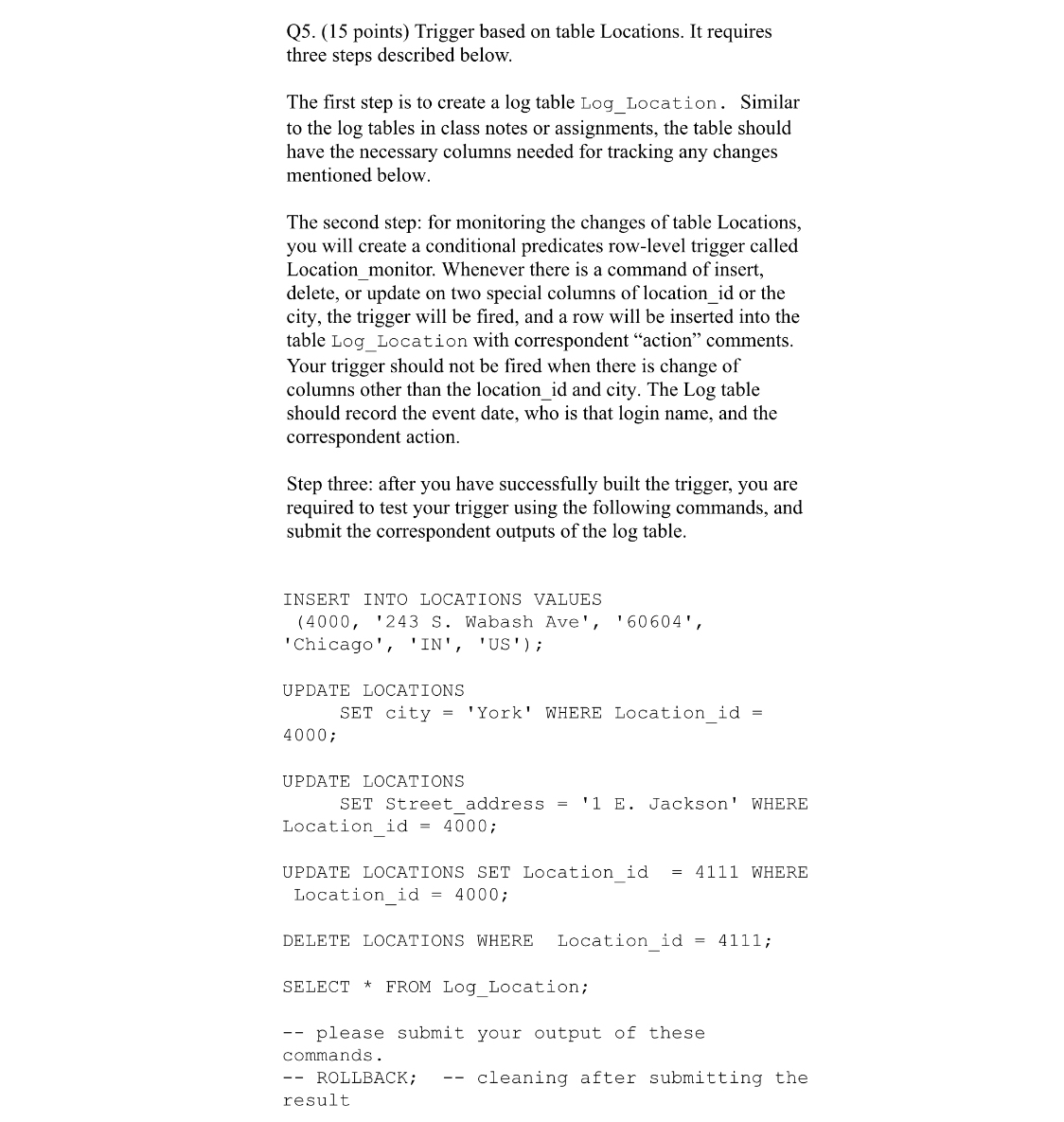
The first step is to create a log table LogLocation. Similar to the log tables in class notes or assignments, the table should have the necessary columns needed for tracking any changes mentioned below.
The second step: for monitoring the changes of table Locations, you will create a conditional predicates rowlevel trigger called Locationmonitor. Whenever there is a command of insert, delete, or update on two special columns of locationid or the city, the trigger will be fired, and a row will be inserted into the table LogLocation with correspondent "action" comments. Your trigger should not be fired when there is change of columns other than the locationid and city. The Log table should record the event date, who is that login name, and the correspondent action.
Step three: after you have successfully built the trigger, you are required to test your trigger using the following commands, and submit the correspondent outputs of the log table.
INSERT INTO LOCATIONS VALUES
S Wabash Ave',
'Chicago', INUS;
UPDATE LOCATIONS
SET city 'York' WHERE Locationid
;
UPDATE LOCATIONS
SET Streetaddress E Jackson' WHERE
Locationid ;
UPDATE LOCATIONS SET Locationid WHERE
Locationid ;
DELETE LOCATIONS WHERE Locationid ;
SELECT FROM LogLocation;
please submit your output of these
commands.
ROLLBACK; cleaning after submitting the
result
Step by Step Solution
There are 3 Steps involved in it
1 Expert Approved Answer
Step: 1 Unlock

Question Has Been Solved by an Expert!
Get step-by-step solutions from verified subject matter experts
Step: 2 Unlock
Step: 3 Unlock
 Study Help