







Question: Q1. 1-Write CREATE statements for all objects and tables listed in the OrdersNT.txt file. 2-Write the INSERT statements to insert the data in the OrdersNT
Q1. 1-Write CREATE statements for all objects and tables listed in the OrdersNT.txt file. 2-Write the INSERT statements to insert the data in the OrdersNT file. 3-Write an UPDATE statement to change the quantity to 10 for LineItemNumber 18 on Order number 100. 4-paste the output of executing the query: "SELECT * from Order" after running the UPDATE in the previous step
Please solve them in the right way in SQL. This is the OrdersNT.txt file:
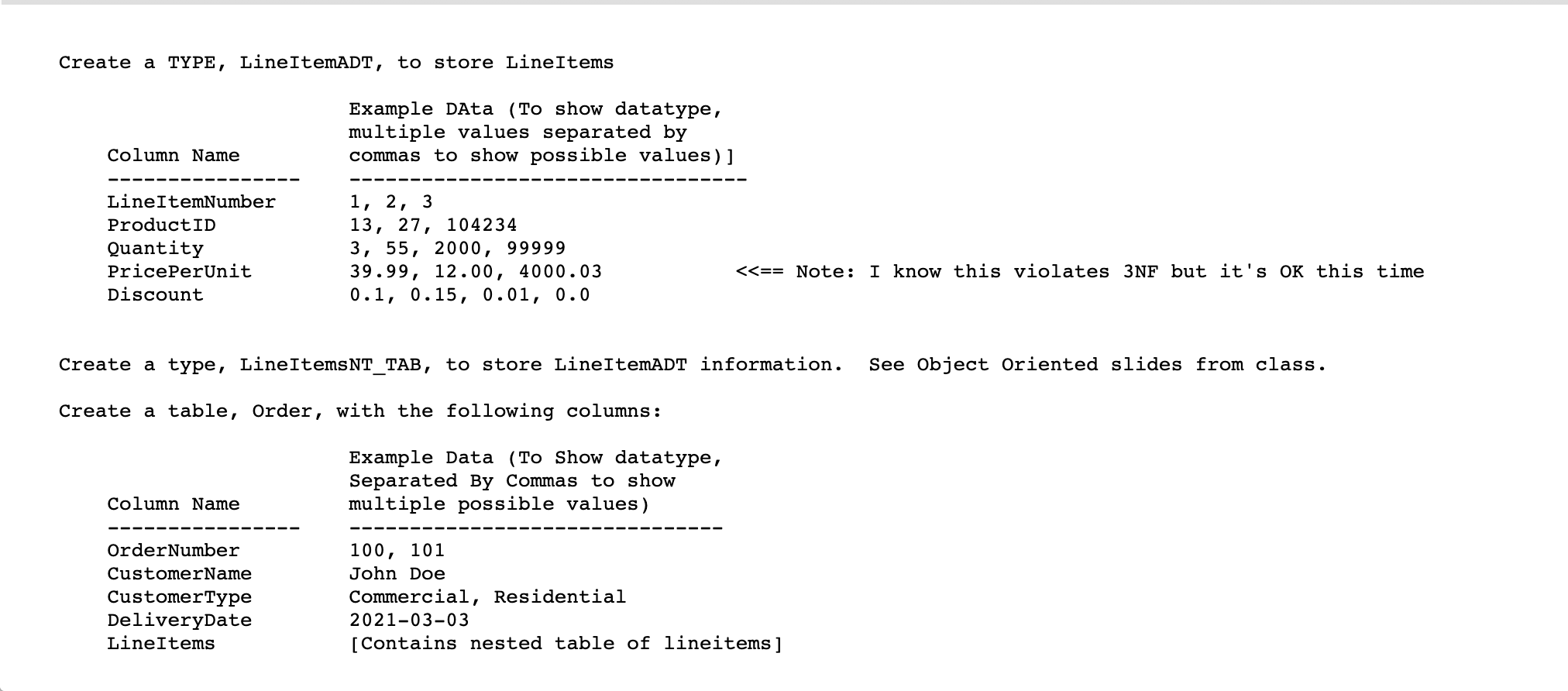
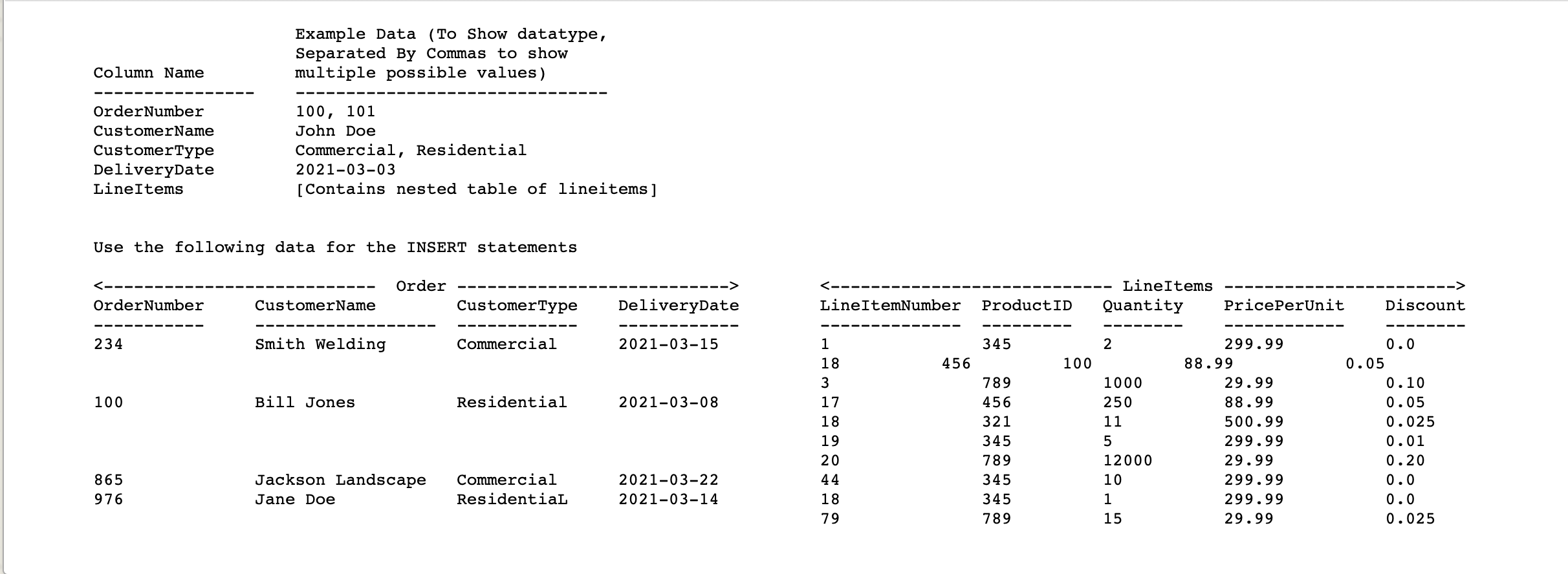
Create a TYPE, LineItemADT, to store LineItems Example DAta (To show datatype, multiple values separated by commas to show possible values) ] Column Name LineItemNumber ProductID Quantity PricePerUnit Discount 1, 2, 3 13, 27, 104234 3, 55, 2000, 99999 39.99, 12.00, 4000.03 0.1, 0.15, 0.01, 0.0
Step by Step Solution
There are 3 Steps involved in it

Get step-by-step solutions from verified subject matter experts
 Study Help