







Question: Q6 4 Points Consider the following HTML: div#goofball { width: 1000px; padding: 150px; padding-left: 100px; background-color:grey; border-color: purple; border-style: solid; border-width: 20px; margin: 420px;
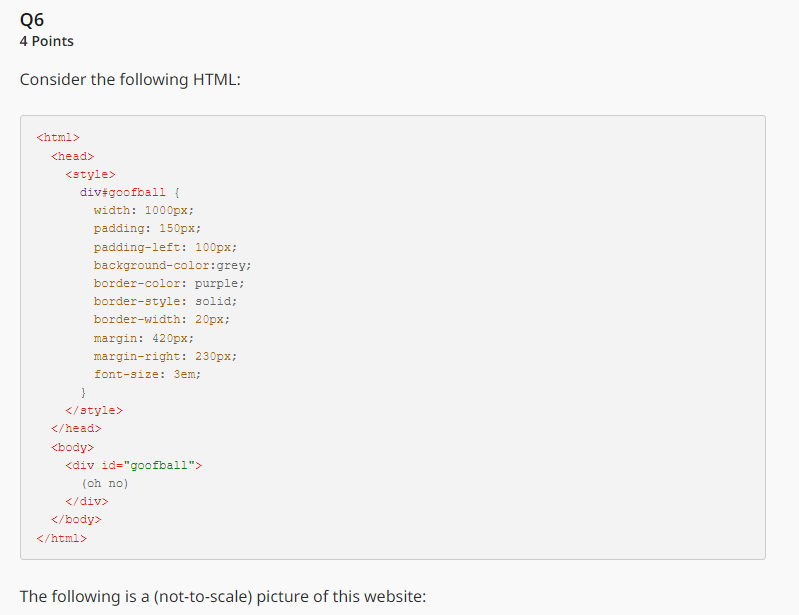
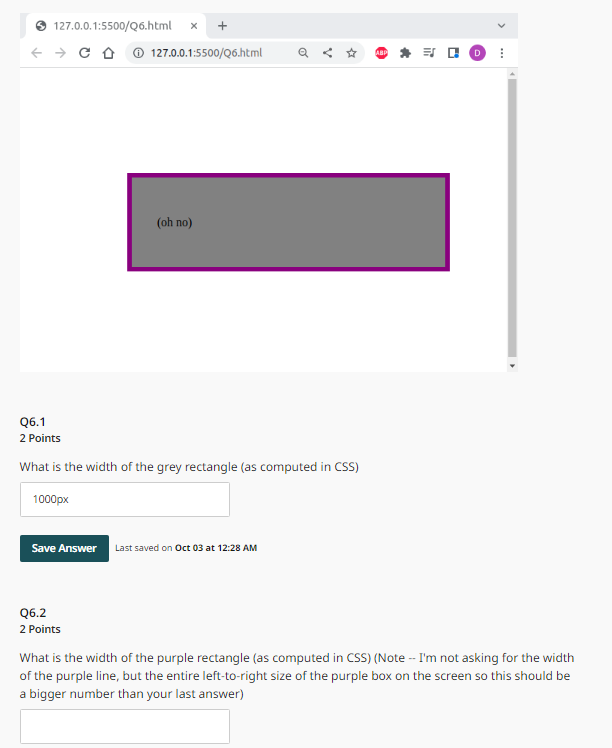
Q6 4 Points Consider the following HTML: div#goofball { width: 1000px; padding: 150px; padding-left: 100px; background-color:grey; border-color: purple; border-style: solid; border-width: 20px; margin: 420px; margin-right: 230px; font-size: 3em; } (oh no) The following is a (not-to-scale) picture of this website: 127.0.0.1:5500/Q6.html X + CL 127.0.0.1:5500/Q6.html (oh no) Q6.1 2 Points What is the width of the grey rectangle (as computed in CSS) 1000px Save Answer Last saved on Oct 03 at 12:28 AM Q6.2 2 Points ABP D *** What is the width of the purple rectangle (as computed in CSS) (Note -- I'm not asking for the width of the purple line, but the entire left-to-right size of the purple box on the screen so this should be a bigger number than your last answer) Q6 4 Points Consider the following HTML: div#goofball { width: 1000px; padding: 150px; padding-left: 100px; background-color:grey; border-color: purple; border-style: solid; border-width: 20px; margin: 420px; margin-right: 230px; font-size: 3em; } (oh no) The following is a (not-to-scale) picture of this website: 127.0.0.1:5500/Q6.html X + CL 127.0.0.1:5500/Q6.html (oh no) Q6.1 2 Points What is the width of the grey rectangle (as computed in CSS) 1000px Save Answer Last saved on Oct 03 at 12:28 AM Q6.2 2 Points ABP D *** What is the width of the purple rectangle (as computed in CSS) (Note -- I'm not asking for the width of the purple line, but the entire left-to-right size of the purple box on the screen so this should be a bigger number than your last answer)
Step by Step Solution
3.32 Rating (173 Votes )
There are 3 Steps involved in it
Based on the HTML and CSS code provided in the screenshots I can provide calculations for the width ... View full answer

Get step-by-step solutions from verified subject matter experts
 Study Help