







Question: Question 1 (1 point) To make all h1 elements appear as all uppercase, use the following CSS: h1{ text-transform: uppercase; } .h1{ text-transform: uppercase; }
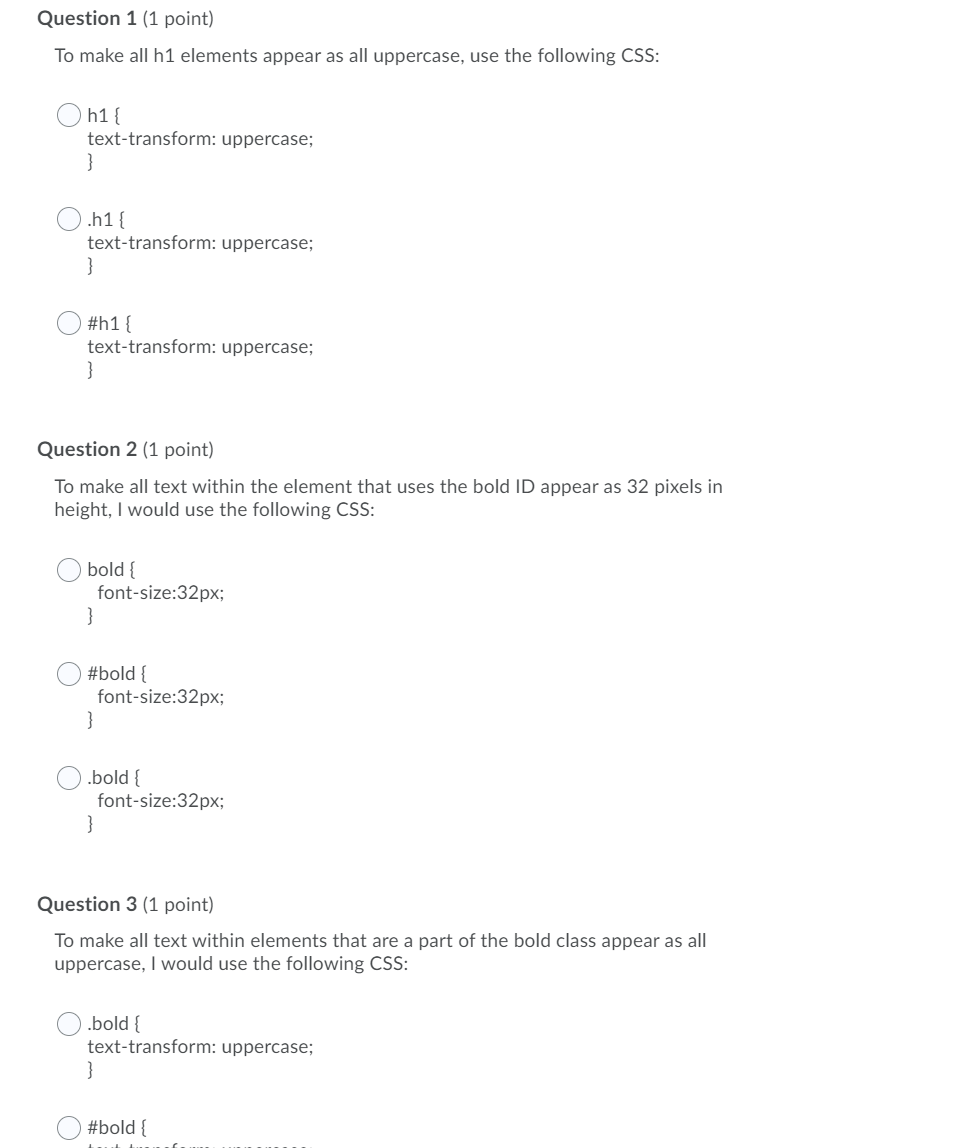
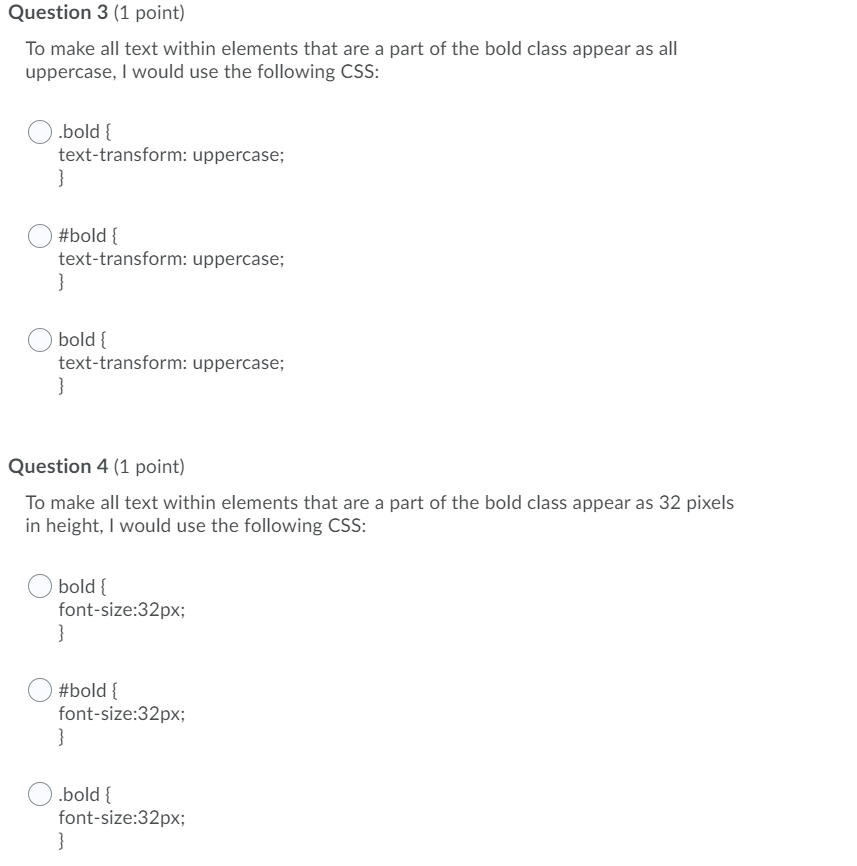
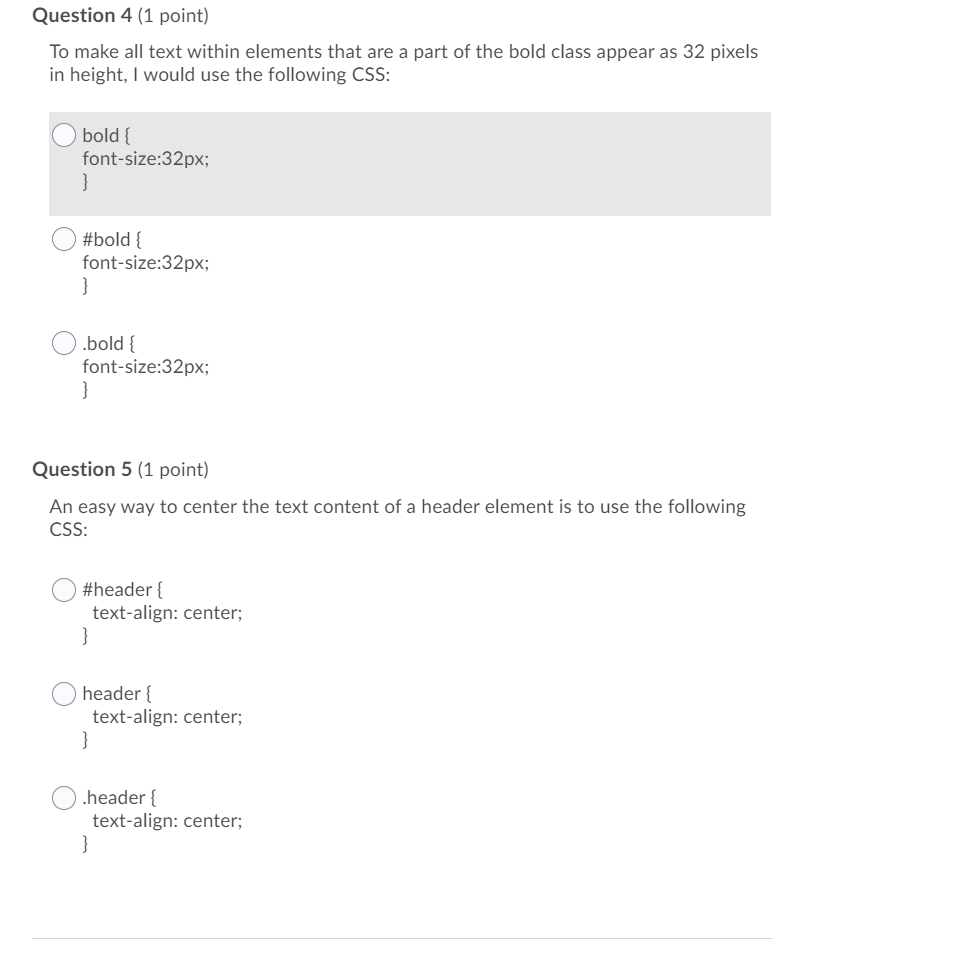
Question 1 (1 point) To make all h1 elements appear as all uppercase, use the following CSS: h1{ text-transform: uppercase; } .h1{ text-transform: uppercase; } #h1{ text-transform: uppercase; } Question 2 (1 point) To make all text within the element that uses the bold ID appear as 32 pixels in height, I would use the following CSS: bold { font-size:32px; #bold { font-size:32px; } .bold { font-size:32px; Question 3 (1 point) To make all text within elements that are a part of the bold class appear as all uppercase, I would use the following CSS: .bold { text-transform: uppercase; } #bold { Question 3 (1 point) To make all text within elements that are a part of the bold class appear as all uppercase, I would use the following CSS: .bold { text-transform: uppercase; } #bold { text-transform: uppercase; } bold { text-transform: uppercase; } Question 4 (1 point) To make all text within elements that are a part of the bold class appear as 32 pixels in height, I would use the following CSS: bold { font-size:32px; } #bold { font-size:32px; } .bold { font-size:32px; } Question 4 (1 point) To make all text within elements that are a part of the bold class appear as 32 pixels in height, I would use the following CSS: bold { font-size:32px; } #bold { font-size:32px; } bold { font-size:32px; } Question 5 (1 point) An easy way to center the text content of a header element is to use the following CSS: #header { text-align: center; } header { text-align: center; } header { text-align: center; }
Step by Step Solution
There are 3 Steps involved in it

Get step-by-step solutions from verified subject matter experts
 Study Help