







Question: QUESTION 1 10 points Save Answer With Word 2016 you have the ability to share documents easily when using One Drive to store the files.
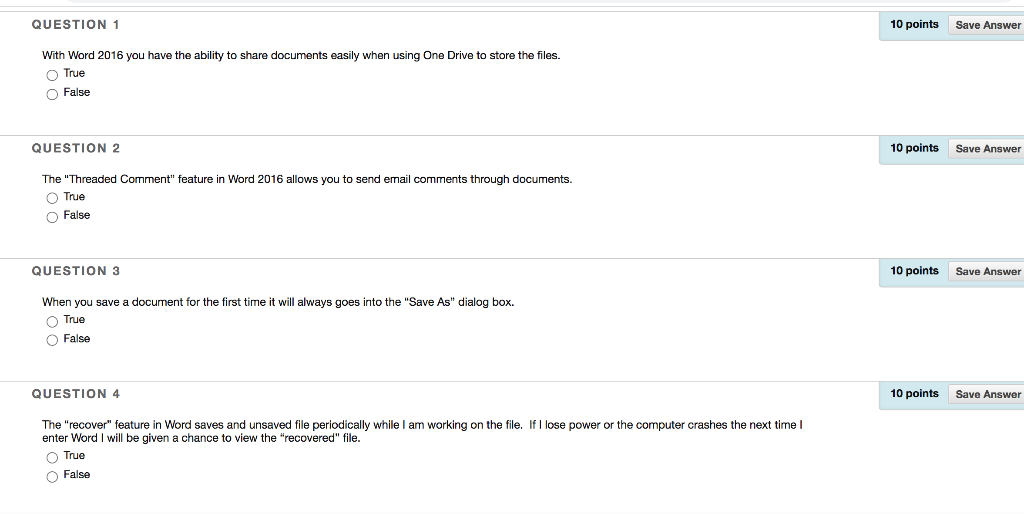
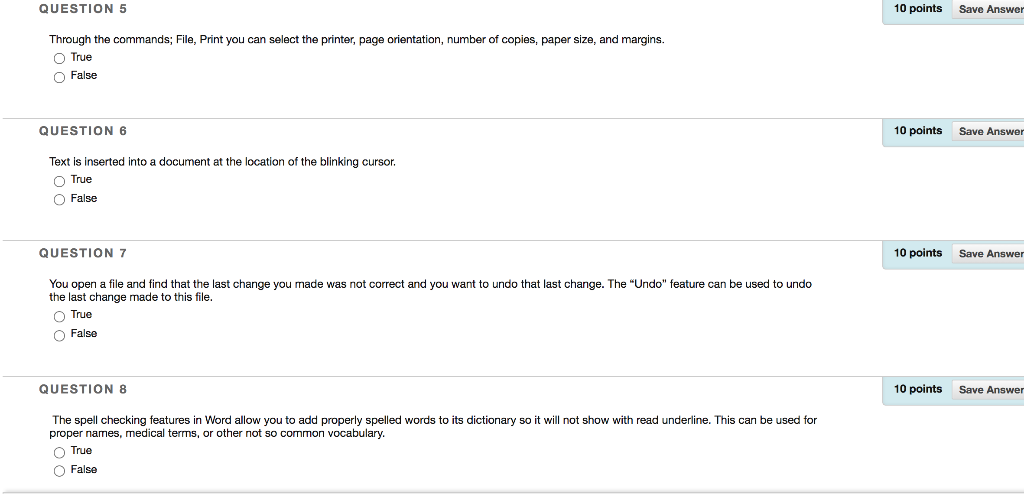
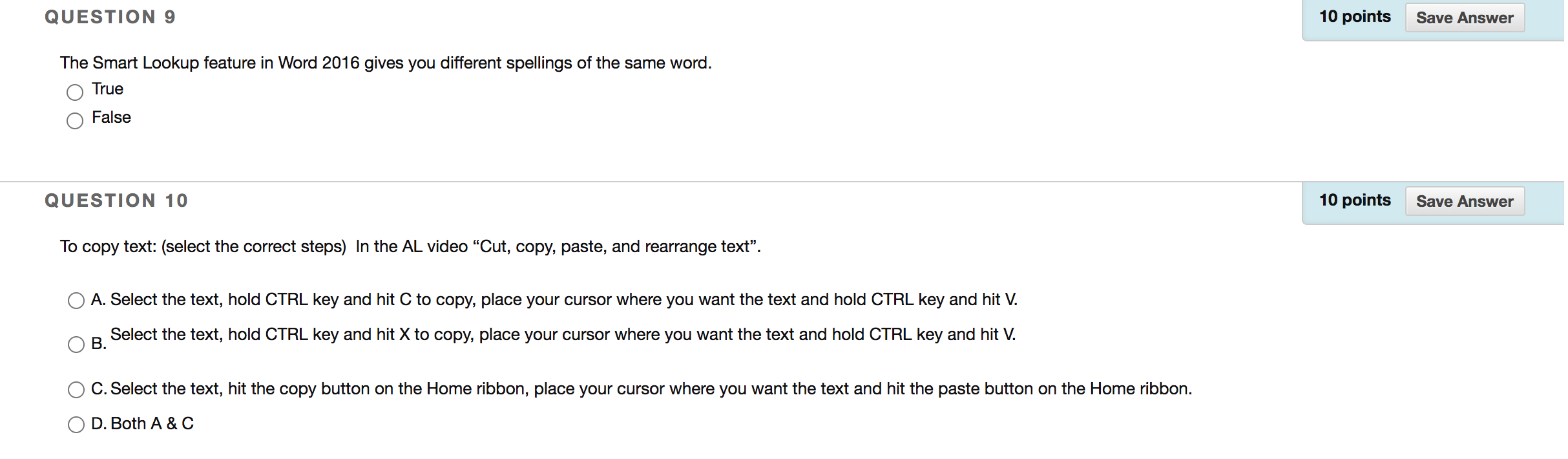
QUESTION 1 10 points Save Answer With Word 2016 you have the ability to share documents easily when using One Drive to store the files. True False QUESTION 2 10 points Save Answer The "Threaded Comment" feature in Word 2016 allows you to send email comments through documents. True O False QUESTION 3 10 points Save Answer When you save a document for the first time it will always goes into the "Save As" dialog box. True O False QUESTION 4 10 points Save Answer The "recover" feature in Word saves and unsaved file periodically while I am working on the file. If I lose power or the computer crashes the next time! enter Word I will be given a chance to view the "recovered" file. True False QUESTION 5 10 points Save Answer Through the commands; File, Print you can select the printer, page orientation, number of copies, paper size, and margins. True False QUESTION 6 10 points Save Answer Text is inserted into a document at the location of the blinking cursor. O True False QUESTION 7 10 points Save Answer You open a file and find that the last change you made was not correct and you want to undo that last change. The "Undo" feature can be used to undo the last change made to this file. True False QUESTION 8 10 points Save Answer The spell checking features in Word allow you to add properly spelled words to its dictionary so it will not show with read underline. This can be used for proper names, medical terms, or other not so common vocabulary. True False QUESTION 9 10 points Save Answer The Smart Lookup feature in Word 2016 gives you different spellings of the same word. True False QUESTION 10 10 points Save Answer To copy text: (select the correct steps) In the AL video "Cut, copy, paste, and rearrange text. A. Select text, hold CTRL key and C to copy, place your cursor where you want the text and hold CTRL key and hit V. Select the text, hold CTRL key and hit X to copy, place your cursor where you want the text and hold CTRL key and hit V. B. C. Select the text, hit the copy button on the Home ribbon, place your cursor where you want the text and hit the paste button on the Home ribbon. D. Both A&C
Step by Step Solution
There are 3 Steps involved in it

Get step-by-step solutions from verified subject matter experts
 Study Help