







Question: Question 1 - 45 Marks Create a web page that provides an input form for registering users to a gym membership. The form should ask
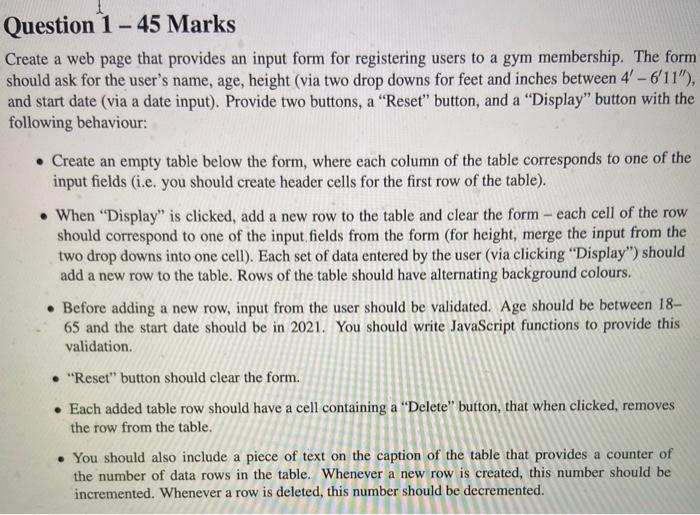
Question 1 - 45 Marks Create a web page that provides an input form for registering users to a gym membership. The form should ask for the user's name, age, height (via two drop downs for feet and inches between 4' - 6'11"), and start date (via a date input). Provide two buttons, a "Reset" button, and a "Display" button with the following behaviour: Create an empty table below the form, where each column of the table corresponds to one of the input fields (i.e. you should create header cells for the first row of the table). When "Display" is clicked, add a new row to the table and clear the form - each cell of the row should correspond to one of the input fields from the form (for height, merge the input from the two drop downs into one cell). Each set of data entered by the user (via clicking "Display") should add a new row to the table. Rows of the table should have alternating background colours. Before adding a new row, input from the user should be validated. Age should be between 18- 65 and the start date should be in 2021. You should write JavaScript functions to provide this validation "Reset" button should clear the form. Each added table row should have a cell containing a "Delete" button, that when clicked, removes the row from the table. You should also include a piece of text on the caption of the table that provides a counter of the number of data rows in the table. Whenever a new row is created, this number should be incremented. Whenever a row is deleted, this number should be decremented
Step by Step Solution
There are 3 Steps involved in it

Get step-by-step solutions from verified subject matter experts
 Study Help