







Question: Question 1 (65 marks) 1. Start a new workbook and insert the data below. Save the workbook as your Full-Name and the worksheet as XZY.
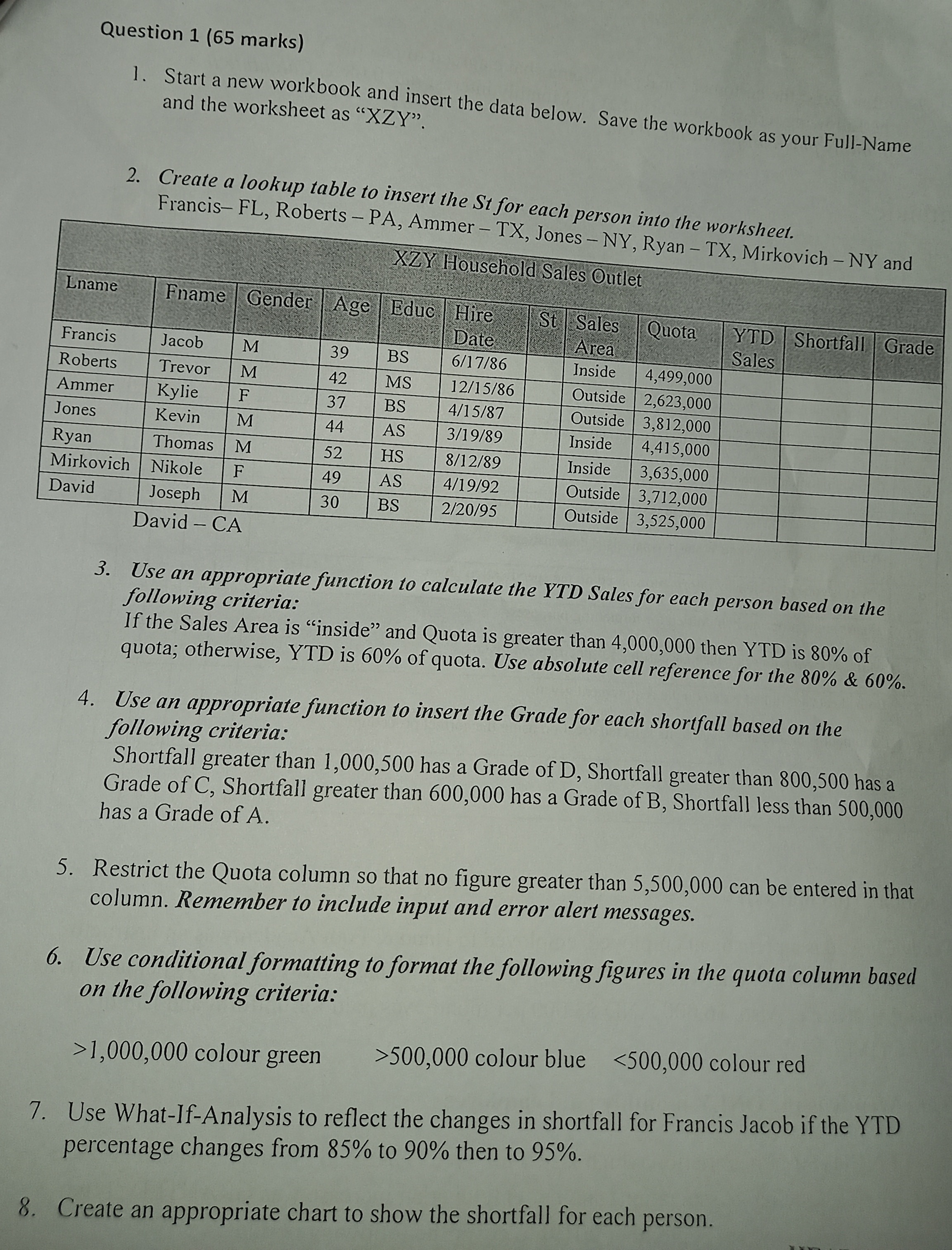
Question 1 (65 marks) 1. Start a new workbook and insert the data below. Save the workbook as your Full-Name and the worksheet as "XZY". 2. Create a lookup table to insert the St for each person into the worksheet. Francis-FL, Roberts - PA, Ammer - TX. Innes Arr in 3. Use an appropriate function to calculate the YTD Sales for each person based on the following criteria: If the Sales Area is "inside" and Quota is greater than 4,000,000 then YTD is 80% of quota; otherwise, YTD is 60% of quota. Use absolute cell reference for the 80% \& 60%. 4. Use an appropriate function to insert the Grade for each shortfall based on the following criteria: Shortfall greater than 1,000,500 has a Grade of D, Shortfall greater than 800,500 has a Grade of C, Shortfall greater than 600,000 has a Grade of B, Shortfall less than 500,000 has a Grade of A. 5. Restrict the Quota column so that no figure greater than 5,500,000 can be entered in that column. Remember to include input and error alert messages. 6. Use conditional formatting to format the following figures in the quota column based on the following criteria: >1,000,000colourgreen>500,000colourblue
Step by Step Solution
There are 3 Steps involved in it

Get step-by-step solutions from verified subject matter experts
 Study Help