



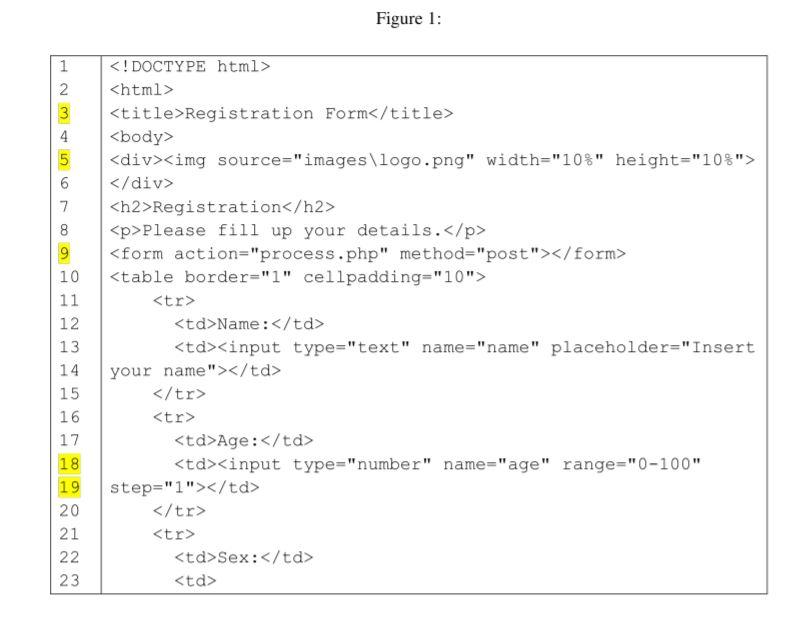
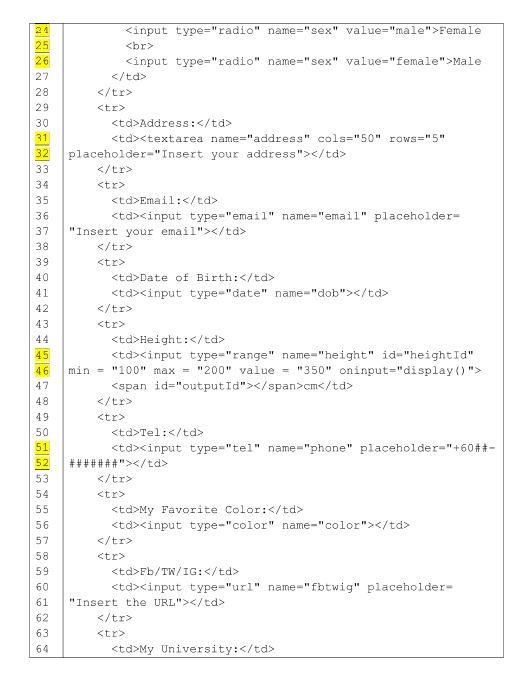
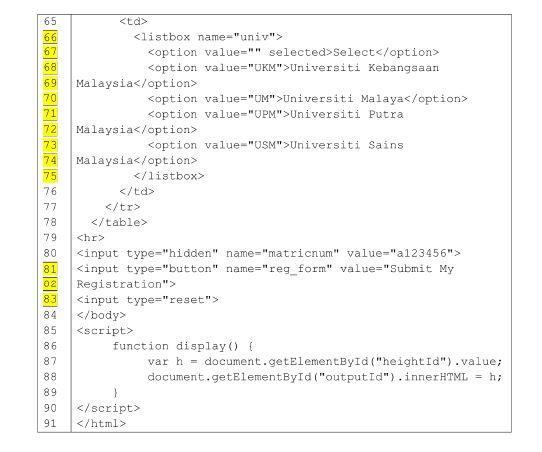
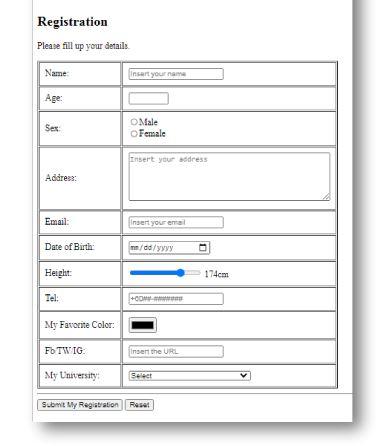
Question: Question 1: The HTML file in Figure 1 should display a registration form. The output of the file is shown in Figure 2. However, it

Registration
Please fill up your details.
| Name: | |
| Age: | |
| Sex: | 1 1 1 19 20 21 22 23 24 25 26 27 28 29 30 31 32 33 34 35 36 37 38 39 40 41 42 43 44 Female Male |
| Address: | |
| Email: | |
| Date of Birth: | |
| Height: | cm |
| Tel: | |
| My Favorite Color: | |
| Fb/TW/IG: | |
| My University: | 45 46 47 48 49 50 51 52 53 54 55 56 53 58 59 60 61 62 63 64 65 66 67 68 69 70 71 72 73 74 75 76 77 78 79 80 81 02 | 5 tr
Registration Please fill up your details Name Insert your name Age: Sex Male Female Insert your address Address: Email: Insert your email Date of Birth mm/dd/yyyy Height: 174cm Tel My Favorite Color: Fb TWIG Insert the URL Ny University Select Submit My Registration Rese
Step by Step Solution
There are 3 Steps involved in it
1 Expert Approved Answer
Step: 1 Unlock

Question Has Been Solved by an Expert!
Get step-by-step solutions from verified subject matter experts
Step: 2 Unlock
Step: 3 Unlock