







Question: Question 2 : ( 8 0 Marks ) . You are asked to use Auto Scaling using the default VPC to automatically launch Amazon EC
Question : Marks
You are asked to use Auto Scaling using the default VPC to automatically launch Amazon EC instances in response to conditions specified. Then, test the Auto Scaling by terminating two running instances and observe while Auto Scaling automatically creates replacement instances.
Create a VPC Security Group called WebDMZ to permit access for web traffic via HTTP
Create an Auto Scaling group using the Launch Configuration. To create an Auto Scaling Groups, it will be a good idea to first create a Launch Configuration.
Create a Launch Configuration, and configure it as follows:
a Your instance must run amazon Linux AMI.
b Instance type: tmicro.
c Name: MyASGLG
d Use the Boot Strap Scripts in the appendix.
e Use the default storage.
f Assign security group: Select an existing security group created in Question
g Create and launch configuration with or without a key.
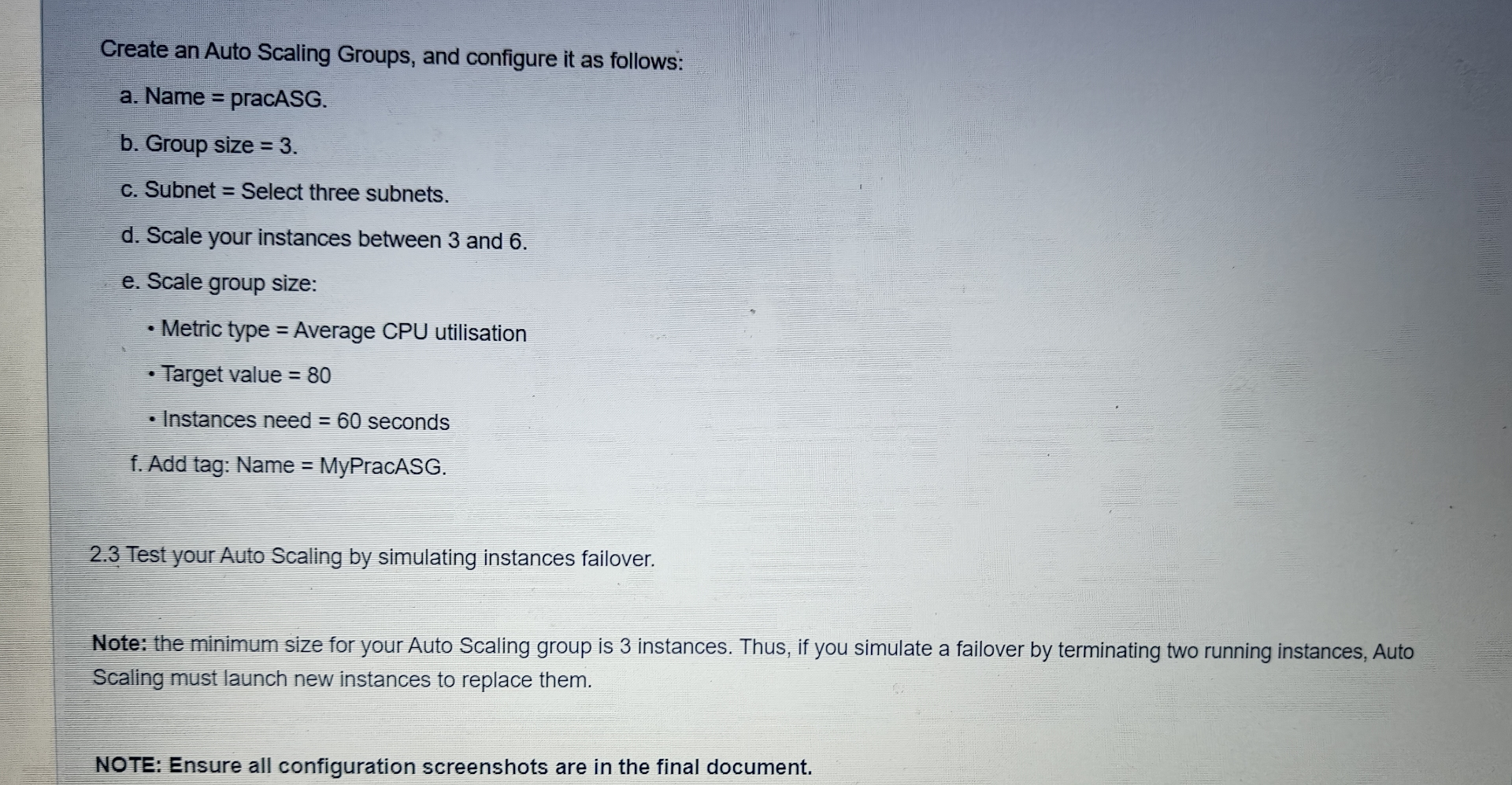
Create an Auto Scaling Groups, and configure it as follows:
a Name pracASG.
b Group size
c Subnet Select three subnets.
d Scale your instances between and
e Scale group size:
Metric type Average CPU utilisation
Target value
Instances need seconds
f Add tag: Name MyPracASG.
Test your Auto Scaling by simulating instances failover.
Note: the minimum size for your Auto Scaling group is instances. Thus, if you simulate a failover by terminating two running instances, Auto Scaling must launch new instances to replace them.
NOTE: Ensure all configuration screenshots are in the final document.
Step by Step Solution
There are 3 Steps involved in it
1 Expert Approved Answer
Step: 1 Unlock

Question Has Been Solved by an Expert!
Get step-by-step solutions from verified subject matter experts
Step: 2 Unlock
Step: 3 Unlock
 Study Help