







Question: QUESTION 23 Consider the following code, what is the frame rate for render function? function render() { setTimeout(function() { requestAnimFrame(render): gl.clear(gl.COLOR_BUFFER_BIT): theta +0.1:gl.uniformif(thetaloc, theta): gl.drawArrays(gl.TRIANGLE_STRIP,
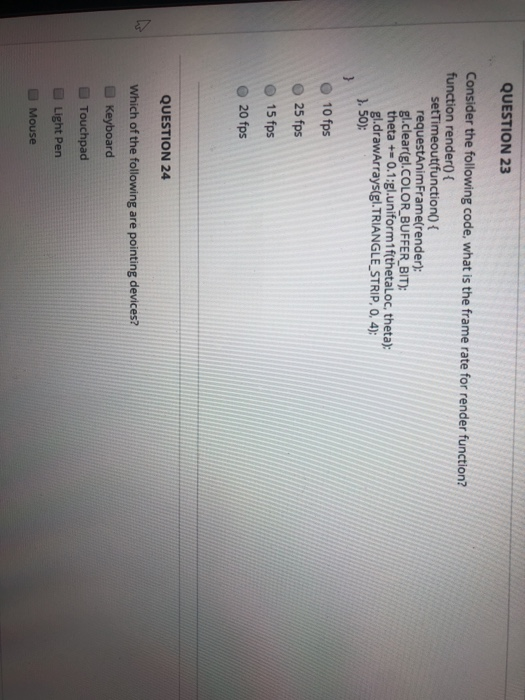
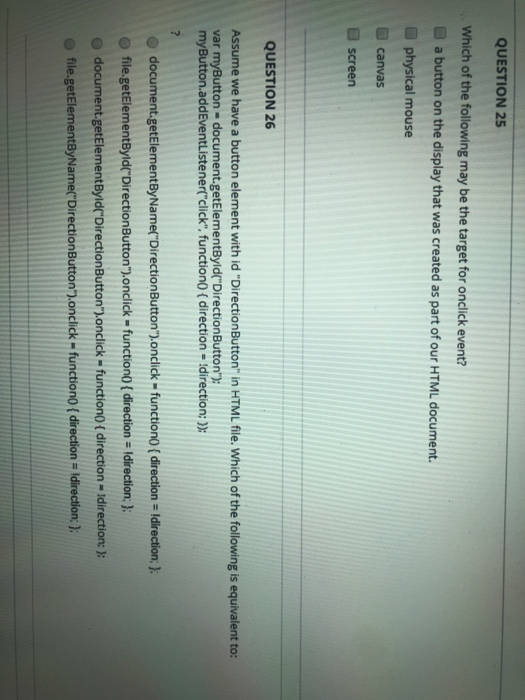
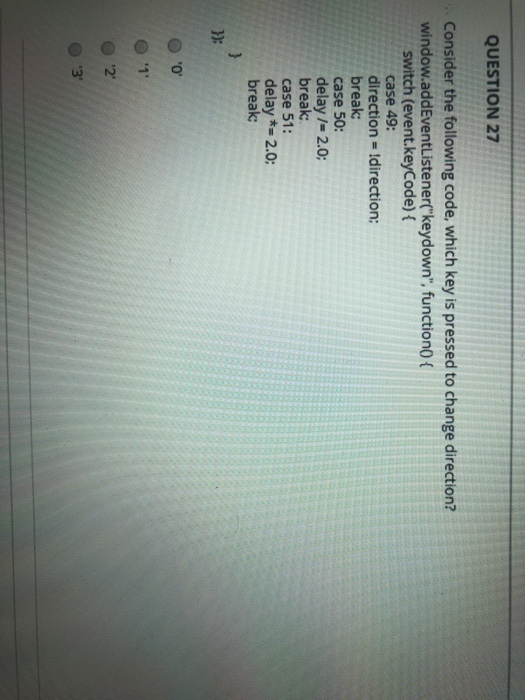
QUESTION 23 Consider the following code, what is the frame rate for render function? function render() { setTimeout(function() { requestAnimFrame(render): gl.clear(gl.COLOR_BUFFER_BIT): theta +0.1:gl.uniformif(thetaloc, theta): gl.drawArrays(gl.TRIANGLE_STRIP, O, 4); }, 50): 10 fps 25 fps 15 fps 20 fps QUESTION 24 Which of the following are pointing devices? Keyboard Touchpad Light Pen Mouse QUESTION 25 Which of the following may be the target for onclick event? a button on the display that was created as part of our HTML document. physical mouse canvas screen QUESTION 26 Assume we have a button element with id "Direction Button" in HTML file. Which of the following is equivalent to: var myButton = document.getElementById("DirectionButton"); myButton.addEventListener("click", function() { direction - Idirection: )): document.getElementByName("DirectionButton").onclick-function({ direction = !direction; }; file.getElementById("DirectionButton").onclick - function() { direction = Idirection: }; document.getElementById("DirectionButton").onclick - function() { direction - Idirection: : file.getElementByName("DirectionButton").onclick-function{ direction = Idirection }; QUESTION 27 Consider the following code, which key is pressed to change direction? window.addEventListener("keydown", function() { switch (event.keyCode) { case 49: direction = !direction: break; case 50: delay /= 2.0; break; case 51: delay *= 2.0; break; }); OOOO
Step by Step Solution
There are 3 Steps involved in it

Get step-by-step solutions from verified subject matter experts
 Study Help