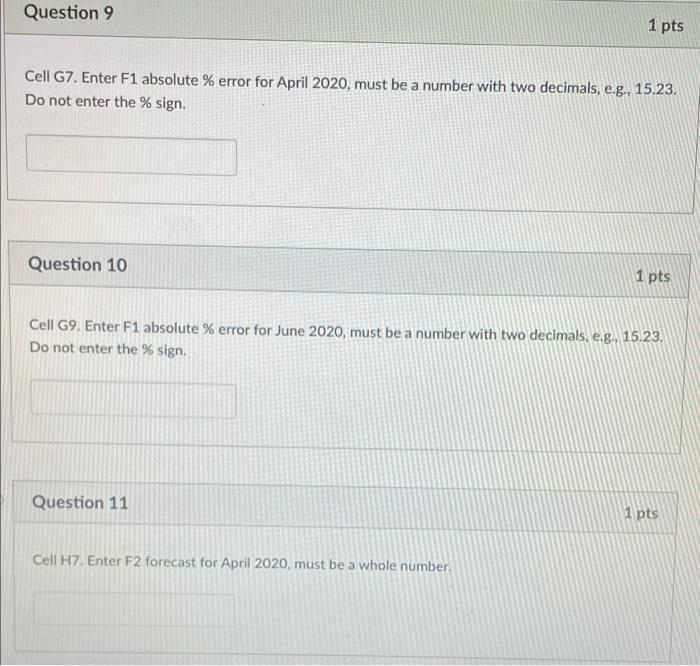
Question: Question 9 1 pts Cell G7. Enter F1 absolute % error for April 2020, must be a number with two decimals, e.g., 15.23. Do not
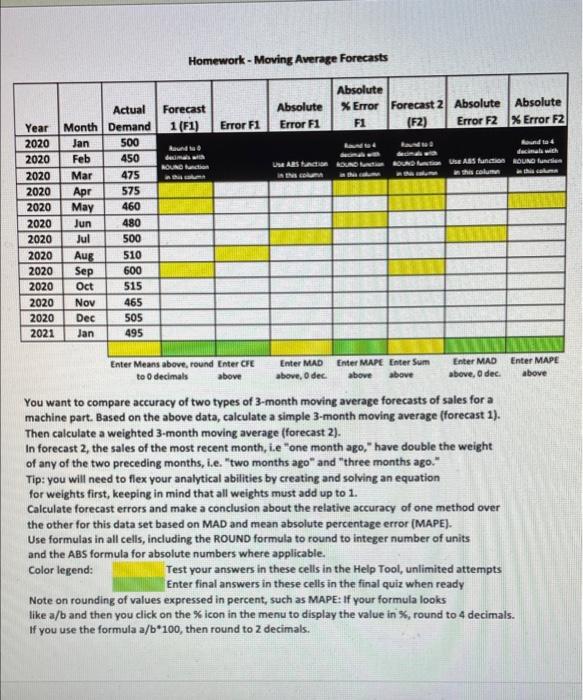
Question 9 1 pts Cell G7. Enter F1 absolute % error for April 2020, must be a number with two decimals, e.g., 15.23. Do not enter the % sign. Question 10 1 pts Cell G9. Enter F1 absolute % error for June 2020, must be a number with two decimals, e.g., 15.23. Do not enter the % sign Question 11 1 pts Cell H7. Enter F2 forecast for April 2020, must be a whole number. Homework - Moving Average Forecasts Forecast 1 (F1) Absolute Error F1 Absolute * Error Forecast 2 Absolute Absolute F1 (F2) Error F2 X Error F2 Error F1 dimaa ROUND Lunction dad ducinal with to ABS function ROUND Iunie this com him WARS PATI Mar Apr Year 2020 2020 2020 2020 2020 2020 2020 2020 2020 2020 2020 2020 2021 Actual Month Demand Jan 500 Feb 450 475 575 May 460 Jun 480 Jul 500 Aug 510 Sep 600 Oct 515 Nov 465 Dec 505 Jan 495 Enter MAD Enter MAPE above above, o dec. above Enter Means above, round Enter CFE Enter MAD Enter MAPE Enter Sum to decimals above above above, Odec You want to compare accuracy of two types of 3-month moving average forecasts of sales for a machine part. Based on the above data, calculate a simple 3-month moving average (forecast 1). Then calculate a weighted 3-month moving average (forecast 2). In forecast 2, the sales of the most recent month, i.e "one month ago," have double the weight of any of the two preceding months, i.e. "two months ago" and "three months ago." Tip: you will need to flex your analytical abilities by creating and solving an equation for weights first, keeping in mind that all weights must add up to 1. Calculate forecast errors and make a conclusion about the relative accuracy of one method over the other for this data set based on MAD and mean absolute percentage error (MAPE). Use formulas in all cells, including the ROUND formula to round to integer number of units and the ABS formula for absolute numbers where applicable. Color legend: Test your answers in these cells in the Help Tool, unlimited attempts Enter final answers in these cells in the final quiz when ready Note on rounding of values expressed in percent, such as MAPE: If your formula looks like a/b and then you click on the icon in the menu to display the value in %, round to 4 decimals. If you use the formula a/b*100, then round to 2 decimals









 Study Help