







Question: Question in Programming in Swift. Please make sure all requirements are met. You are developing an app for an animal shelter. The app allows employees
Question in Programming in Swift. Please make sure all requirements are met.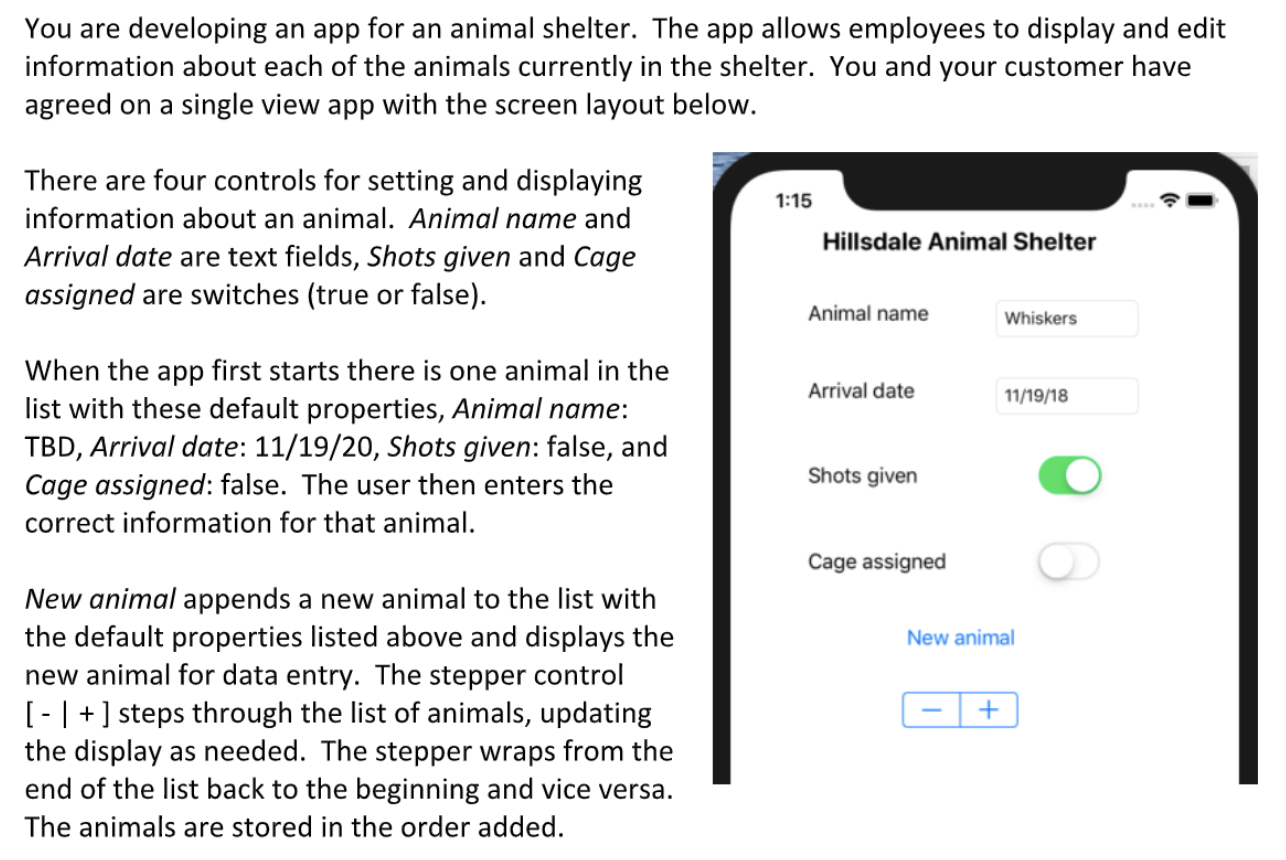
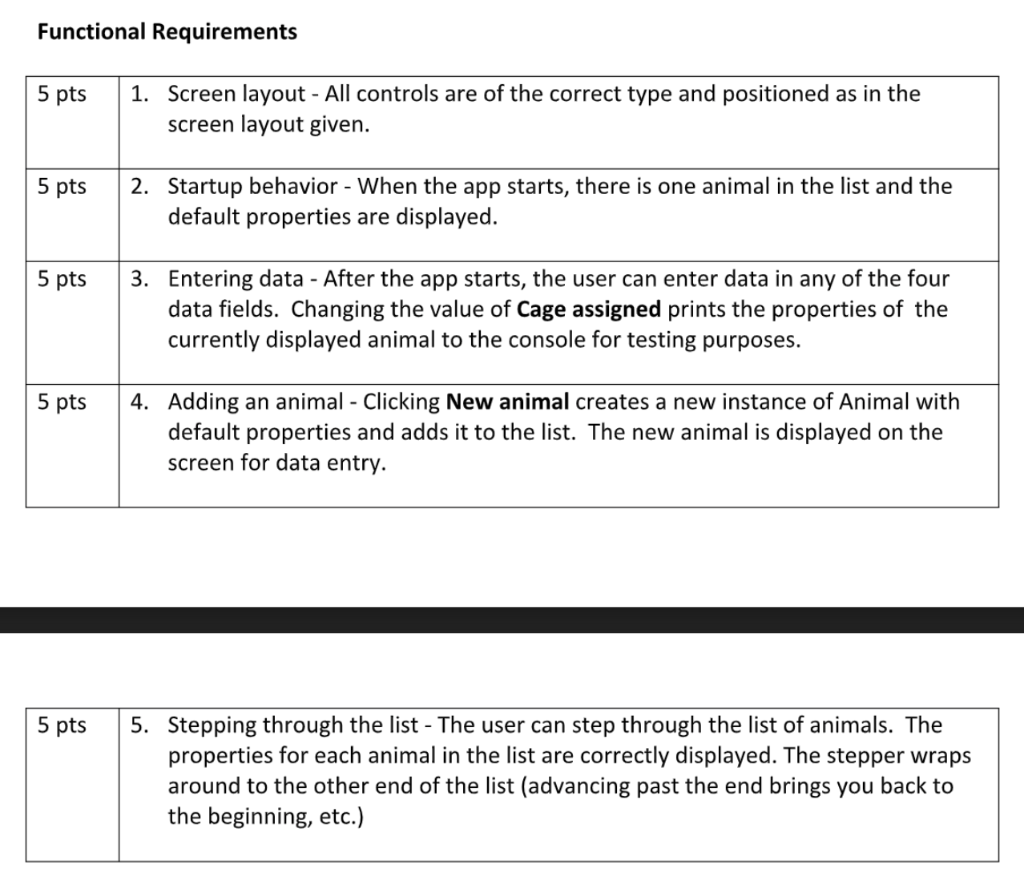
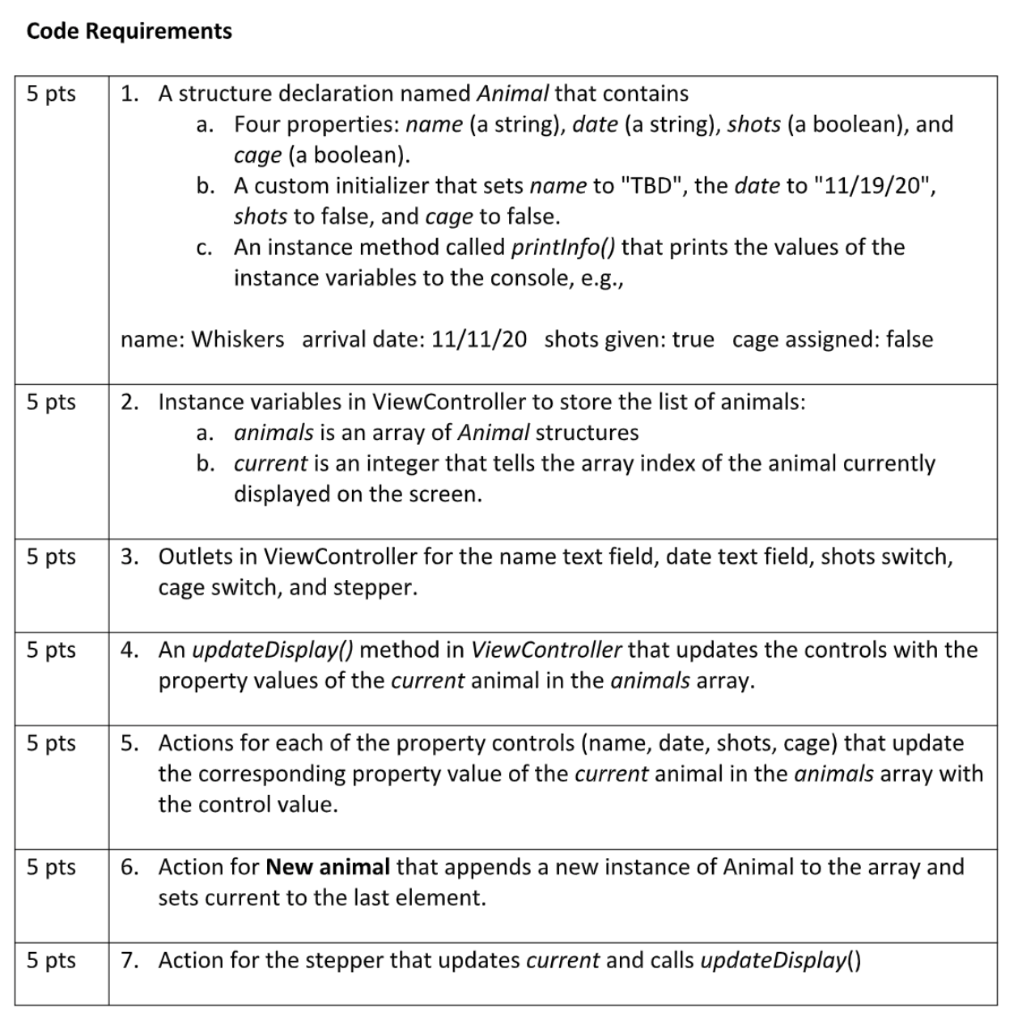
You are developing an app for an animal shelter. The app allows employees to display and edit information about each of the animals currently in the shelter. You and your customer have agreed on a single view app with the screen layout below. 1:15 There are four controls for setting and displaying information about an animal. Animal name and Arrival date are text fields, Shots given and Cage assigned are switches (true or false). Hillsdale Animal Shelter Animal name Whiskers Arrival date 11/19/18 When the app first starts there is one animal in the list with these default properties, Animal name: TBD, Arrival date: 11/19/20, Shots given: false, and Cage assigned: false. The user then enters the correct information for that animal. Shots given Cage assigned New animal New animal appends a new animal to the list with the default properties listed above and displays the new animal for data entry. The stepper control [ - ] + ] steps through the list of animals, updating the display as needed. The stepper wraps from the end of the list back to the beginning and vice versa. The animals are stored in the order added. + Functional Requirements 5 pts 1. Screen layout - All controls are of the correct type and positioned as in the screen layout given. 5 pts 2. Startup behavior - When the app starts, there is one animal in the list and the default properties are displayed. 5 pts 3. Entering data - After the app starts, the user can enter data in any of the four data fields. Changing the value of Cage assigned prints the properties of the currently displayed animal to the console for testing purposes. 5 pts 4. Adding an animal - Clicking New animal creates a new instance of Animal with default properties and adds it to the list. The new animal is displayed on the screen for data entry. 5 pts 5. Stepping through the list - The user can step through the list of animals. The properties for each animal in the list are correctly displayed. The stepper wraps around to the other end of the list (advancing past the end brings you back to the beginning, etc.) Code Requirements 5 pts 1. A structure declaration named Animal that contains a. Four properties: name (a string), date (a string), shots (a boolean), and cage (a boolean). b. A custom initializer that sets name to "TBD", the date to "11/19/20", shots to false, and cage to false. c. An instance method called printInfo() that prints the values of the instance variables to the console, e.g., name: Whiskers arrival date: 11/11/20 shots given: true cage assigned: false 5 pts 2. Instance variables in ViewController to store the list of animals: a. animals is an array of Animal structures b. current is an integer that tells the array index the animal currently displayed on the screen. 5 pts 3. Outlets in ViewController for the name text field, date text field, shots switch, cage switch, and stepper. 5 pts 4. An updateDisplay() method in ViewController that updates the controls with the property values of the current animal in the animals array. 5 pts 5. Actions for each of the property controls (name, date, shots, cage) that update the corresponding property value of the current animal in the animals array with the control value. 5 pts 6. Action for New animal that appends a new instance of Animal to the array and sets current to the last element. 5 pts 7. Action for the stepper that updates current and calls updateDisplay() You are developing an app for an animal shelter. The app allows employees to display and edit information about each of the animals currently in the shelter. You and your customer have agreed on a single view app with the screen layout below. 1:15 There are four controls for setting and displaying information about an animal. Animal name and Arrival date are text fields, Shots given and Cage assigned are switches (true or false). Hillsdale Animal Shelter Animal name Whiskers Arrival date 11/19/18 When the app first starts there is one animal in the list with these default properties, Animal name: TBD, Arrival date: 11/19/20, Shots given: false, and Cage assigned: false. The user then enters the correct information for that animal. Shots given Cage assigned New animal New animal appends a new animal to the list with the default properties listed above and displays the new animal for data entry. The stepper control [ - ] + ] steps through the list of animals, updating the display as needed. The stepper wraps from the end of the list back to the beginning and vice versa. The animals are stored in the order added. + Functional Requirements 5 pts 1. Screen layout - All controls are of the correct type and positioned as in the screen layout given. 5 pts 2. Startup behavior - When the app starts, there is one animal in the list and the default properties are displayed. 5 pts 3. Entering data - After the app starts, the user can enter data in any of the four data fields. Changing the value of Cage assigned prints the properties of the currently displayed animal to the console for testing purposes. 5 pts 4. Adding an animal - Clicking New animal creates a new instance of Animal with default properties and adds it to the list. The new animal is displayed on the screen for data entry. 5 pts 5. Stepping through the list - The user can step through the list of animals. The properties for each animal in the list are correctly displayed. The stepper wraps around to the other end of the list (advancing past the end brings you back to the beginning, etc.) Code Requirements 5 pts 1. A structure declaration named Animal that contains a. Four properties: name (a string), date (a string), shots (a boolean), and cage (a boolean). b. A custom initializer that sets name to "TBD", the date to "11/19/20", shots to false, and cage to false. c. An instance method called printInfo() that prints the values of the instance variables to the console, e.g., name: Whiskers arrival date: 11/11/20 shots given: true cage assigned: false 5 pts 2. Instance variables in ViewController to store the list of animals: a. animals is an array of Animal structures b. current is an integer that tells the array index the animal currently displayed on the screen. 5 pts 3. Outlets in ViewController for the name text field, date text field, shots switch, cage switch, and stepper. 5 pts 4. An updateDisplay() method in ViewController that updates the controls with the property values of the current animal in the animals array. 5 pts 5. Actions for each of the property controls (name, date, shots, cage) that update the corresponding property value of the current animal in the animals array with the control value. 5 pts 6. Action for New animal that appends a new instance of Animal to the array and sets current to the last element. 5 pts 7. Action for the stepper that updates current and calls updateDisplay()
Step by Step Solution
There are 3 Steps involved in it

Get step-by-step solutions from verified subject matter experts
 Study Help