







Question: Question We are going to implement a calendar for browsers. Our app has a single page that includes the days of the week, like the
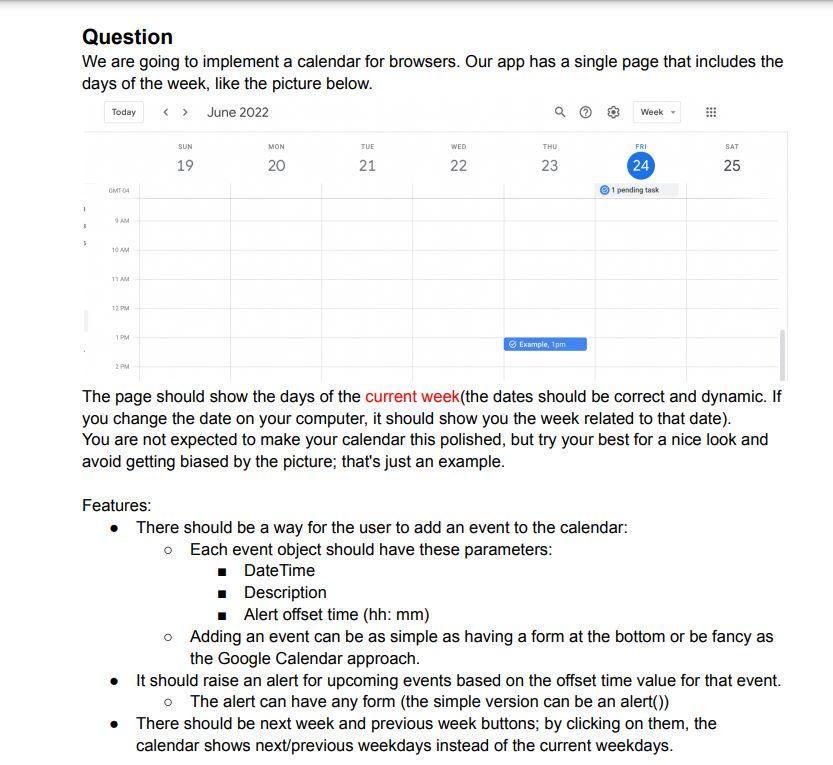
Question We are going to implement a calendar for browsers. Our app has a single page that includes the days of the week, like the picture below. The page should show the days of the current week(the dates should be correct and dynamic. If you change the date on your computer, it should show you the week related to that date). You are not expected to make your calendar this polished, but try your best for a nice look and avoid getting biased by the picture; that's just an example. Features: - There should be a way for the user to add an event to the calendar: - Each event object should have these parameters: - DateTime - Description - Alert offset time (hh: mm) - Adding an event can be as simple as having a form at the bottom or be fancy as the Google Calendar approach. - It should raise an alert for upcoming events based on the offset time value for that event. - The alert can have any form (the simple version can be an alert()) - There should be next week and previous week buttons; by clicking on them, the calendar shows next/previous weekdays instead of the current weekdays
Step by Step Solution
There are 3 Steps involved in it

Get step-by-step solutions from verified subject matter experts
 Study Help