







Question: Question: Write a Windows Forms application that calculates and prints the take - home pay for a commissioned sales employee. Allow the user to enter
Question: Write a Windows Forms application that calculates and prints the takehome pay for a commissioned sales employee. Allow the user to enter values for the name of the employee and the sales amount for the week. Employees receive of the total sales. Federal tax rate is Retirement contribution is Social Security tax rate is Use appropriate constants. Write Input, Display, and Calculate methods. Your final output should display all calculated values, including the total deductions and all defined constants.
My Code:
using System;
using System.Collections.Generic;
using System.ComponentModel;
using System.Data;
using System.Drawing;
using System.Linq;
using System.Text;
using System.Threading.Tasks;
using System.Windows.Forms;
namespace HomeworkProblem
public partial class Form : Form
private const double COMMISSIONRATE ;
private const double FEDERALTAXRATE ;
private const double RETIREMENTCONTRIBUTIONRATE ;
private const double SOCIALSECURITYTAXRATE ;
public Form
InitializeComponent;
private void BtnCalculateClickobject sender EventArgs e
string employeeName txtEmployeeName.Text;
if doubleTryParsetxtWeeklySalesText, out double WeeklySales && WeeklySales
double Commission WeeklySales COMMISSIONRATE;
double FederalTax Commission FEDERALTAXRATE;
double RetirementContribution Commission RETIREMENTCONTRIBUTIONRATE;
double SocialSecurityTax Commission SOCIALSECURITYTAXRATE;
double TotalDeductions FederalTax RetirementContribution SocialSecurityTax;
double NetPay Commission TotalDeductions;
txtFederalTaxText FederalTax.ToStringC;
txtRetirementContributionText RetirementContribution.ToStringC;
txtSocialSecurityText SocialSecurityTax.ToStringC;
txtNetPayText NetPay.ToStringC;
else
MessageBoxShowTotal weekly sales must be a positive dollar amount. Please reenter.";
private void BtnClearClickobject sender EventArgs e
txtEmployeeNameClear;
txtWeeklySalesClear;
txtFederalTaxClear;
txtRetirementContributionClear;
txtSocialSecurityClear;
txtNetPayClear;
private void BtnExitClickobject sender EventArgs e
thisClose;
private void LabelClickobject sender EventArgs e
private void FormLoadobject sender EventArgs e
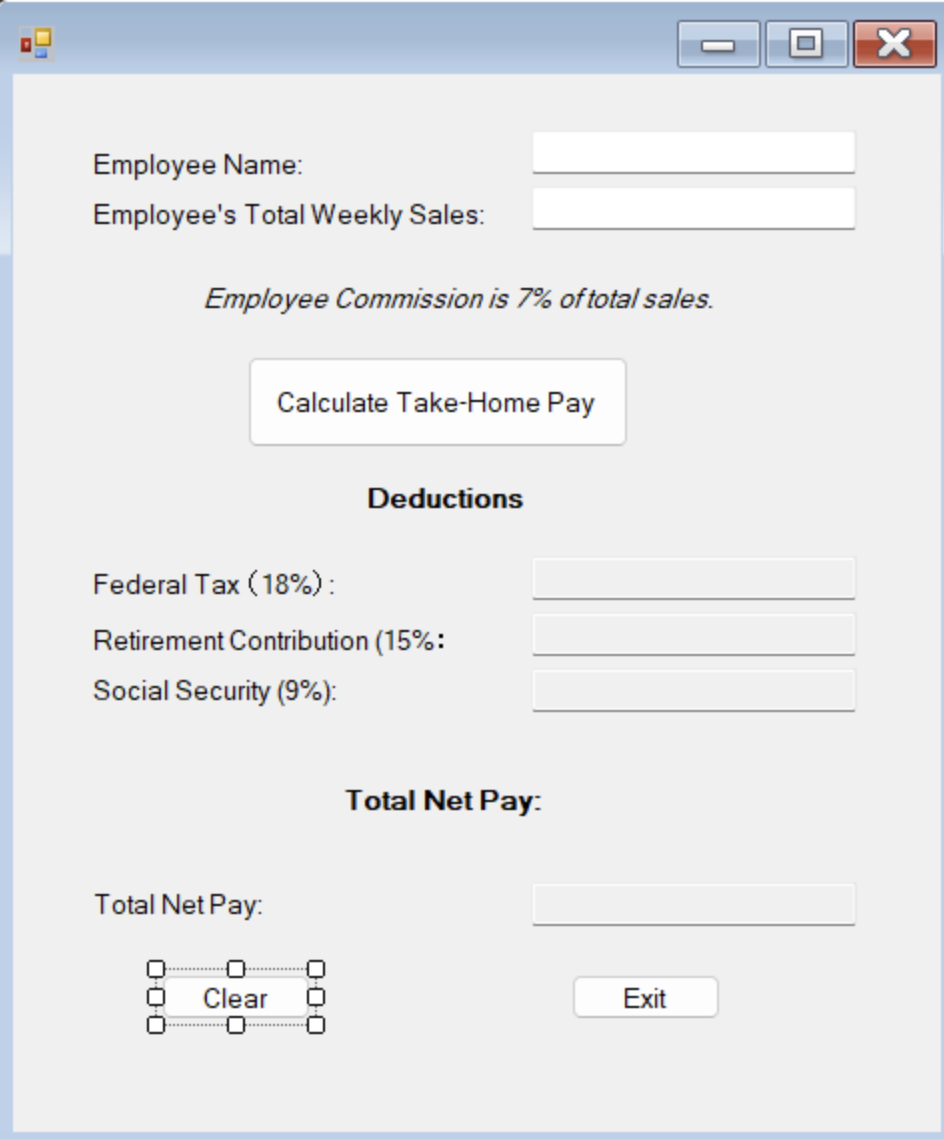
My Windows Form App:
Employee Name:
Employee's Total Weekly Sales:
Employee Commission is of total sales.
Deductions
Federal Tax :
Retirement Contribution :
Social Security :
Total Net Pay:
Total Net Pay:
Exit
When I enter the employee's total weekly sales, the outputs, federal tax, retirement contribution, social security, and total net pay, for my Windows Form App don't show up Please help me fix it so that the outputs show up
Step by Step Solution
There are 3 Steps involved in it
1 Expert Approved Answer
Step: 1 Unlock

Question Has Been Solved by an Expert!
Get step-by-step solutions from verified subject matter experts
Step: 2 Unlock
Step: 3 Unlock
 Study Help