







Question: Question#3: Complete the Python program below to extract and display all the header tags from the URL below. Note: HTML headers are 'h1', 'h2', '63',
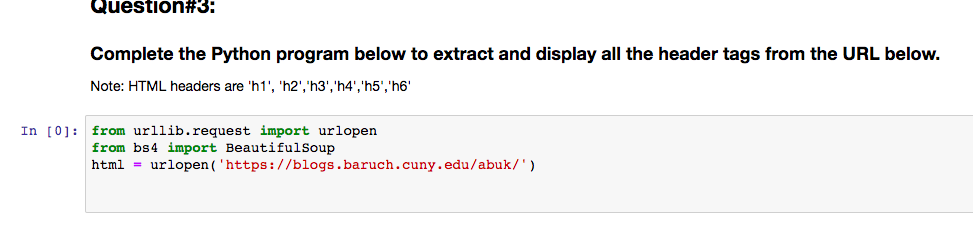
Question#3: Complete the Python program below to extract and display all the header tags from the URL below. Note: HTML headers are 'h1', 'h2', '63', 'h4','h5','h6' In [0]: from urllib.request import urlopen from bs4 import Beautiful Soup html = urlopen('https://blogs.baruch.cuny.edu/abuk/') Question#3: Complete the Python program below to extract and display all the header tags from the URL below. Note: HTML headers are 'h1', 'h2', '63', 'h4','h5','h6' In [0]: from urllib.request import urlopen from bs4 import Beautiful Soup html = urlopen('https://blogs.baruch.cuny.edu/abuk/')
Step by Step Solution
There are 3 Steps involved in it
1 Expert Approved Answer
Step: 1 Unlock

Question Has Been Solved by an Expert!
Get step-by-step solutions from verified subject matter experts
Step: 2 Unlock
Step: 3 Unlock
 Study Help