







Question: CSE 101: Introduction to Computers (Section 01) Fall 2017 Laboratory Assignment 10 This assignment is due by 11:59 PM on Friday, November 17. Submit your
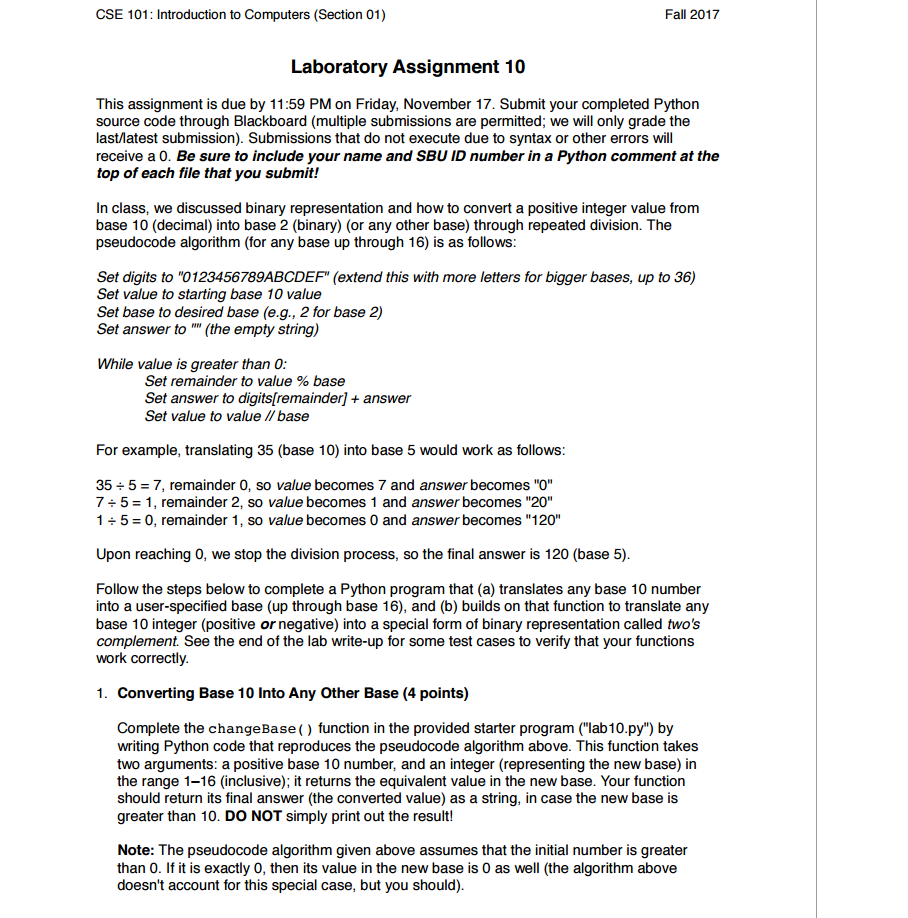
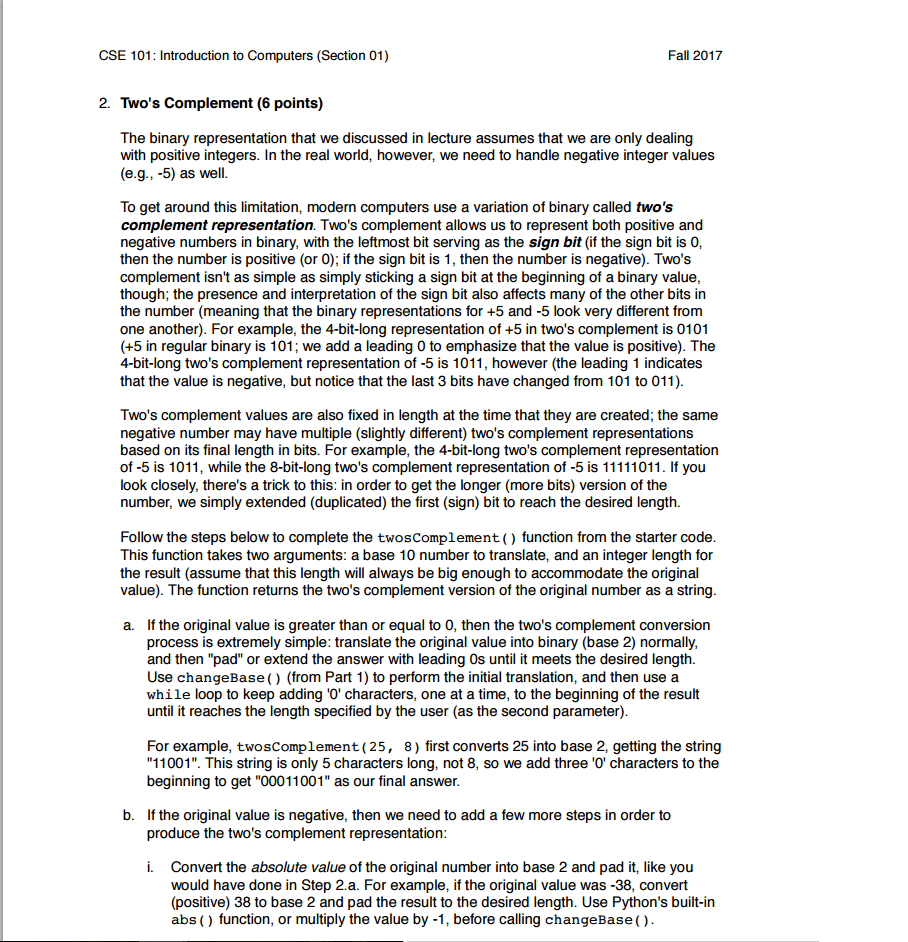
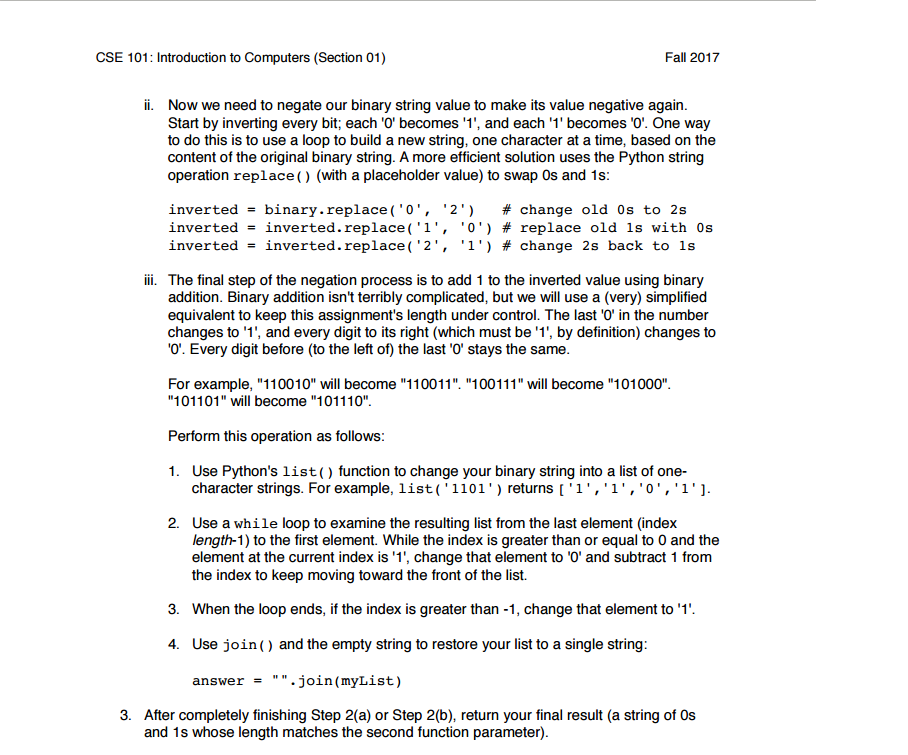
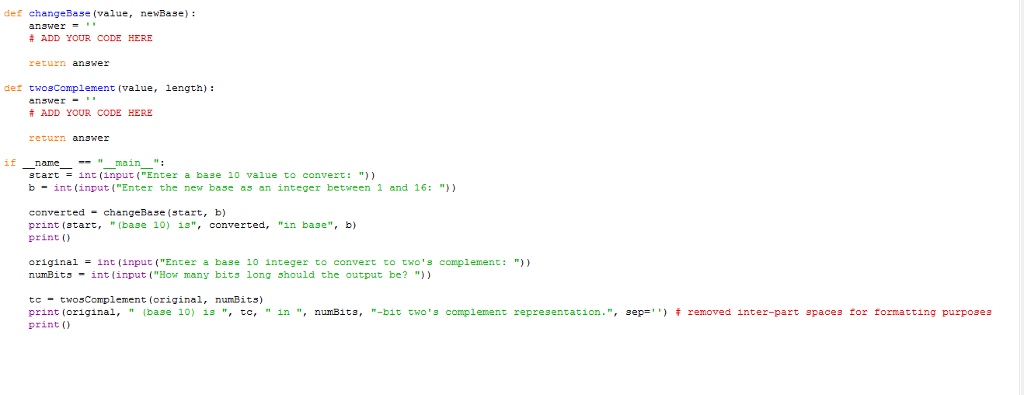
CSE 101: Introduction to Computers (Section 01) Fall 2017 Laboratory Assignment 10 This assignment is due by 11:59 PM on Friday, November 17. Submit your completed Python source code through Blackboard (multiple submissions are permitted; we will only grade the last/latest submission). Submissions that do not execute due to syntax or other errors will receive a 0. Be sure to include your name and SBU ID number in a Python comment at the top of each file that you submit! In class, we discussed binary representation and how to convert a positive integer value from base 10 (decimal) into base 2 (binary) (or any other base) through repeated division. The pseudocode algorithm (for any base up through 16) is as follows Set digits to "0123456789ABCDEF" (extend this with more letters for bigger bases, up to 36) Set value to starting base 10 value Set base to desired base (e.g., 2 for base 2) Set answer to (the empty string) While value is greater than 0 Set remainder to value % base Set answer to digits[remainder]+ answer Set value to value // base For example, translating 35 (base 10) into base 5 would work as follows 35 5 = 7, remainder 0, so value becomes 7 and answer becomes "0" 7 5 = 1, remainder 2, so value becomes 1 and answer becomes "20" 1 5 = 0, remainder 1 , so value becomes 0 and answer becomes "120" Upon reaching 0, we stop the division process, so the final answer is 120 (base 5) Follow the steps below to complete a Python program that (a) translates any base 10 number into a user-specified base (up through base 16), and (b) builds on that function to translate any base 10 integer (positive or negative) into a special form of binary representation called two's complement. See the end of the lab write-up for some test cases to verify that your functions work correctly 1. Converting Base 10 Into Any Other Base (4 points) Complete the changeBase() function in the provided starter program ("lab10.py") by writing Python code that reproduces the pseudocode algorithm above. This function takes two arguments: a positive base 10 number, and an integer (representing the new base) in the range 1-16 (inclusive); it returns the equivalent value in the new base. Your function should return its final answer (the converted value) as a string, in case the new base is greater than 10. DO NOT simply print out the result! Note: The pseudocode algorithm given above assumes that the initial number is greater than 0. If it is exactly 0, then its value in the new base is 0 as well (the algorithm above doesn't account for this special case, but you should) CSE 101: Introduction to Computers (Section 01) Fall 2017 Laboratory Assignment 10 This assignment is due by 11:59 PM on Friday, November 17. Submit your completed Python source code through Blackboard (multiple submissions are permitted; we will only grade the last/latest submission). Submissions that do not execute due to syntax or other errors will receive a 0. Be sure to include your name and SBU ID number in a Python comment at the top of each file that you submit! In class, we discussed binary representation and how to convert a positive integer value from base 10 (decimal) into base 2 (binary) (or any other base) through repeated division. The pseudocode algorithm (for any base up through 16) is as follows Set digits to "0123456789ABCDEF" (extend this with more letters for bigger bases, up to 36) Set value to starting base 10 value Set base to desired base (e.g., 2 for base 2) Set answer to (the empty string) While value is greater than 0 Set remainder to value % base Set answer to digits[remainder]+ answer Set value to value // base For example, translating 35 (base 10) into base 5 would work as follows 35 5 = 7, remainder 0, so value becomes 7 and answer becomes "0" 7 5 = 1, remainder 2, so value becomes 1 and answer becomes "20" 1 5 = 0, remainder 1 , so value becomes 0 and answer becomes "120" Upon reaching 0, we stop the division process, so the final answer is 120 (base 5) Follow the steps below to complete a Python program that (a) translates any base 10 number into a user-specified base (up through base 16), and (b) builds on that function to translate any base 10 integer (positive or negative) into a special form of binary representation called two's complement. See the end of the lab write-up for some test cases to verify that your functions work correctly 1. Converting Base 10 Into Any Other Base (4 points) Complete the changeBase() function in the provided starter program ("lab10.py") by writing Python code that reproduces the pseudocode algorithm above. This function takes two arguments: a positive base 10 number, and an integer (representing the new base) in the range 1-16 (inclusive); it returns the equivalent value in the new base. Your function should return its final answer (the converted value) as a string, in case the new base is greater than 10. DO NOT simply print out the result! Note: The pseudocode algorithm given above assumes that the initial number is greater than 0. If it is exactly 0, then its value in the new base is 0 as well (the algorithm above doesn't account for this special case, but you should)
Step by Step Solution
There are 3 Steps involved in it

Get step-by-step solutions from verified subject matter experts
 Study Help