







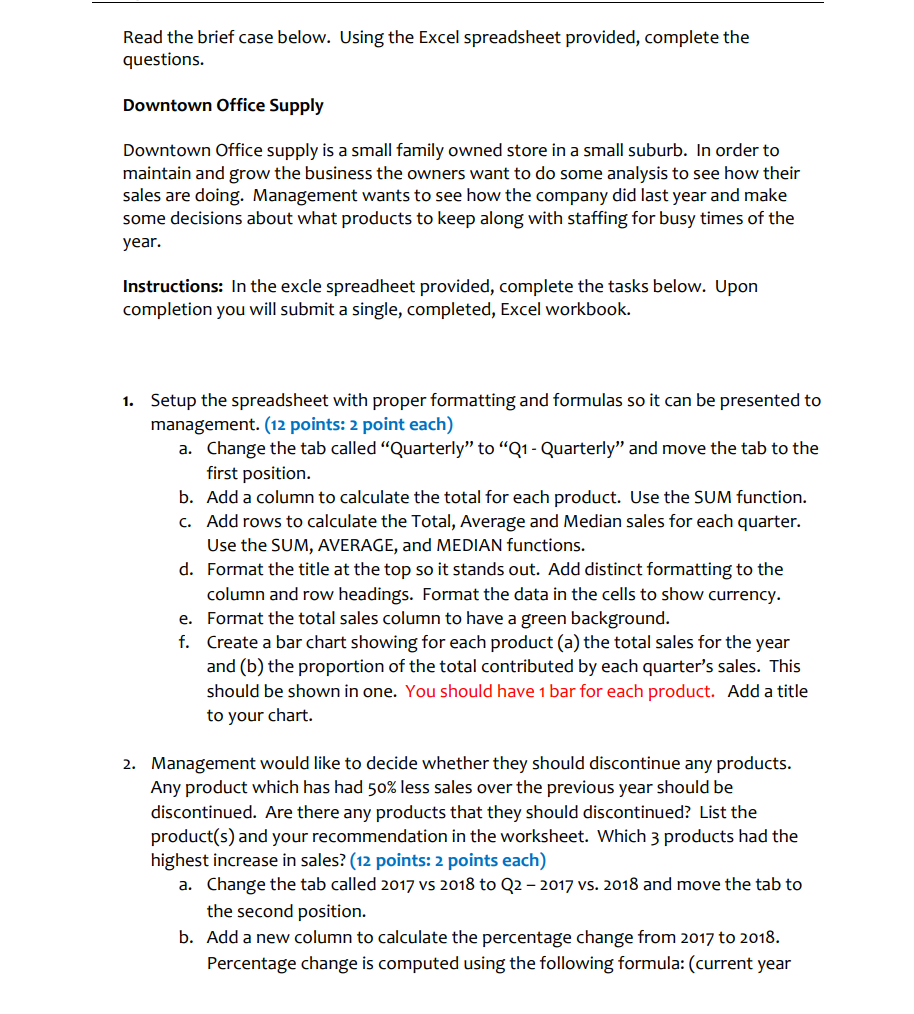
Question: Read the brief case below. Using the Excel spreadsheet provided, complete the questions. Downtown Office Supply Downtown Office supply is a small family owned store
Read the brief case below. Using the Excel spreadsheet provided, complete the
questions.
Downtown Office Supply
Downtown Office supply is a small family owned store in a small suburb. In order to
maintain and grow the business the owners want to do some analysis to see how their
sales are doing. Management wants to see how the company did last year and make
some decisions about what products to keep along with staffing for busy times of the
year.
Instructions: In the excle spreadheet provided, complete the tasks below. Upon
completion you will submit a single, completed, Excel workbook.
Setup the spreadsheet with proper formatting and formulas so it can be presented to
management. points: point each
a Change the tab called "Quarterly" to Q Quarterly" and move the tab to the
first position.
b Add a column to calculate the total for each product. Use the SUM function.
c Add rows to calculate the Total, Average and Median sales for each quarter.
Use the SUM, AVERAGE, and MEDIAN functions.
d Format the title at the top so it stands out. Add distinct formatting to the
column and row headings. Format the data in the cells to show currency.
e Format the total sales column to have a green background.
f Create a bar chart showing for each product a the total sales for the year
and b the proportion of the total contributed by each quarter's sales. This
should be shown in one. You should have bar for each product. Add a title
to your chart.
Management would like to decide whether they should discontinue any products.
Any product which has had less sales over the previous year should be
discontinued. Are there any products that they should discontinued? List the
products and your recommendation in the worksheet. Which products had the
highest increase in sales? points: points each
a Change the tab called vs to Q vs and move the tab to
the second position.
b Add a new column to calculate the percentage change from to
Percentage change is computed using the following formula: current year
Step by Step Solution
There are 3 Steps involved in it
1 Expert Approved Answer
Step: 1 Unlock

Question Has Been Solved by an Expert!
Get step-by-step solutions from verified subject matter experts
Step: 2 Unlock
Step: 3 Unlock
 Study Help