







Question: REQUIRED ASSIGNMENT-PROJECT #2 CSS STUDENT PORTFOLIO mp ement a cs5 shared elements or matting th your student project #1 Instead of ormatting each nd dual
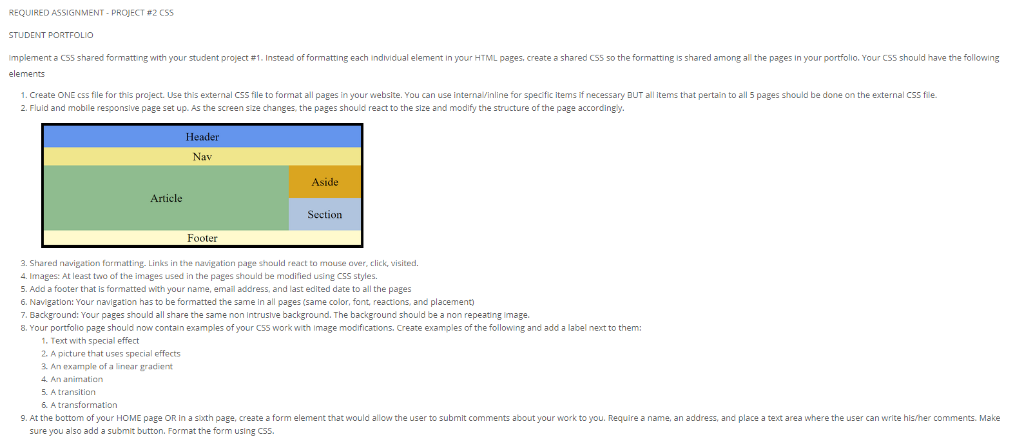
REQUIRED ASSIGNMENT-PROJECT #2 CSS STUDENT PORTFOLIO mp ement a cs5 shared elements or matting th your student project #1 Instead of ormatting each nd dual element in our HTML pages create a shared CS5 so the o matting is shared among all the pages in your portfolio. Your C55 should have the following 1. Create ONE css file for this project. Use this external CSS file to format all pages in your website. You can use internalVinline for specific items if necessary BUT all items that pertain to all 5 pages should be done on the external CSS file 2. Fluid and mobile responsive page set up. As the screen size changes, the pages should react to the size and modify the structure of the page accordingy. Header Aside Article Section Footer . Shared navigation formatting. Links in the navigation page should react to mause aver, click, visited. 4. Images: At least two of the images used in the pages should be modified using CSS styles. 5. Add a footer that is formatted with your name, email address, and last edited date to all the pages 6. Navigation: Your navigation has to be formatted the same in all pages (same color, font, reactions, and placement 7. Background: Your pages should all share the same non Intrusive background. The background should be a non repeating lmage. 8. Your portfollo page should now contain examples of your C55 work with Image modifications, Create examples of the following and add a label next to them: 1. Text with special effect 2. A picture that uses special effects 3. An example of a linear gradient 4. An animation 5. A transition 9. At the bottom of your HOME page OR in a sth page, create a form element that would allow the user to submit comments about your work to you. Require a name, an address, and place a text area where the user can write his/her comments. Make sure you also add a submit button. Format the form using CSS. REQUIRED ASSIGNMENT-PROJECT #2 CSS STUDENT PORTFOLIO mp ement a cs5 shared elements or matting th your student project #1 Instead of ormatting each nd dual element in our HTML pages create a shared CS5 so the o matting is shared among all the pages in your portfolio. Your C55 should have the following 1. Create ONE css file for this project. Use this external CSS file to format all pages in your website. You can use internalVinline for specific items if necessary BUT all items that pertain to all 5 pages should be done on the external CSS file 2. Fluid and mobile responsive page set up. As the screen size changes, the pages should react to the size and modify the structure of the page accordingy. Header Aside Article Section Footer . Shared navigation formatting. Links in the navigation page should react to mause aver, click, visited. 4. Images: At least two of the images used in the pages should be modified using CSS styles. 5. Add a footer that is formatted with your name, email address, and last edited date to all the pages 6. Navigation: Your navigation has to be formatted the same in all pages (same color, font, reactions, and placement 7. Background: Your pages should all share the same non Intrusive background. The background should be a non repeating lmage. 8. Your portfollo page should now contain examples of your C55 work with Image modifications, Create examples of the following and add a label next to them: 1. Text with special effect 2. A picture that uses special effects 3. An example of a linear gradient 4. An animation 5. A transition 9. At the bottom of your HOME page OR in a sth page, create a form element that would allow the user to submit comments about your work to you. Require a name, an address, and place a text area where the user can write his/her comments. Make sure you also add a submit button. Format the form using CSS
Step by Step Solution
There are 3 Steps involved in it

Get step-by-step solutions from verified subject matter experts
 Study Help