







Question: ! Required information Chapter 2: Applying Excel Step 1: Download the Applying Excel form located on the left-hand side, under files. If you have
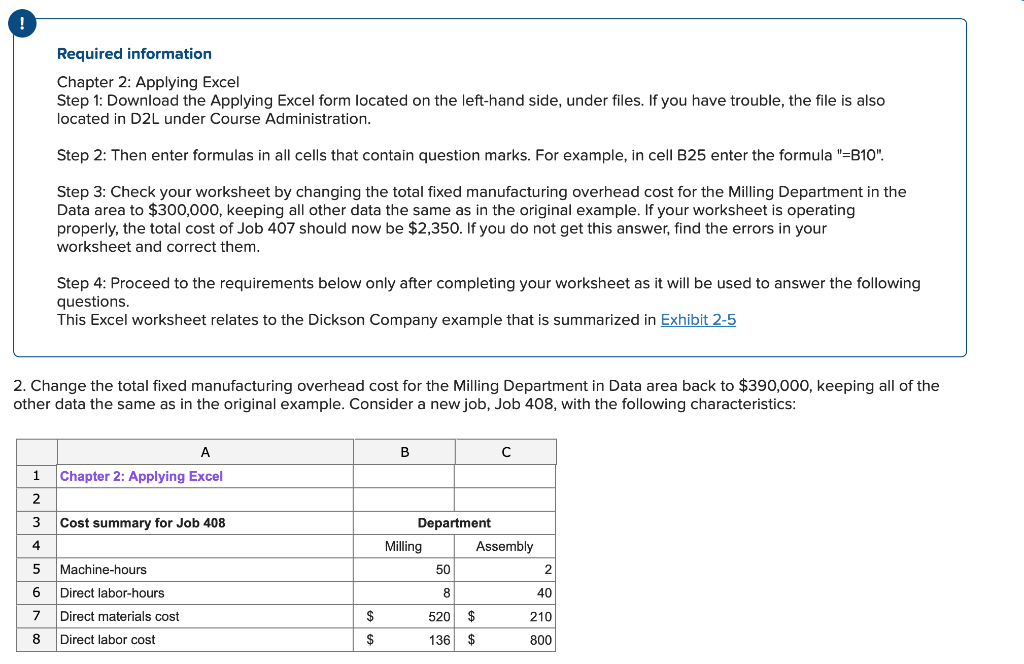
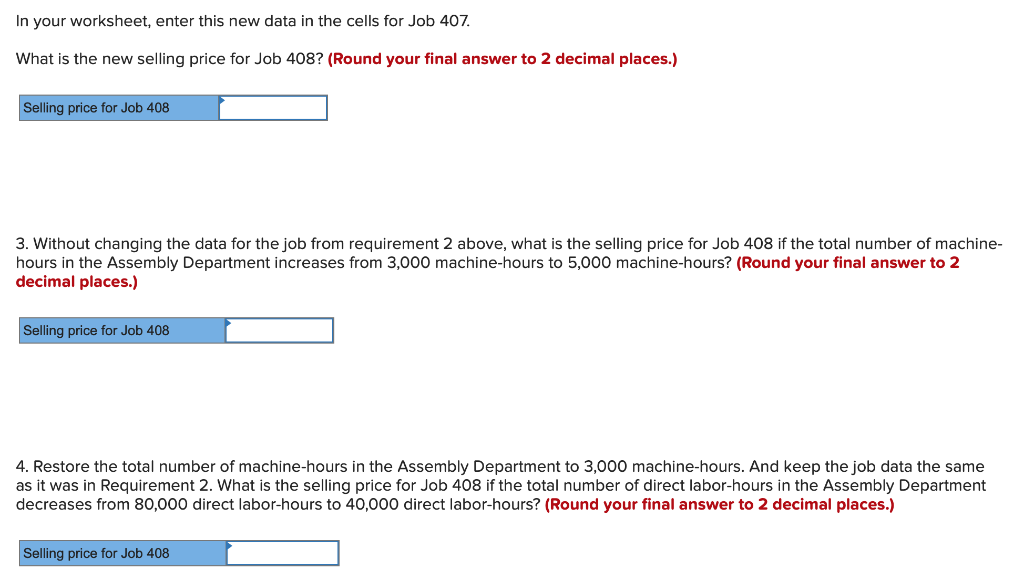
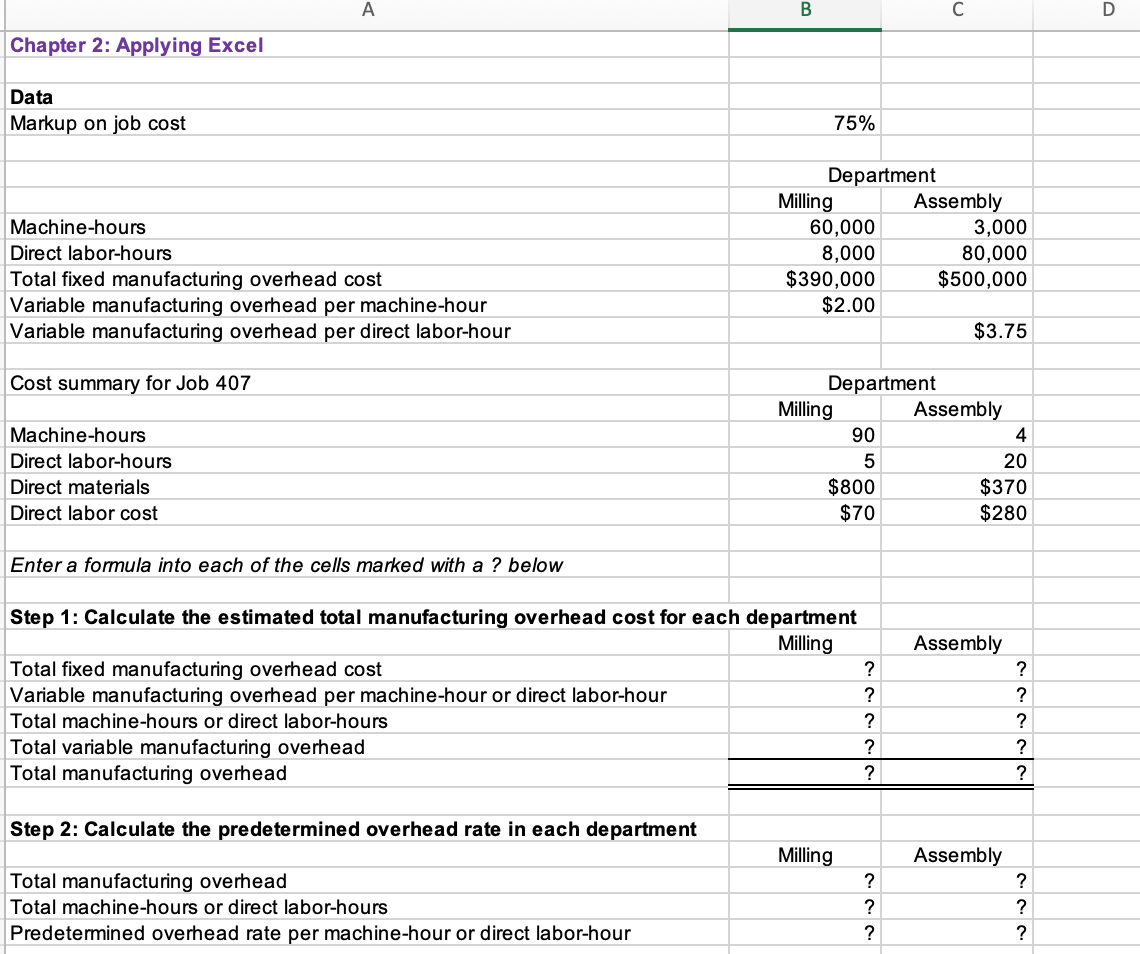
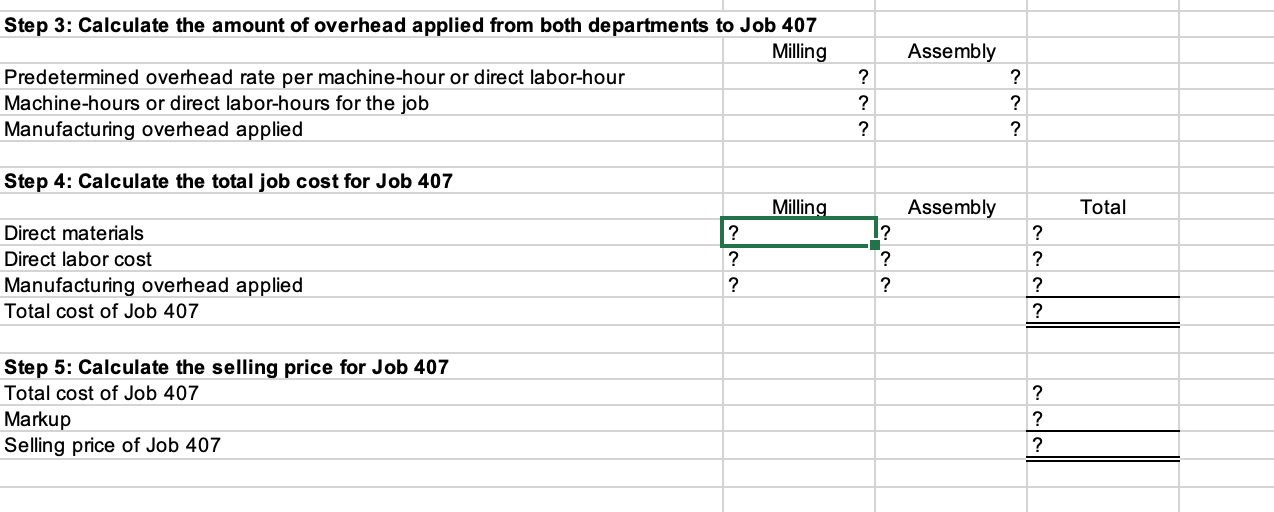
! Required information Chapter 2: Applying Excel Step 1: Download the Applying Excel form located on the left-hand side, under files. If you have trouble, the file is also located in D2L under Course Administration. Step 2: Then enter formulas in all cells that contain question marks. For example, in cell B25 enter the formula "=B10". Step 3: Check your worksheet by changing the total fixed manufacturing overhead cost for the Milling Department in the Data area to $300,000, keeping all other data the same as in the original example. If your worksheet is operating properly, the total cost of Job 407 should now be $2,350. If you do not get this answer, find the errors in your worksheet and correct them. Step 4: Proceed to the requirements below only after completing your worksheet as it will be used to answer the following questions. This Excel worksheet relates to the Dickson Company example that is summarized in Exhibit 2-5 2. Change the total fixed manufacturing overhead cost for the Milling Department in Data area back to $390,000, keeping all of the other data the same as in the original example. Consider a new job, Job 408, with the following characteristics: A 1 Chapter 2: Applying Excel 2 3 Cost summary for Job 408 B Department 4 Milling Assembly 5 Machine-hours 50 2 6 Direct labor-hours 8 40 7 Direct materials cost $ 520 $ 210 8 Direct labor cost $ 136 $ 800
Step by Step Solution
There are 3 Steps involved in it

Get step-by-step solutions from verified subject matter experts
 Study Help