







Question: Review the FastRational.java. Create a graphical user interface program for solving the calculation of 4 basic Rational Number calculation. The user will enter values for
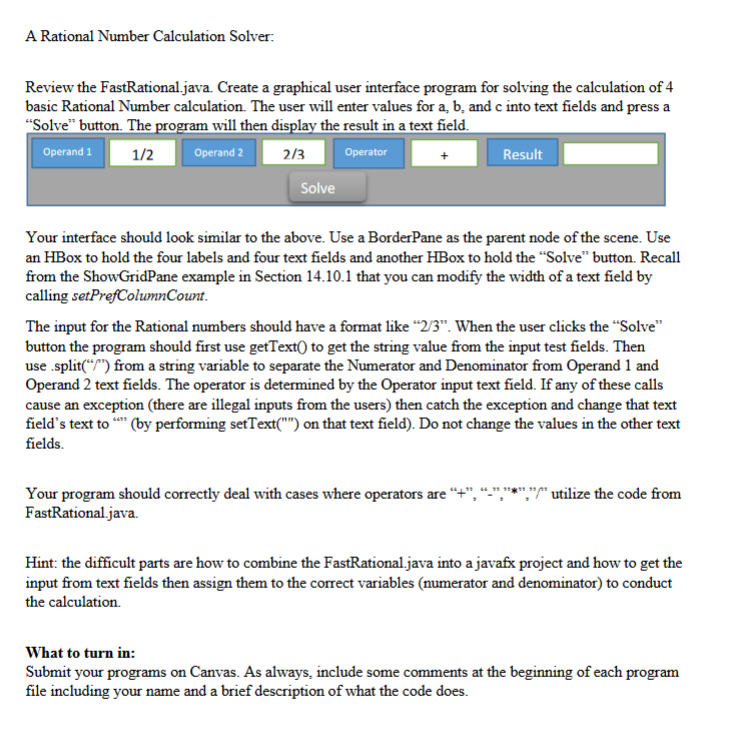
Review the FastRational.java. Create a graphical user interface program for solving the calculation of 4 basic Rational Number calculation. The user will enter values for a,b, and c into text fields and press a "Solve" button. The program will then display the result in a text field. Your interface should look similar to the above. Use a BorderPane as the parent node of the scene. Use an HBox to hold the four labels and four text fields and another HBox to hold the "Solve" button. Recall from the ShowGridPane example in Section 14.10.1 that you can modify the width of a text field by calling setPrefColumnCount. The input for the Rational numbers should have a format like " 2/3 ". When the user clicks the "Solve" button the program should first use getText() to get the string value from the input test fields. Then use split(" (" ") from a string variable to separate the Numerator and Denominator from Operand 1 and Operand 2 text fields. The operator is determined by the Operator input text field. If any of these calls cause an exception (there are illegal inputs from the users) then catch the exception and change that text field's text to "'" (by performing setText("") on that text field). Do not change the values in the other text fields. Your program should correctly deal with cases where operators are "+", ",","*"," utilize the code from FastRational.java. Hint: the difficult parts are how to combine the FastRational.java into a javafx project and how to get the input from text fields then assign them to the correct variables (numerator and denominator) to conduct the calculation. What to turn in: Submit your programs on Canvas. As always, include some comments at the beginning of each program file including your name and a brief description of what the code does
Step by Step Solution
There are 3 Steps involved in it

Get step-by-step solutions from verified subject matter experts
 Study Help