



Question: rieat/poultry. Convert the query to an update query. Update the Until Meat/Poultry only by increasing it by 6 percent. 4 View the query in Datasheet
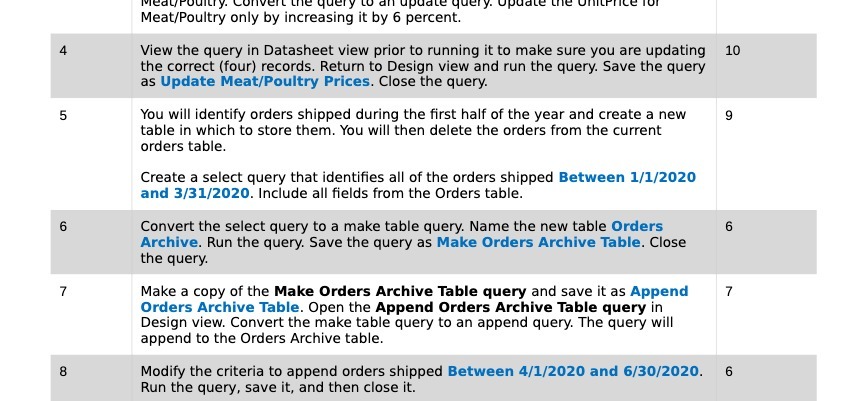
rieat/poultry. Convert the query to an update query. Update the Until Meat/Poultry only by increasing it by 6 percent. 4 View the query in Datasheet view prior to running it to make sure you are updating 10 the correct (four) records. Return to Design view and run the query. Save the query as Update Meat/Poultry Prices. Close the query. You will identify orders shipped during the first half of the year and create a new 9 table in which to store them. You will then delete the orders from the current orders table. Create a select query that identifies all of the orders shipped Between 1/1/2020 and 3/31/2020. Include all fields from the Orders table. 6 Convert the select query to a make table query. Name the new table Orders 6 Archive. Run the query. Save the query as Make Orders Archive Table. Close the query. 7 Make a copy of the Make Orders Archive Table query and save it as Append 7 Orders Archive Table. Open the Append Orders Archive Table query in Design view. Convert the make table query to an append query. The query will append to the Orders Archive table. 8 Modify the criteria to append orders shipped Between 4/1/2020 and 6/30/2020. 6 Run the query, save it, and then close it
Step by Step Solution
There are 3 Steps involved in it

Get step-by-step solutions from verified subject matter experts