



Question: Ron wants to create special queries, forms, and reports in the database to help him mange club accounting. To help Ron finish his work with
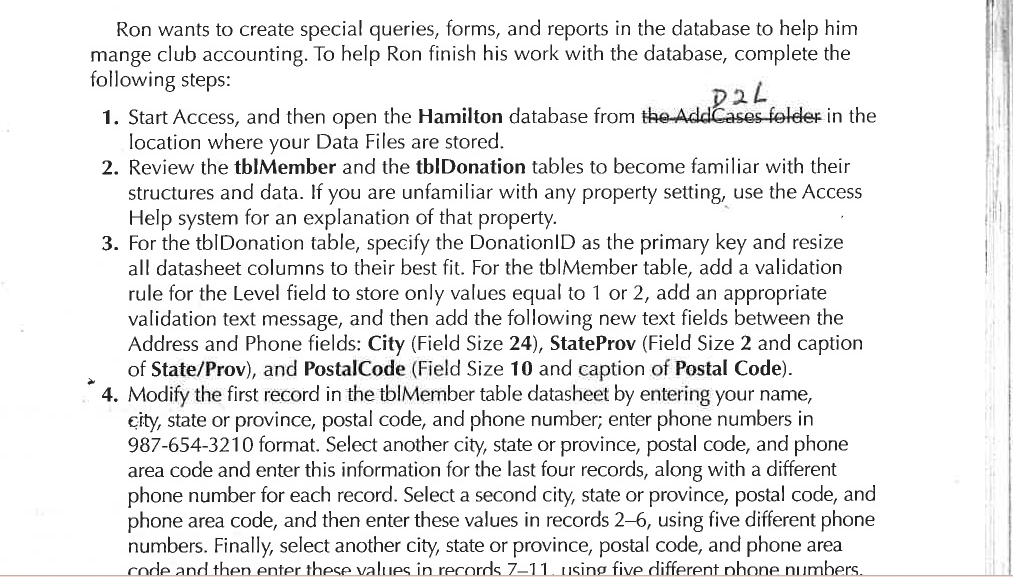
Ron wants to create special queries, forms, and reports in the database to help him
mange club accounting. To help Ron finish his work with the database, complete the
following steps:
Start Access, and then open the Hamilton database from theAddcases foleter in the
location where your Data Files are stored.
Review the thIMember and the thIDonation tables to become familiar with their
structures and data. If you are unfamiliar with any property setting, use the Access
Help system for an explanation of that property.
For the tblDonation table, specify the DonationID as the primary key and resize
all datasheet columns to their best fit. For the tblMember table, add a validation
rule for the Level field to store only values equal to or add an appropriate
validation text message, and then add the following new text fields between the
Address and Phone fields: City Field Size StateProv Field Size and caption
of StateProv and PostalCode Field Size and caption of Postal Code
Modify the first record in the tblMember table datasheet by entering your name,
city, state or province, postal code, and phone number; enter phone numbers in
format. Select another city, state or province, postal code, and phone
area code and enter this information for the last four records, along with a different
phone number for each record. Select a second city, state or province, postal code, and
phone area code, and then enter these values in records using five different phone
numbers. Finally, select another city, state or province, postal code, and phone area
code and then enter these values in rerords using five different nhone numbers.
Step by Step Solution
There are 3 Steps involved in it
1 Expert Approved Answer
Step: 1 Unlock

Question Has Been Solved by an Expert!
Get step-by-step solutions from verified subject matter experts
Step: 2 Unlock
Step: 3 Unlock