





Question: ROSOFT EXCEL Guided Project ROSOFT EXCEL 2016 Improve Improve It Project 8-7 Pool and Spa Casis forecast sales for the categories of business Tourers with
ROSOFT EXCEL Guided Project ROSOFT EXCEL 2016
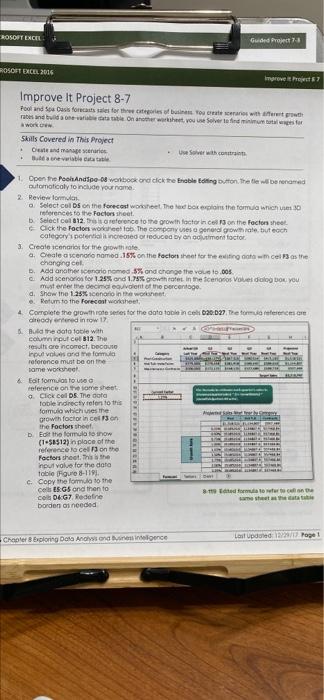
ROSOFT EXCEL Guided Project ROSOFT EXCEL 2016 Improve Improve It Project 8-7 Pool and Spa Casis forecast sales for the categories of business Tourers with truth rates and table on another whouse over to find us for a work Skills Covered in This Project Canaries use over with contra Benewable catastale 1. Open the Poohandse workbook ond click the noble ting button. The two renamed automatically to your name 2 Review forma Select cols on the forecast what the red boken the form which 30 references to the factors that Select col812, is reference to the growth factor in on the factors that Click the factors worriello. The company es general growth, but each category's potential increedor reduced by on montocor 3. Create scenarios for the growth a. Create a scenario namod.15% on the factors that for their own cols the changing cel D. Add another sonorio nome.5% ond change the out.00% Add scenarios for 1.25% and 1.75% growth rates in the centros Volves do Do YOU must en demont of the percentage d. Show The 1.25% scenario in the worst Return to the forecast wheel 4 Complete the growth one series for the datoto nel 20:27. The formulerences readyed in tow 1 6. Build the data foble with con input cel B12. The results are correct, because Input volonne form reference must be on the some worth 4 Eolt formulis too reference on the womesheet Click coll DS Toota Tolendirectly refer to this formule which is the growth factor in cei 13 on the factors sheet Edit this formula to now (1-58512) in place of the reference o celu on the Factor shoot. inpulvolve c. Copy the formule to the cells. Gond then to The formate Colt DEG7 Redefine mesht borden as needed de to the doo tole Fue Cooler boring Data Analysend Meloce Last Updated: Page 1 ROSOFT EXCEL Guided Project ROSOFT EXCEL 2016 Improve Improve It Project 8-7 Pool and Spa Casis forecast sales for the categories of business Tourers with truth rates and table on another whouse over to find us for a work Skills Covered in This Project Canaries use over with contra Benewable catastale 1. Open the Poohandse workbook ond click the noble ting button. The two renamed automatically to your name 2 Review forma Select cols on the forecast what the red boken the form which 30 references to the factors that Select col812, is reference to the growth factor in on the factors that Click the factors worriello. The company es general growth, but each category's potential increedor reduced by on montocor 3. Create scenarios for the growth a. Create a scenario namod.15% on the factors that for their own cols the changing cel D. Add another sonorio nome.5% ond change the out.00% Add scenarios for 1.25% and 1.75% growth rates in the centros Volves do Do YOU must en demont of the percentage d. Show The 1.25% scenario in the worst Return to the forecast wheel 4 Complete the growth one series for the datoto nel 20:27. The formulerences readyed in tow 1 6. Build the data foble with con input cel B12. The results are correct, because Input volonne form reference must be on the some worth 4 Eolt formulis too reference on the womesheet Click coll DS Toota Tolendirectly refer to this formule which is the growth factor in cei 13 on the factors sheet Edit this formula to now (1-58512) in place of the reference o celu on the Factor shoot. inpulvolve c. Copy the formule to the cells. Gond then to The formate Colt DEG7 Redefine mesht borden as needed de to the doo tole Fue Cooler boring Data Analysend Meloce Last Updated: Page 1

Step by Step Solution

There are 3 Steps involved in it

1 Expert Approved Answer
Step: 1 Unlock blur-text-image

Question Has Been Solved by an Expert!

Get step-by-step solutions from verified subject matter experts

Step: 2 Unlock
Step: 3 Unlock

Students Have Also Explored These Related General Management Questions!