







Question: run the 1st provided code answer questions This example is designed to ask you to clean the screen by clicking mouse. Use Visual Studio to
run the 1st provided code answer questions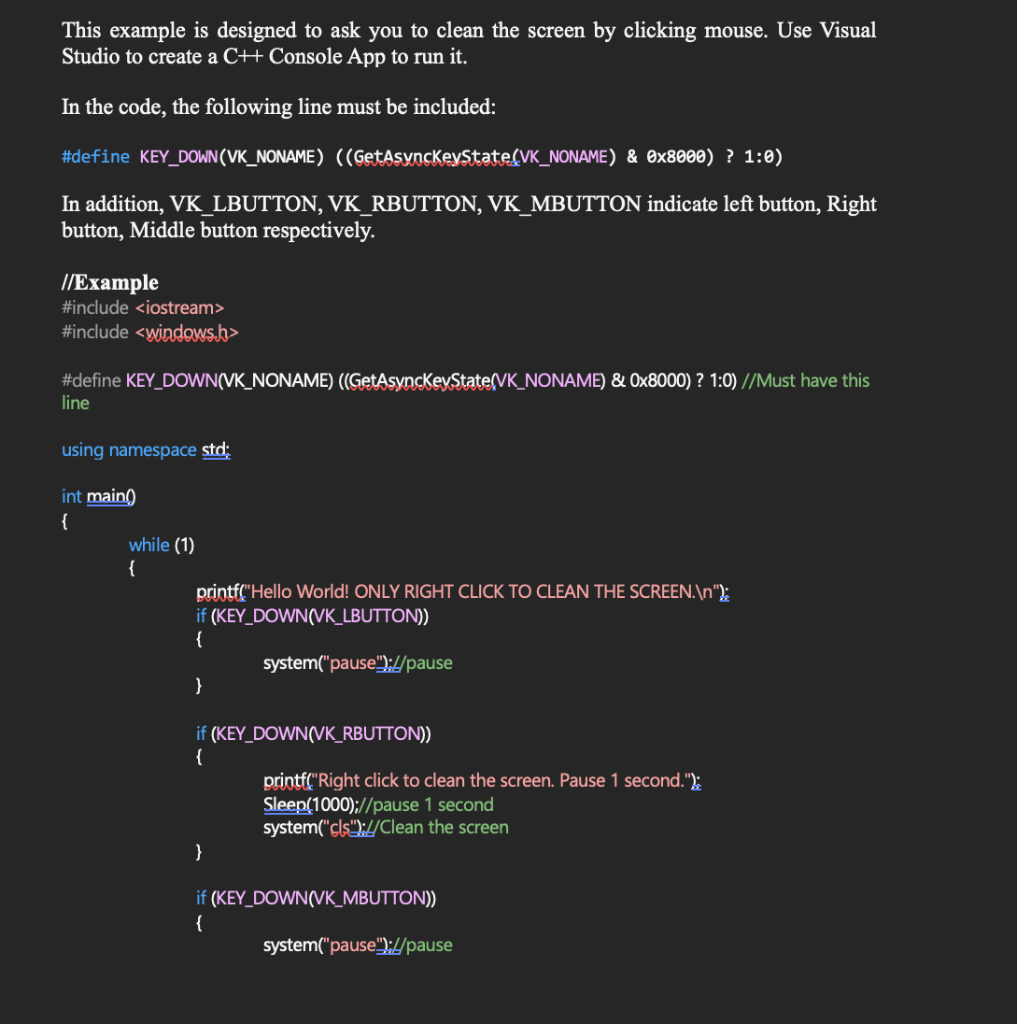
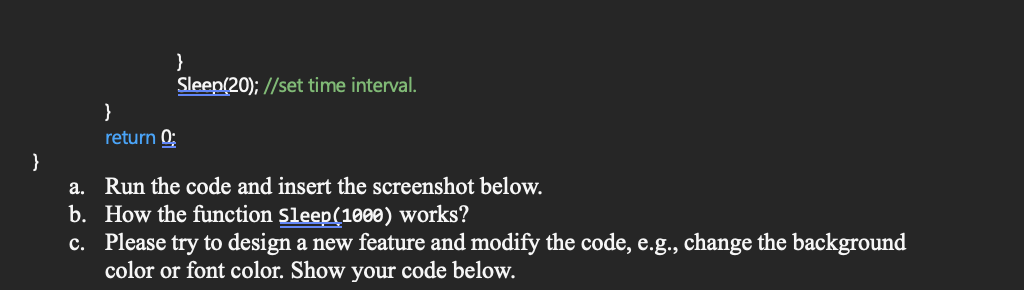
This example is designed to ask you to clean the screen by clicking mouse. Use Visual Studio to create a C++ Console App to run it. In the code, the following line must be included: \#define KEY_DOWN(VK_NONAME) ((GetAsynaKKeyState_(VK_NONAME) \& 0x8000) ? 1:0) In addition, VK_LBUTTON, VK_RBUTTON, VK_MBUTTON indicate left button, Right button, Middle button respectively. //Example \#include \#include > \#define KEY_DOWN(VK_NONAME) ((GetAsyncKeyState_VK_NONAME) \& 0x8000) ? 1:0) //Must have this line using namespace std: int maing while (1) \} printf("Hello World! ONLY RIGHT CLICK TO CLEAN THE SCREEN.|n"2): if (KEY_DOWN(NK_LBUTTON)) \{ 3 if (KEY_DOWN(VK_RBUTTON)) \{ printf("Right click to clean the screen. Pause 1 second."): Sleen(1000);//pause 1 second system("cls")://Clean the screen \} if (KEY_DOWN(VK_MBUTTON)) \{ system("pause")://pause \} Sleen(20); //set time interval. \} return 0 a. Run the code and insert the screenshot below. b. How the function Sleep(1000) works? c. Please try to design a new feature and modify the code, e.g., change the background color or font color. Show your code below
Step by Step Solution
There are 3 Steps involved in it

Get step-by-step solutions from verified subject matter experts
 Study Help