







Question: Run the test file to check your answer! Below is the output: Creating the bank account: Getting the average transactions (first time) Error: No transactions
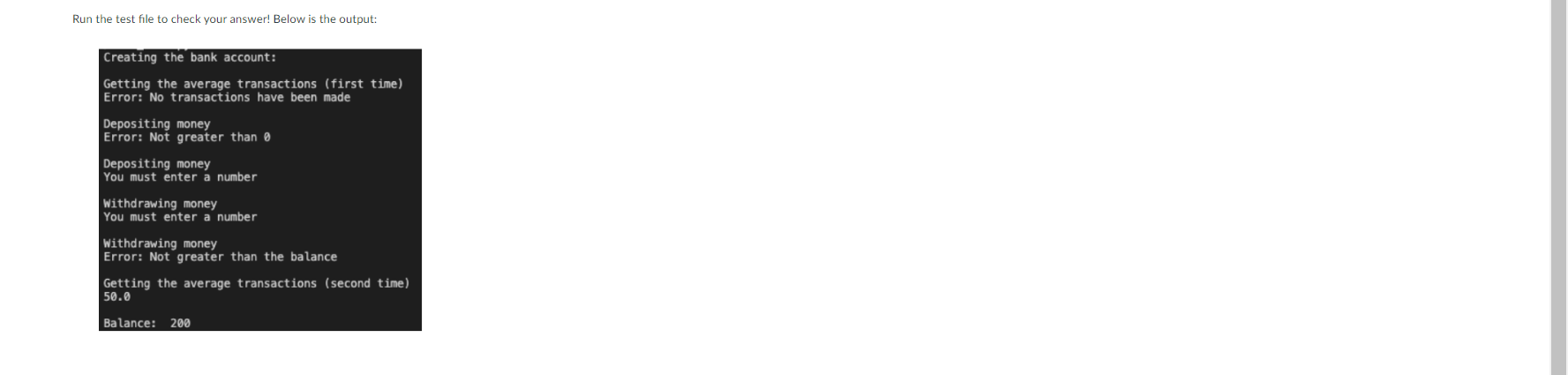
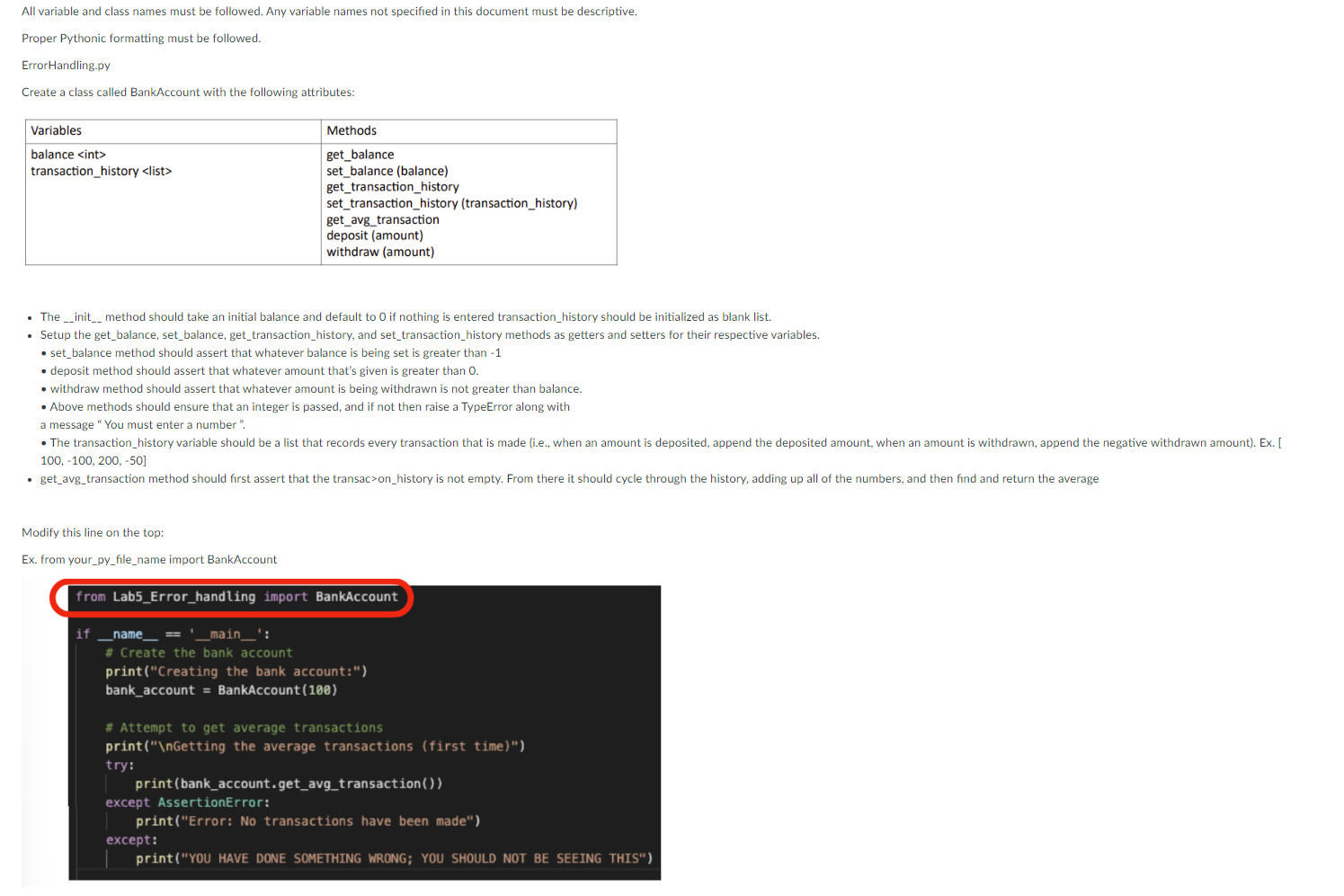
Run the test file to check your answer! Below is the output: Creating the bank account: Getting the average transactions (first time) Error: No transactions have been made Depositing money Error: Not greater than 0 Depositing money You must enter a number Withdrawing money You must enter a number Withdrawing money Error: Not greater than the balance Getting the average transactions (second time) 50.0 Balance: 200 All variable and class names must be followed. Any variable names not specified in this document must be descriptive. Proper Pythonic formatting must be followed. ErrorHandling.py Create a class called BankAccount with the following attributes: - The _- init_method should take an initial balance and default to 0 if nothing is entered transaction_history should be initialized as blank list. - Setup the get_balance, set_balance, get_transaction_history, and set_transaction_history methods as getters and setters for their respective variables. - set_balance method should assert that whatever balance is being set is greater than - 1 - deposit method should assert that whatever amount that's given is greater than 0 . - withdraw method should assert that whatever amount is being withdrawn is not greater than balance. - Above methods should ensure that an integer is passed, and if not then raise a TypeError along with a message " You must enter a number ". 100,100,200,50] Modify this line on the top: Ex. from your_py_file_name import BankAccount from Lab5_Error_handling import BankAccount
Step by Step Solution
There are 3 Steps involved in it

Get step-by-step solutions from verified subject matter experts
 Study Help