







Question: SAMPLE Code: There are two bugs in the starter code. One should be pretty easy to find and fix. The other is harder. I recommend
SAMPLE Code:
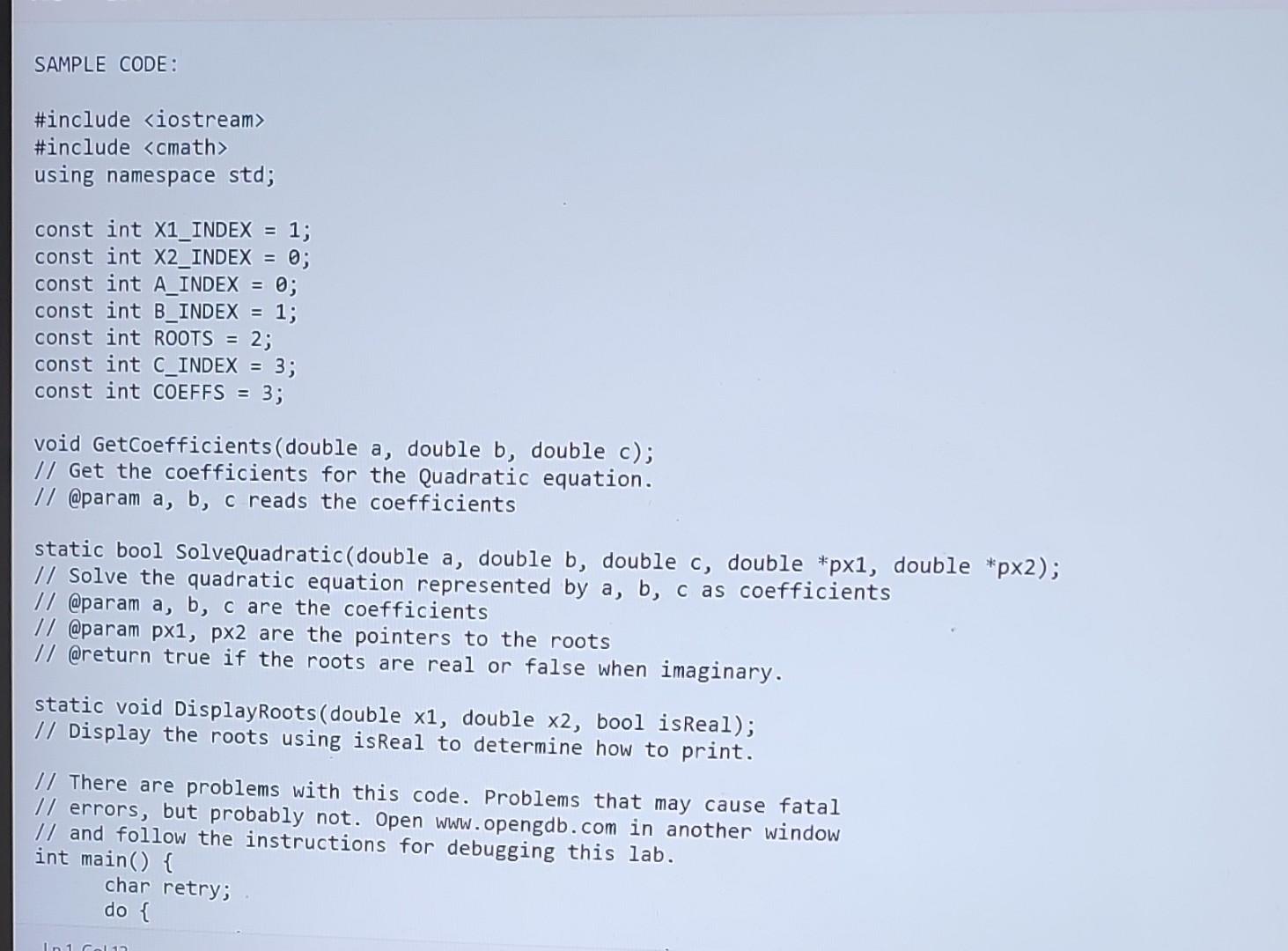
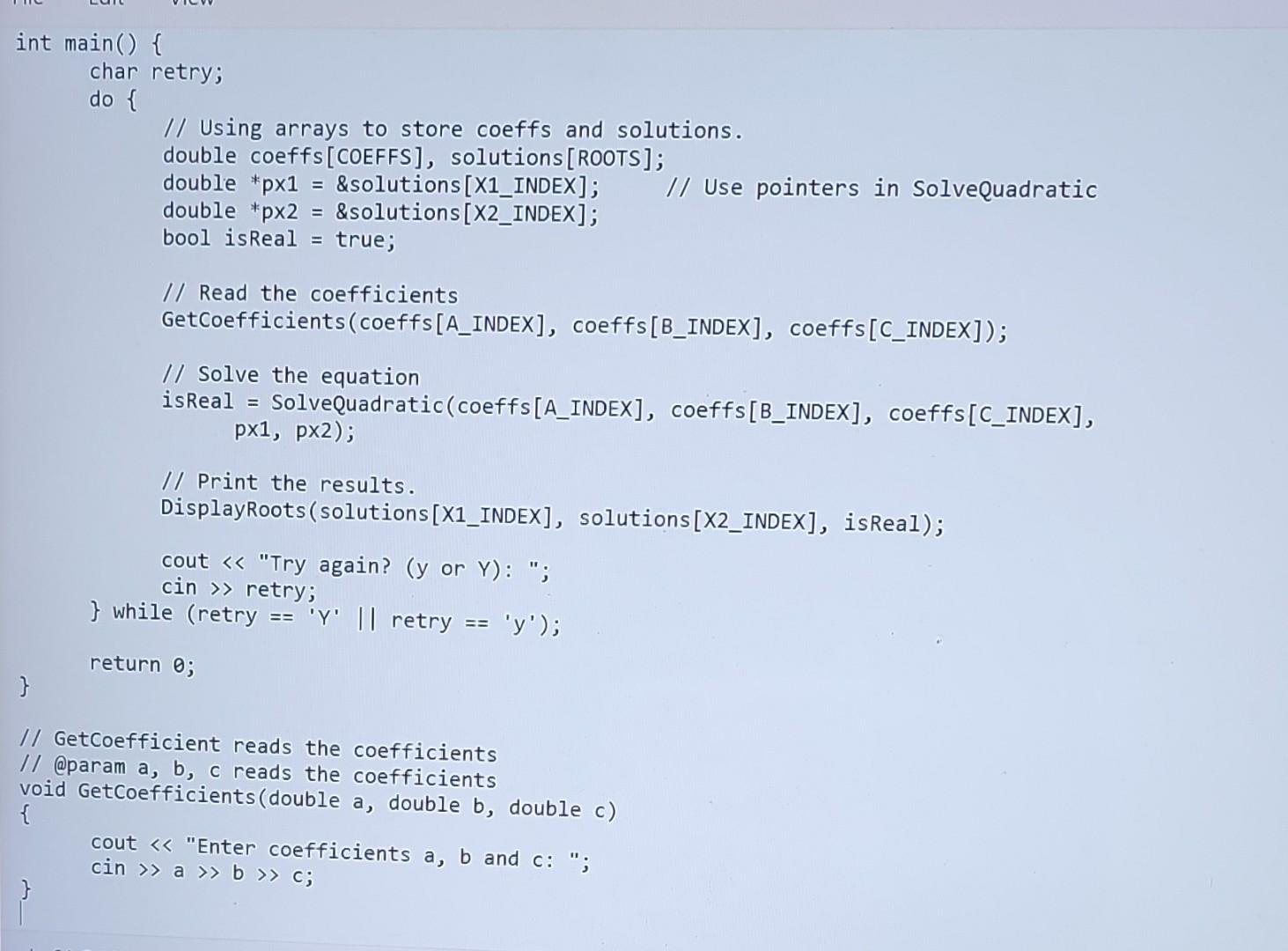
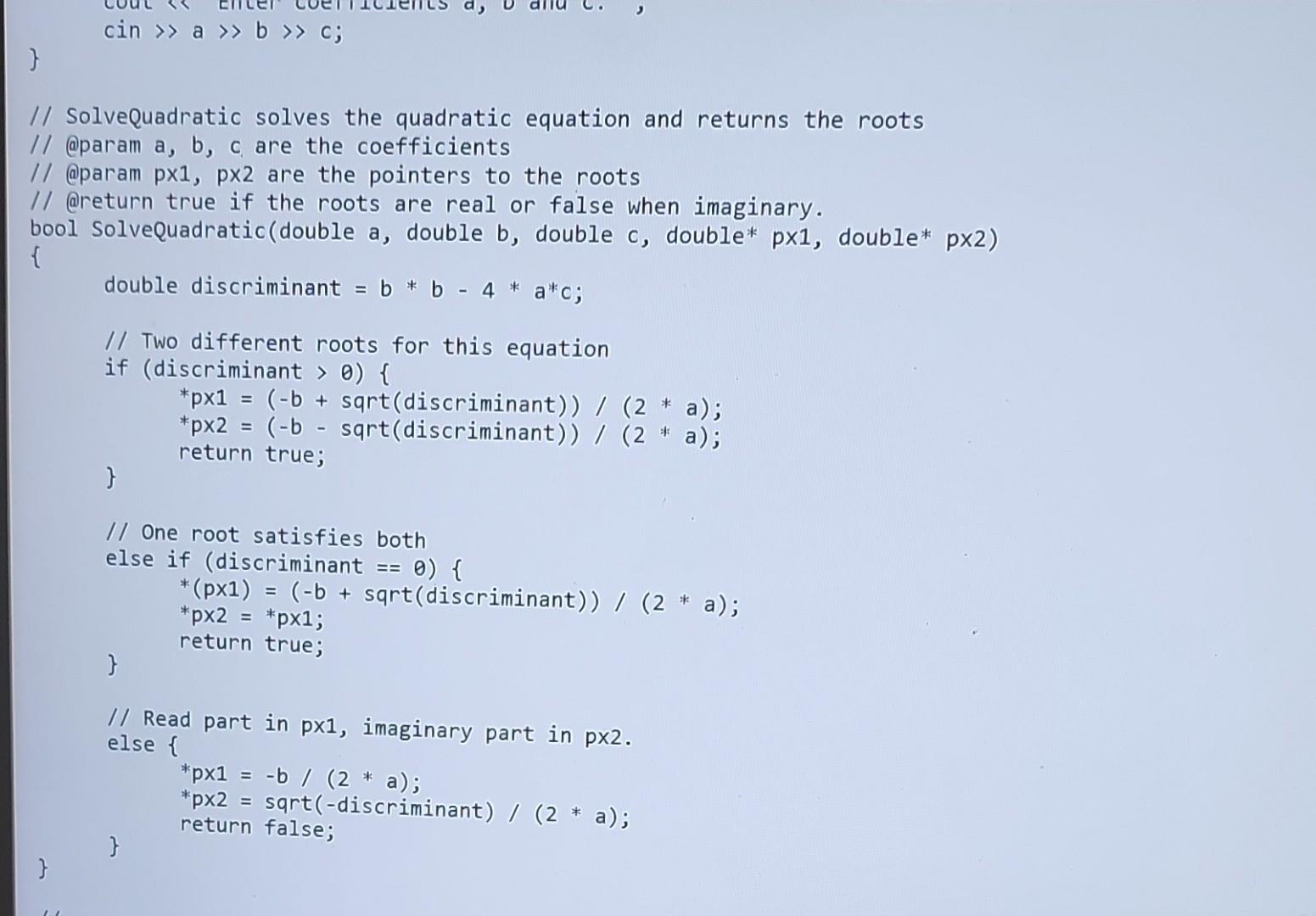
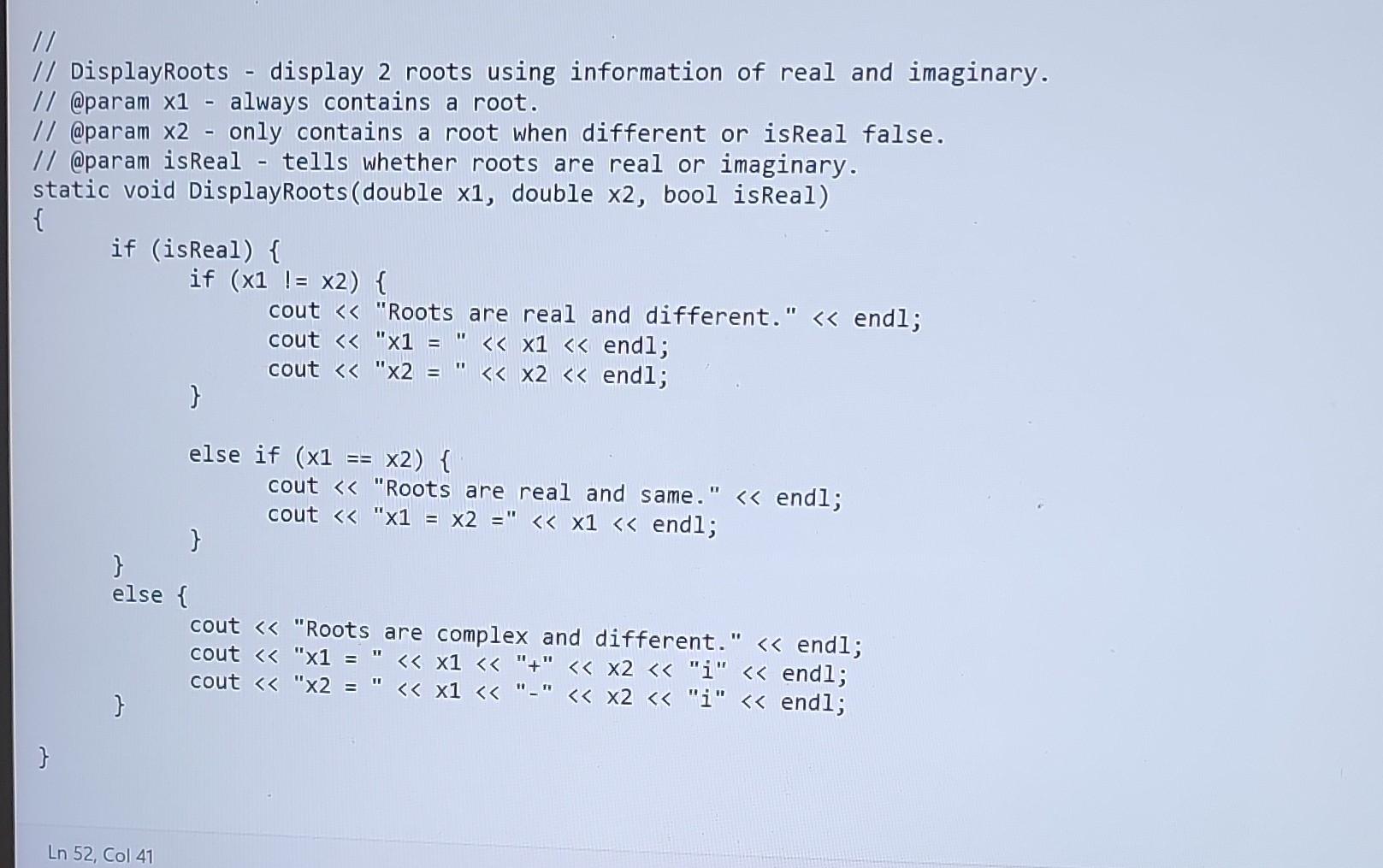
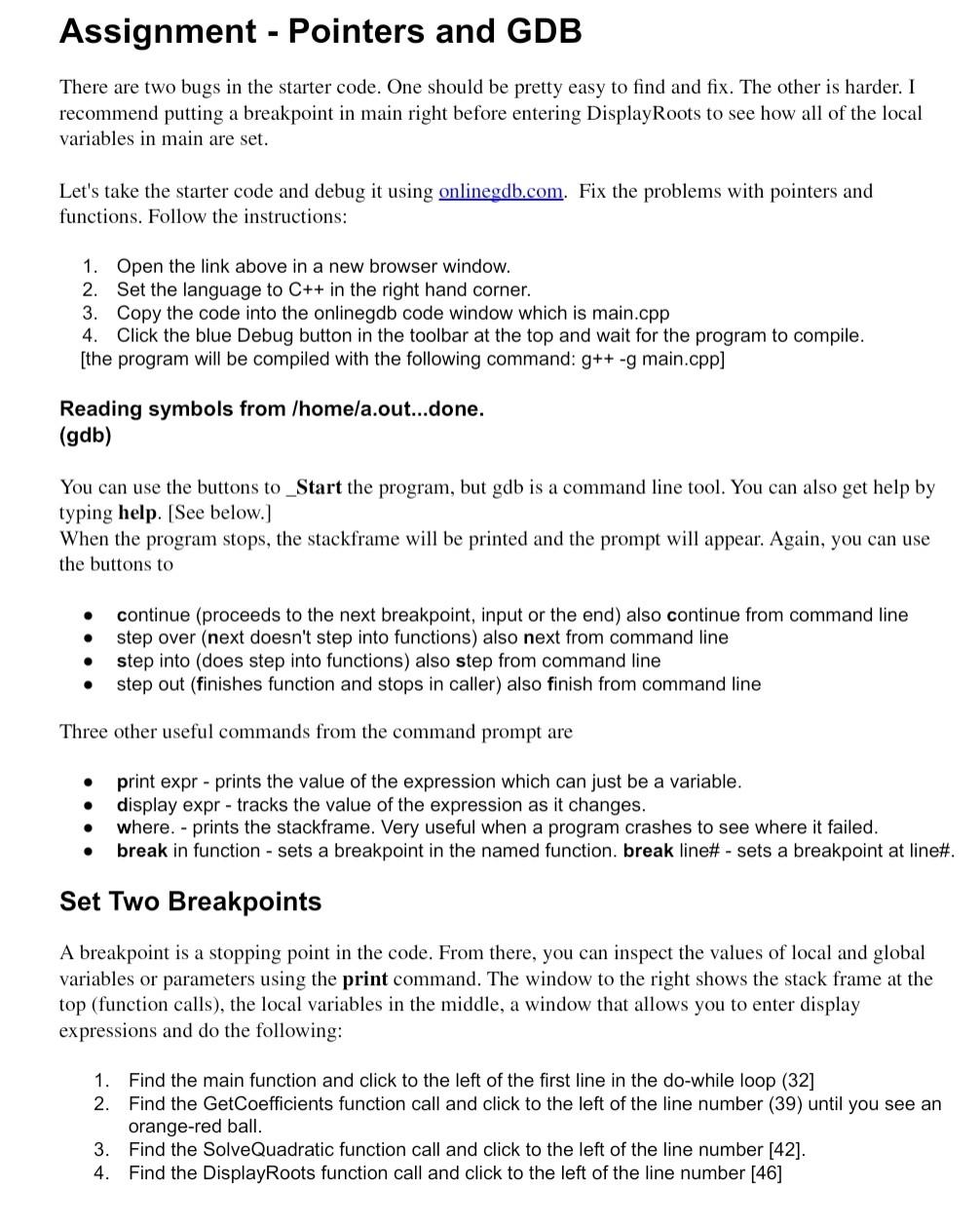
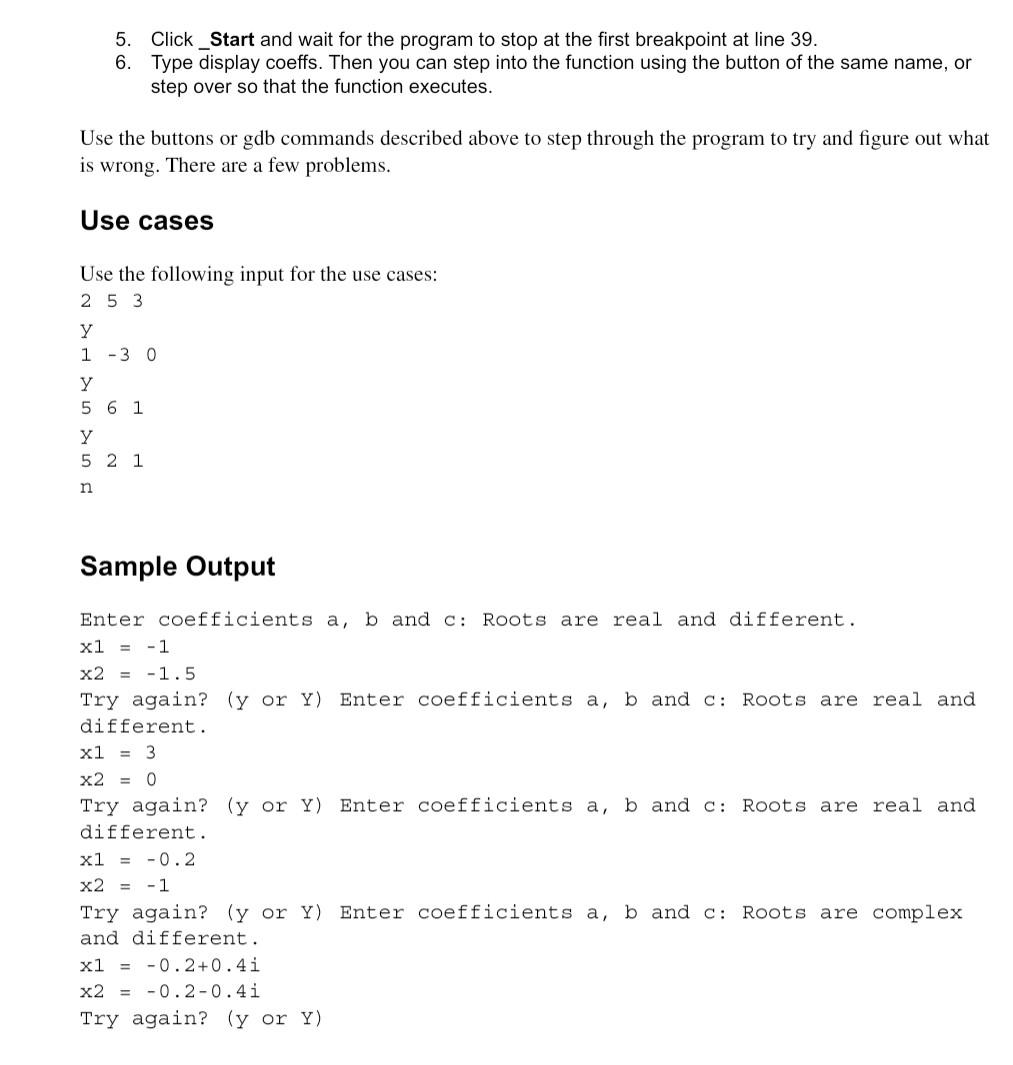
There are two bugs in the starter code. One should be pretty easy to find and fix. The other is harder. I recommend putting a breakpoint in main right before entering DisplayRoots to see how all of the local variables in main are set. Let's take the starter code and debug it using onlinegdb.com. Fix the problems with pointers and functions. Follow the instructions: 1. Open the link above in a new browser window. 2. Set the language to C++ in the right hand corner. 3. Copy the code into the onlinegdb code window which is main.cpp 4. Click the blue Debug button in the toolbar at the top and wait for the program to compile. [the program will be compiled with the following command: g++g main.cpp] Reading symbols from /home/a.out...done. (gdb) You can use the buttons to_Start the program, but gdb is a command line tool. You can also get help by typing help. [See below.] When the program stops, the stackframe will be printed and the prompt will appear. Again, you can use the buttons to - continue (proceeds to the next breakpoint, input or the end) also continue from command line - step over (next doesn't step into functions) also next from command line - step into (does step into functions) also step from command line - step out (finishes function and stops in caller) also finish from command line Three other useful commands from the command prompt are - print expr - prints the value of the expression which can just be a variable. - display expr - tracks the value of the expression as it changes. - where. - prints the stackframe. Very useful when a program crashes to see where it failed. - break in function - sets a breakpoint in the named function. break line\# - sets a breakpoint at line\#. Set Two Breakpoints A breakpoint is a stopping point in the code. From there, you can inspect the values of local and global variables or parameters using the print command. The window to the right shows the stack frame at the top (function calls), the local variables in the middle, a window that allows you to enter display expressions and do the following: 1. Find the main function and click to the left of the first line in the do-while loop (32] 2. Find the GetCoefficients function call and click to the left of the line number (39) until you see an orange-red ball. 3. Find the SolveQuadratic function call and click to the left of the line number [42]. 4. Find the DisplayRoots function call and click to the left of the line number [46] 5. Click_Start and wait for the program to stop at the first breakpoint at line 39 . 6. Type display coeffs. Then you can step into the function using the button of the same name, or step over so that the function executes. Use the buttons or gdb commands described above to step through the program to try and figure out what is wrong. There are a few problems. Use cases Use the following input for the use cases: 2y1y5y5n53623011 Sample Output Enter coefficients a,b and c: Roots are real and different. x1=1 x2=1.5 Try again? ( y or Y ) Enter coefficients a,b and c : Roots are real and different. x1=3 x2=0 Try again? ( y or Y ) Enter coefficients a, b and c: Roots are real and different. x1=0.2 x2=1 Try again? ( y or Y ) Enter coefficients a, b and c: Roots are complex and different. x1=0.2+0.4i x2=0.20.4i Try again? ( y or Y ) SAMPLE CODE: \#include iostream using namespace std; const int X1 INDEX =1; const int X2_INDEX =0; const int A_INDEX =0; const int B_INDEX =1; const int ROOTS =2; const int C_INDEX =3; const int COEFFS =3; void GetCoefficients (double a, double b, double c); I/ Get the coefficients for the Quadratic equation. I/ @param a,b, c reads the coefficients I/ Solve the quadratic equation represented by a,b,c as coefficients I/ @param a, b, c are the coefficients II @param px1, px2 are the pointers to the roots 1/ @return true if the roots are real or false when imaginary. static void DisplayRoots(double x1, double x2, bool isReal); I/ Display the roots using isReal to determine how to print. I/ There are problems with this code. Problems that may cause fatal I/ errors, but probably not. Open www. opengdb. com in another window I/ and follow the instructions for debugging this lab. int main() \{ char retry; do \{ I Solvequadratic solves the quadratic equation and returns the roots I @param a, b, c are the coefficients I @param px1, px2 are the pointers to the roots 1 @return true if the roots are real or false when imaginary. 001 SolveQuadratic (double a, double b, double c, double* p1, double* p2 ) double discriminant =bb4ac; II Two different roots for this equation if (discriminant >0){ p1=(b+sqrt( discriminant ))/(2a); p2=(bsqrt( discriminant ))/(2a); return true; \} I/ One root satisfies both else if (discriminant ==0){ (p1)=(b+sqrt( discriminant ))/(2a); return true; \} 1/ Read part in p1, imaginary part in p2. else \{ p1=b/(2a); p2=sqrt( discriminant )/(2a); \} return false
Step by Step Solution
There are 3 Steps involved in it

Get step-by-step solutions from verified subject matter experts
 Study Help