







Question: Scenario 2. This question is designed to help you better understand how Plan 2 in Table 41 works. Our principal is $15,000, the interest rate
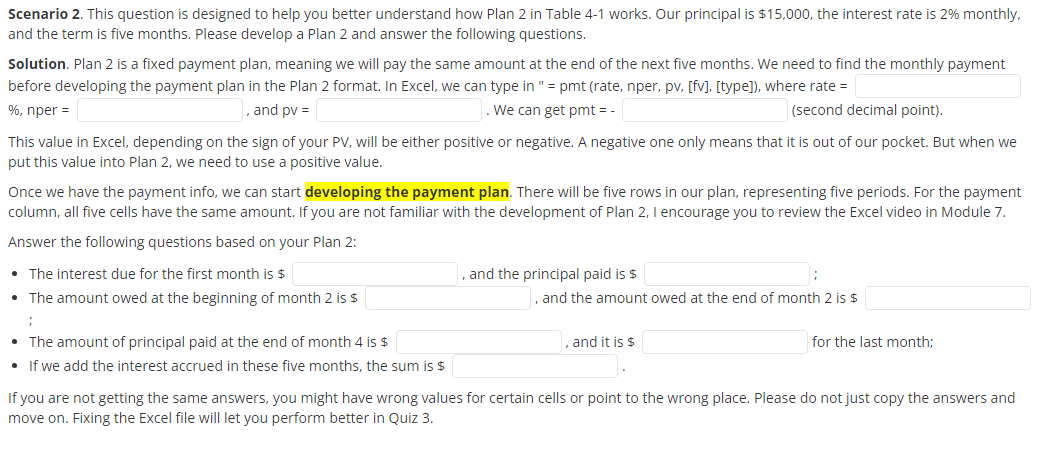
Scenario 2. This question is designed to help you better understand how Plan 2 in Table 41 works. Our principal is $15,000, the interest rate is 2% monthly, and the term is five months. Please develop a Plan 2 and answer the following questions. Solution. Plan 2 is a fixed payment plan, meaning we will pay the same amount at the end of the next five months. We need to find the monthly payment before developing the payment plan in the Plan 2 format. In Excel, we can type in " = pmt (rate, nper, pv, [fv], [type]), where rate = %, nper = , and ppv= We can get pmt = - (second decimal point). This value in Excel, depending on the sign of your PV, will be either positive or negative. A negative one only means that it is out of our pocket. But when we put this value into Plan 2, we need to use a positive value. Once we have the payment info, we can start developing the payment plan. There will be five rows in our plan, representing five periods. For the payment column, all five cells have the same amount. If you are not familiar with the development of Plan 2, I encourage you to review the Excel video in Module 7. Answer the following questions based on your Plan 2: - The interest due for the first month is \$ - The amount owed at the beginning of month 2 is $ ; - The amount of principal paid at the end of month 4 is \$ - If we add the interest accrued in these five months, the sum is $ , and the principal paid is $ , and the amount owed at the end of month 2 is $ , and it is $ for the last month; If you are not getting the same answers, you might have wrong values for certain cells or point to the wrong place. Please do not just copy the answers and move on. Fixing the Excel file will let you perform better in Quiz 3
Step by Step Solution
There are 3 Steps involved in it

Get step-by-step solutions from verified subject matter experts
 Study Help