







Question: Search (Option + Q) View Help A= 30 Required: 1. Prepare a multi-step income statement that would be used for internal reporting purposes. When more
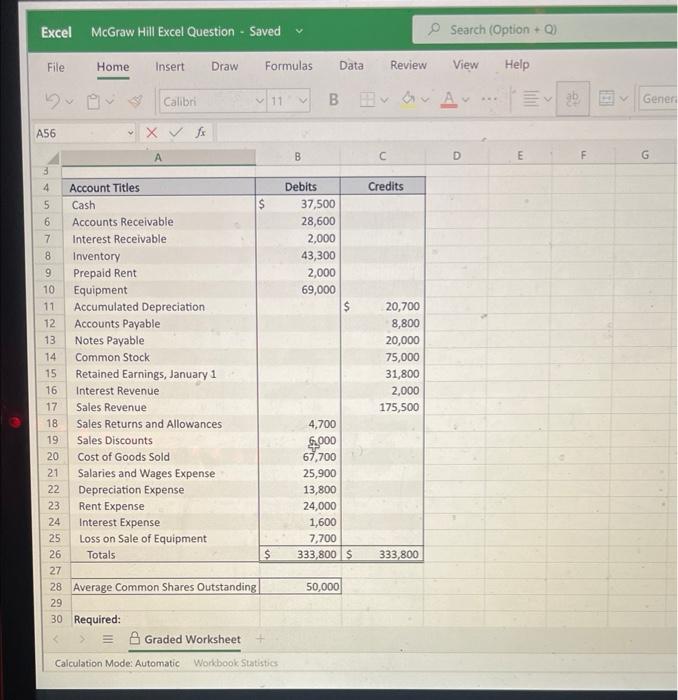
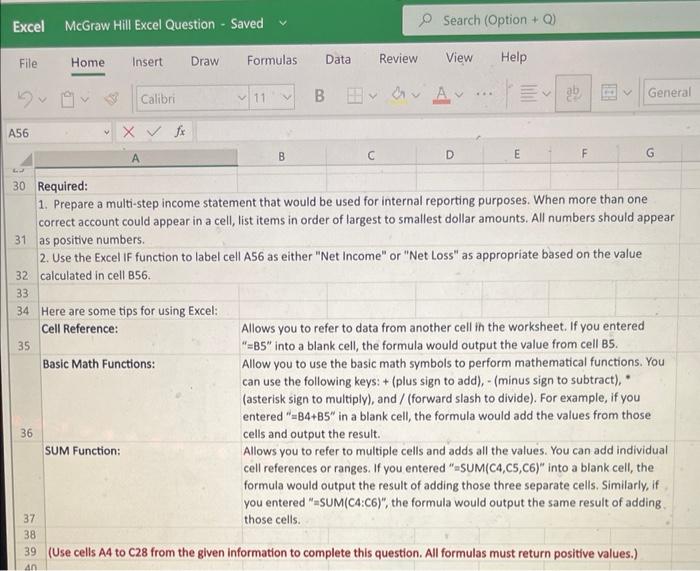
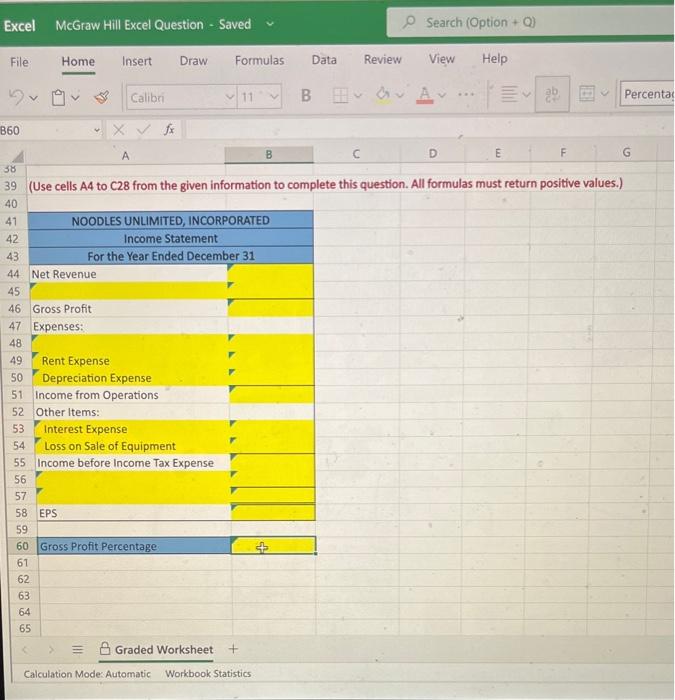
Search (Option + Q) View Help A= 30 Required: 1. Prepare a multi-step income statement that would be used for internal reporting purposes. When more than one correct account could appear in a cell, list items in order of largest to smallest dollar amounts. All numbers should appear 31 as positive numbers. 2. Use the Excel IF function to label cell A56 as either "Net Income" or "Net Loss" as appropriate based on the value 32 calculated in cell B56. Here are some tips for using Excel: Cell Reference: Allows you to refer to data from another cell ih the worksheet. If you entered 35 "=B5" into a blank cell, the formula would output the value from cell B5. Basic Math Functions: Allow you to use the basic math symbols to perform mathematical functions. You can use the following keys: + (plus sign to add), - (minus sign to subtract), (asterisk sign to multiply), and / (forward slash to divide). For example, if you entered " =B4+B5 in a blank cell, the formula would add the values from those 36 cells and output the result. SUM Function: Allows you to refer to multiple cells and adds all the values. You can add individual cell references or ranges. If you entered "SUM(C4,C5,C6)" into a blank cell, the formula would output the result of adding those three separate cells. Similarly, if you entered "mSM(C4:C6)", the formula would output the same result of adding . those cells. (Use cells A4 to C28 from the given information to complete this question. All formulas must return positive values.) (Use cells A4 to C28 from the given information to complete this question. All formulas must return positive values.)
Step by Step Solution
There are 3 Steps involved in it

Get step-by-step solutions from verified subject matter experts
 Study Help