





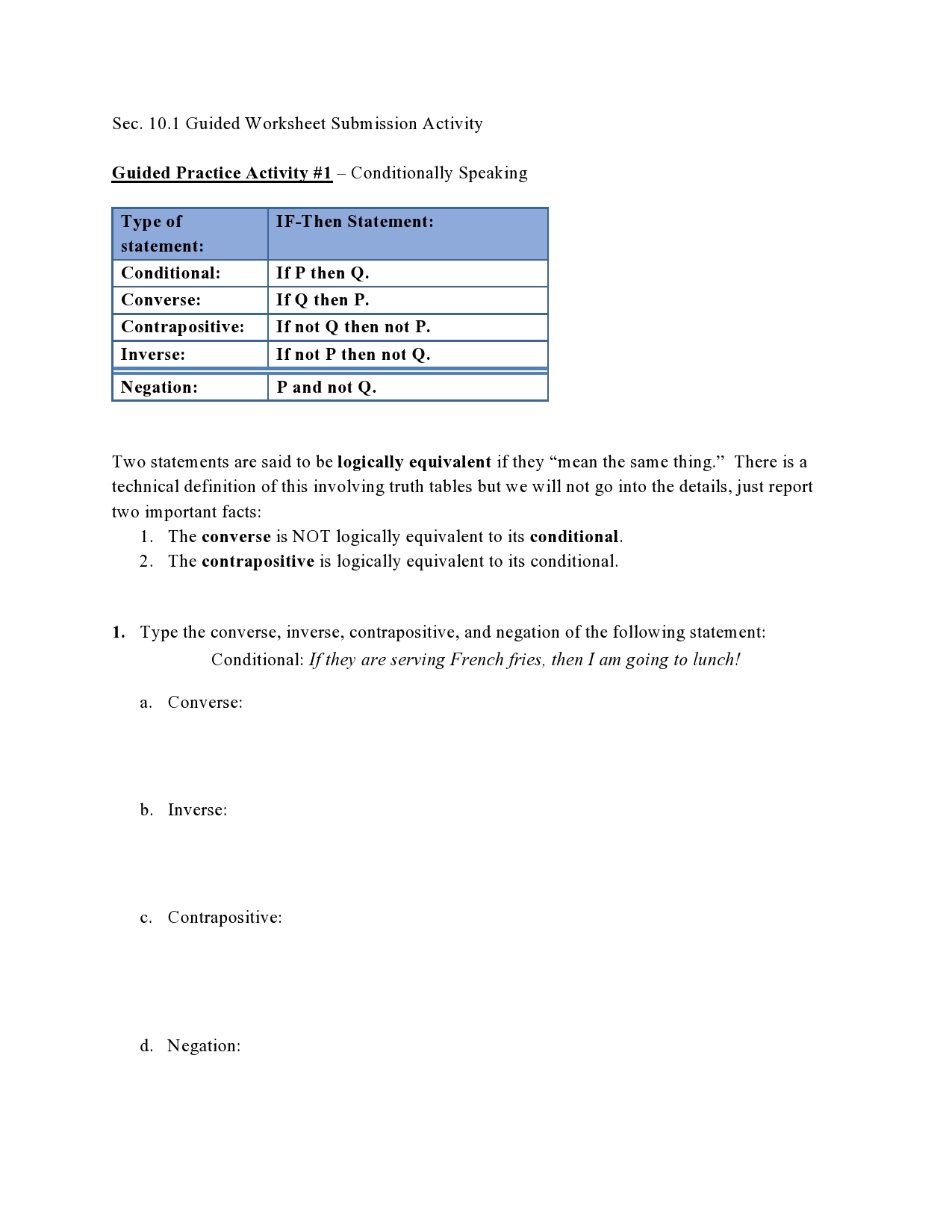
Question: Sec. 10.1 Guided Worksheet Submission Activity Guided Practice Activity #1 Conditionally Speaking Contrapositive: If not Q then not P. If not P then not Q.
Sec. 10.1 Guided Worksheet Submission ActivitySec. 10.1 Guided Worksheet Submission Activity
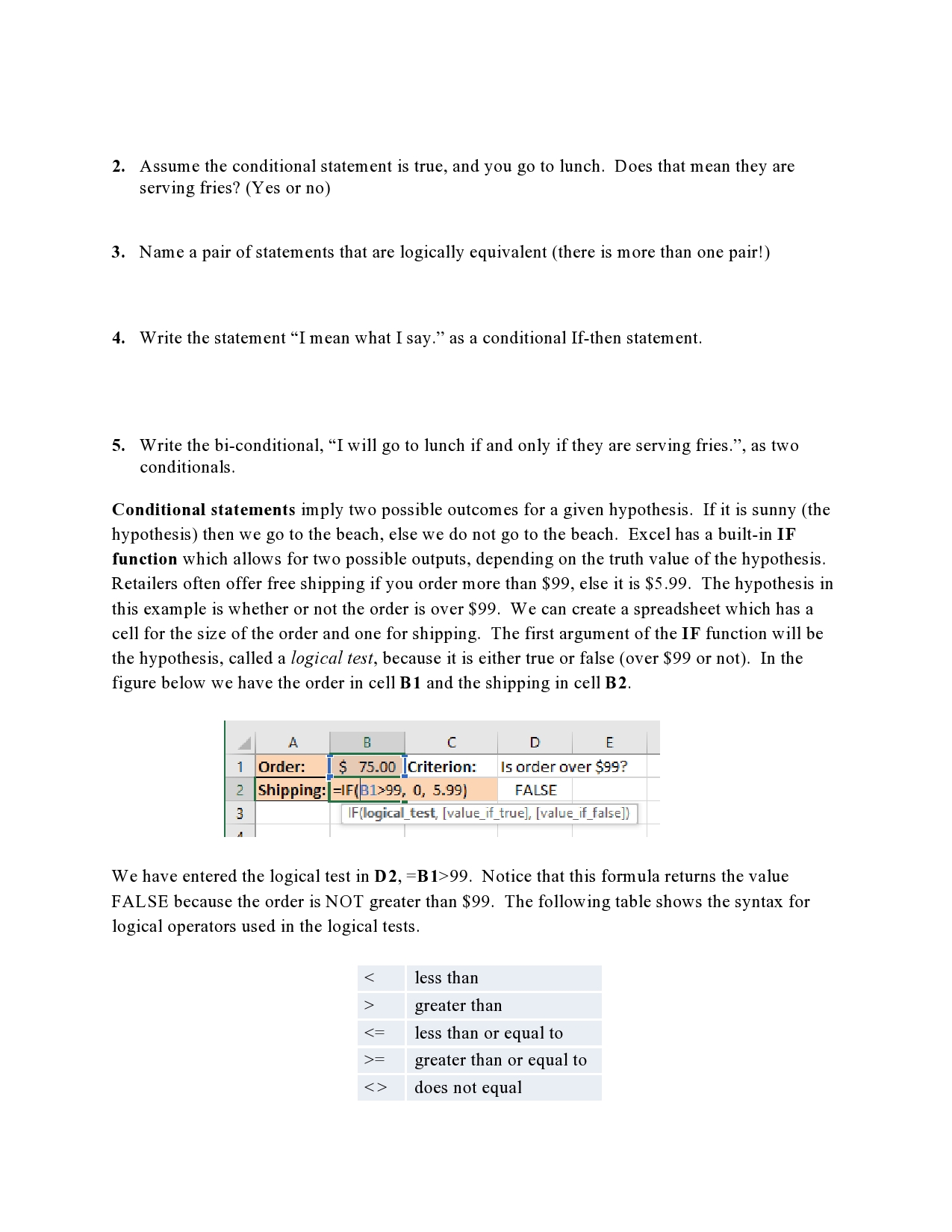
Sec. 10.1 Guided Worksheet Submission Activity Guided Practice Activity #1 Conditionally Speaking Contrapositive: If not Q then not P. If not P then not Q. Two statements are said to be logically equivalent if they \"mean the same thing.\" There is a technical definition of this involving truth tables but we will not go into the details,just report two important facts: 1. The converse is NOT logically equivalent to its conditional. 2. The contrapositive is logically equivalent to its conditional. 1. Type the converse, inverse, contrapositive, and negation of the following statement: Conditional: Krhey are serving Frenchfn'es, then I am. going to Mack! a. Converse: b. Inverse: c. Contrapositive: d. Negation: 2. Assume the conditional statement is true, and you go to lunch. Does that mean they are serving fries? (Yes or no) 3. Name a pair of statements that are logically equivalent (there is more than one pair!) 4. Write the statement "I mean what I say." as a conditional If-then statement. 5. Write the bi-conditional, "I will go to lunch if and only if they are serving fries.", as two conditionals. Conditional statements imply two possible outcomes for a given hypothesis. If it is sunny (the hypothesis) then we go to the beach, else we do not go to the beach. Excel has a built-in IF function which allows for two possible outputs, depending on the truth value of the hypothesis. Retailers often offer free shipping if you order more than $99, else it is $5.99. The hypothesis in this example is whether or not the order is over $99. We can create a spreadsheet which has a cell for the size of the order and one for shipping. The first argument of the IF function will be the hypothesis, called a logical test, because it is either true or false (over $99 or not). In the figure below we have the order in cell BI and the shipping in cell B2. A D E 1 Order: [ $ 75.00 |Criterion: Is order over $99? Shipping: =IF(81>99, 0, 5.99) FALSE IF(logical_test, [value_if_true], [value_if_false]) We have entered the logical test in D2, =B1>99. Notice that this formula returns the value FALSE because the order is NOT greater than $99. The following table shows the syntax for logical operators used in the logical tests. greater than = greater than or equal to does not equal

Step by Step Solution

There are 3 Steps involved in it

1 Expert Approved Answer
Step: 1 Unlock blur-text-image

Question Has Been Solved by an Expert!

Get step-by-step solutions from verified subject matter experts

Step: 2 Unlock
Step: 3 Unlock

Students Have Also Explored These Related Mathematics Questions!