







Question: See the screenshot below. What function can be used in cell G3 (and then copied through the range G3:L9) to summarize the total number of
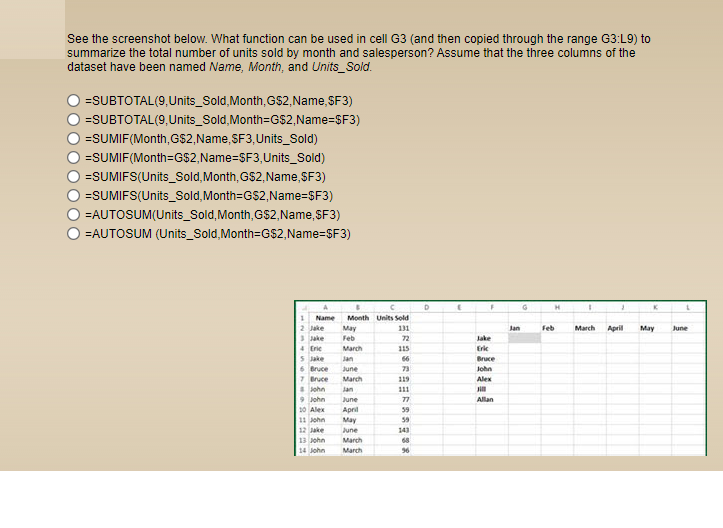
See the screenshot below. What function can be used in cell G3 (and then copied through the range G3:L9) to summarize the total number of units sold by month and salesperson? Assume that the three columns of the dataset have been named Name, Month, and Units_Sold. O ESUBTOTAL(9,Units_Sold, Month, G$2.Name, SF3) O ESUBTOTAL(9,Units_Sold, Month=G$2,Name=$F3) O ESUMIF(Month, G$2,Name SF3, Units_Sold) O =SUMIF(Month=G$2,Name=SF3, Units_Sold) O =SUMIFS(Units_Sold, Month, G$2.Name, SF3) O ESUMIFS(Units_Sold, Month=G$2,Name=$F3) O=AUTOSUM(Units_Sold, Month, G$2,Name, $F3) O=AUTOSUM (Units_Sold, Month=G$2,Name=$F3) Name Month Units sold Man Feb March April May June March June March 7 Bruce ohn 9 John 10 Alex 11 John June April May June March March 13 John 14 John
Step by Step Solution
There are 3 Steps involved in it

Get step-by-step solutions from verified subject matter experts
 Study Help