







Question: SEED Labs - SQL Injection Attack Lab 3.1 Task 1: Get Familiar with SQL Statements The objective of this task is to get familiar with
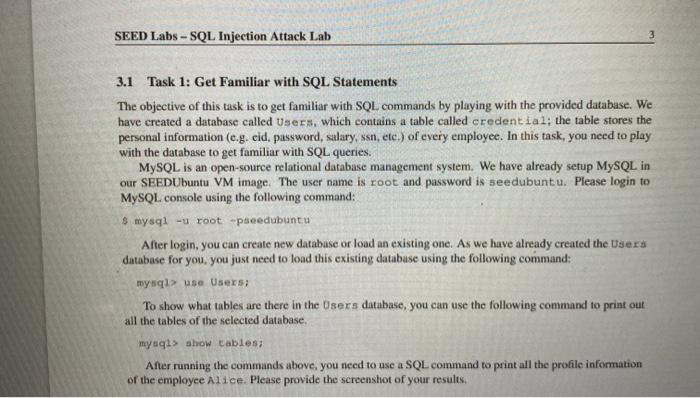
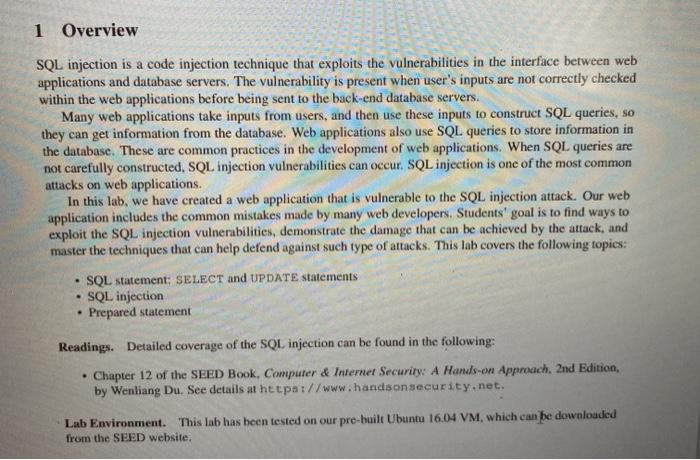
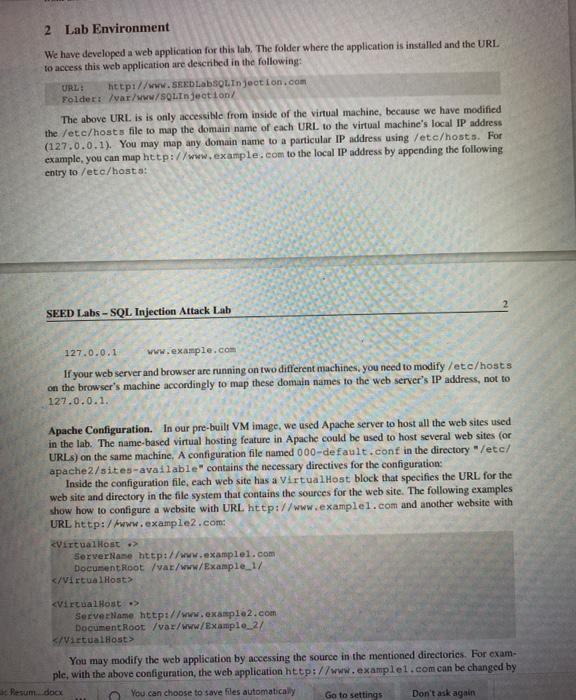
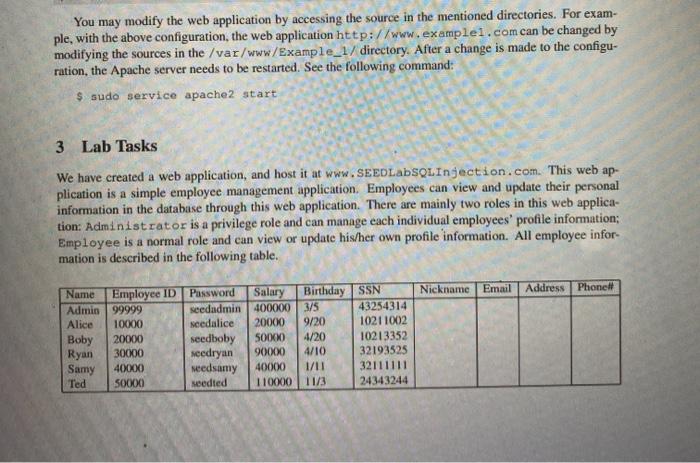
SEED Labs - SQL Injection Attack Lab 3.1 Task 1: Get Familiar with SQL Statements The objective of this task is to get familiar with SQL commands by playing with the provided database. We have created a database called Users, which contains a table called credential; the table stores the personal information (e.g. eid, password, salary, ssn, etc.) of every employee. In this task, you need to play with the database to get familiar with SQL queries. MySQL is an open-source relational database management system. We have already setup MySQL in our SEEDUbuntu VM image. The user name is root and password is seedubuntu. Please login to MySQL console using the following command: $ mysql -u root speedubuntu After login, you can create new database or load an existing one. As we have already created the Users database for you, you just need to load this existing database using the following command: mysql> use Users; To show what tables are there in the Users database, you can use the following command to print out all the tables of the selected database. mysql> show tables; After running the commands above, you need to use a SQL command to print all the profile information of the employee Alice. Please provide the screenshot of your results. 1 Overview SQL injection is a code injection technique that exploits the vulnerabilities in the interface between web applications and database servers. The vulnerability is present when user's inputs are not correctly checked within the web applications before being sent to the back-end database servers. Many web applications take inputs from users, and then use these inputs to construct SQL queries, so they can get information from the database. Web applications also use SQL queries to store information in the database. These are common practices in the development of web applications. When SQL queries are not carefully constructed. SQL injection vulnerabilities can occur. SQL injection is one of the most common attacks on web applications. In this lab, we have created a web application that is vulnerable to the SQL injection attack. Our web application includes the common mistakes made by many web developers. Students' goal is to find ways to exploit the SQL injection vulnerabilities, demonstrate the damage that can be achieved by the attack, and master the techniques that can help defend against such type of attacks. This lab covers the following topics: SQL statement: SELECT and UPDATE statements SQL injection Prepared statement . Readings. Detailed coverage of the SQL injection can be found in the following: Chapter 12 of the SEED Book, Computer & Internet Security: A Hands-on Approach, 2nd Edition, by Wenliang Du. See details at https://www.handson security.net. Lab Environment. This lab has been tested on our pre-built Ubuntu 16.04 VM, which can be downloaded from the SEED website, 2 Lab Environment We have developed a web application for this lab. The folder where the application is installed and the URL to access this web application are described in the following: URL: http://www.SEED LabSQL Injection.com Folder /var/www/SQL Injection/ The above URL is is only accessible from inside of the virtual machine, because we have modified the /etc/hosts file to map the domain name of each URL to the virtual machine's local IP address (127.0.0.1). You may map any domain name to a particular IP address using /etc/hosts. For example, you can map http://www.example.com to the local IP address by appending the following entry to /etc/hosts: SEED Labs - SQL Injection Attack Lab 127.0.0.1 www.example.com If your web server and browser are running on two different machines, you need to modify /etc/hosts on the browser's machine accordingly to map these domain names to the web server's IP address, not to 127.0.0.1. Apache Configuration. In our pre-built VM image, we used Apache server to host all the web sites used in the lab. The name-based virtual hosting feature in Apache could be used to host several web sites (or URLS) on the same machine. A configuration file named 000-default.conf in the directory /etc/ apache2/sites-available"contains the necessary directives for the configuration: Inside the configuration file, cach web site has a VirtualHost block that specifies the URL for the web site and directory in the file system that contains the sources for the web site. The following examples show how to configure a website with URL http://www.examplel.com and another website with URL http:/www.example2.com VirtualHost Server Nase http://www.examplel.com Document Root /var/www/Example 1/
Step by Step Solution
There are 3 Steps involved in it

Get step-by-step solutions from verified subject matter experts
 Study Help