







Question: Setup the IP Range for a test Network Follow the Sub-Net breakdown chart Record the IPs in an IP Chart for Network Documentation Users Services
Setup the IP Range for a test Network
Follow the Sub-Net breakdown chart
Record the IPs in an IP Chart for Network Documentation 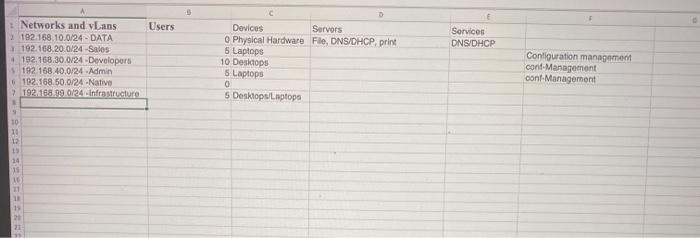
Users Services DNS/DHCP A 1 Networks and. Lans 2 192.168.10.0/24 - DATA 192.168.20.0/24 -Sales 192.168.30.0/24 - Developers 192.168.40.0/24 Admin 6 192.168.50.0/24 -Native > 192.168.99.0/24-Infrastructure 0 Devices Servers 0 Physical Hardware File, DNS/DHCP print 5 Laptops 10 Desidops 5 Laptops 0 5 Desktop/laptop Configuration management conf Management cont Management 10 11 12 13 11 11 11 13 21
Step by Step Solution
There are 3 Steps involved in it
1 Expert Approved Answer
Step: 1 Unlock

Question Has Been Solved by an Expert!
Get step-by-step solutions from verified subject matter experts
Step: 2 Unlock
Step: 3 Unlock
 Study Help