







Question: show data Linux At the command prompt, type vi dirbackup.sh and press Enter. As you are modifying the contents, ensure that you understand the purpose
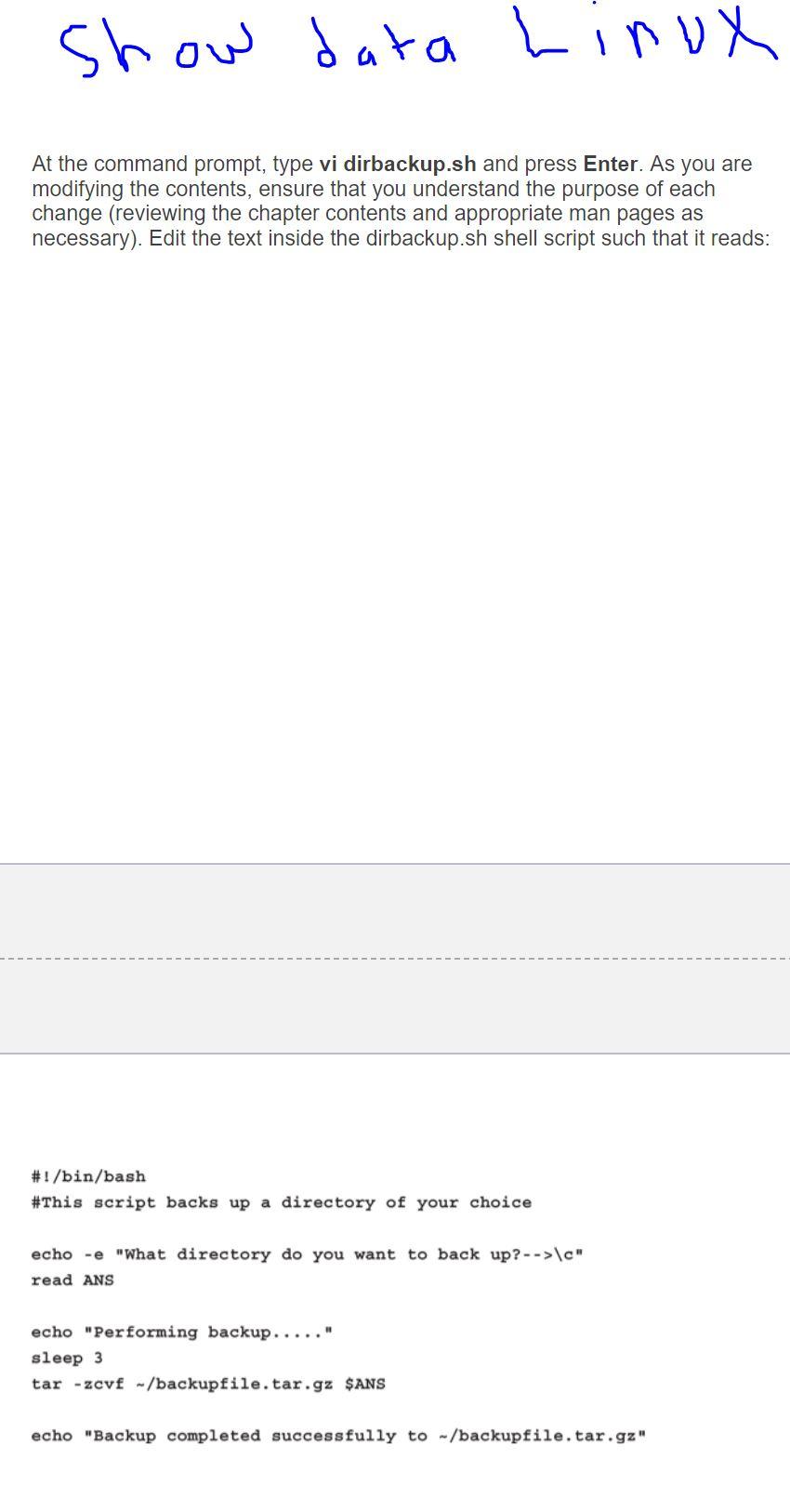
show data Linux At the command prompt, type vi dirbackup.sh and press Enter. As you are modifying the contents, ensure that you understand the purpose of each change (reviewing the chapter contents and appropriate man pages as necessary). Edit the text inside the dirbackup.sh shell script such that it reads: #!/bin/bash #This script backs up a directory of your choice echo -e "What directory do you want to back up? -->\c" read ANS echo "Performing backup....." sleep 3 tar -zcvf -/backupfile.tar.gz $ANS echo "Backup completed successfully to -/backupfile.tar.gz
Step by Step Solution
There are 3 Steps involved in it
1 Expert Approved Answer
Step: 1 Unlock

Question Has Been Solved by an Expert!
Get step-by-step solutions from verified subject matter experts
Step: 2 Unlock
Step: 3 Unlock
 Study Help