


Question: slant C Excel_Ch06_Prepare_GolfData.x/sx. Grader has automatically added your last name to the beginning of the filename. Converting a plain data set to an Excel table
slant C Excel_Ch06_Prepare_GolfData.x/sx. Grader
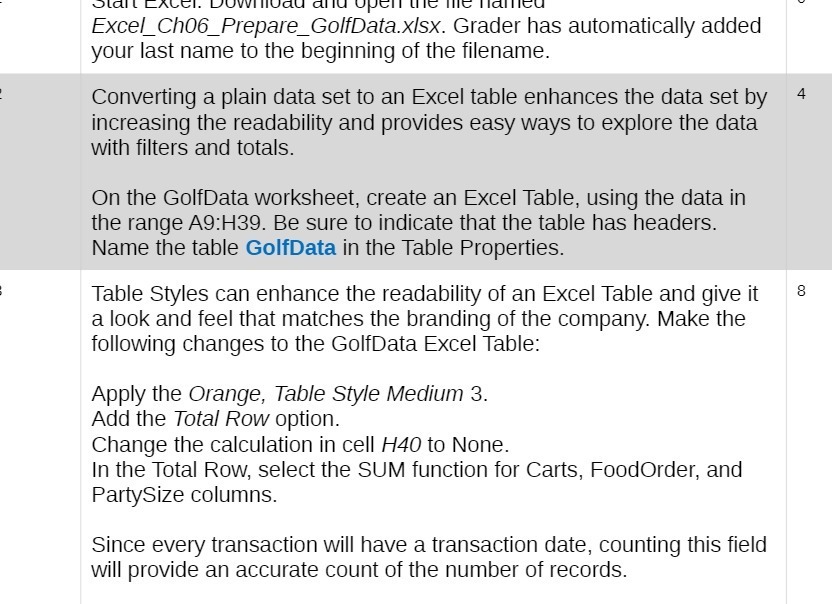
slant C Excel_Ch06_Prepare_GolfData.x/sx. Grader has automatically added your last name to the beginning of the filename. Converting a plain data set to an Excel table enhances the data set by 4 increasing the readability and provides easy ways to explore the data with filters and totals. On the GolfData worksheet, create an Excel Table, using the data in the range A9:H39. Be sure to indicate that the table has headers. Name the table GolfData in the Table Properties. Table Styles can enhance the readability of an Excel Table and give it 8 a look and feel that matches the branding of the company. Make the following changes to the GolfData Excel Table: Apply the Orange, Table Style Medium 3. Add the Total Row option. Change the calculation in cell H40 to None. In the Total Row, select the SUM function for Carts, FoodOrder, and PartySize columns. Since every transaction will have a transaction date, counting this field will provide an accurate count of the number of records

Step by Step Solution

There are 3 Steps involved in it

1 Expert Approved Answer
Step: 1 Unlock blur-text-image

Question Has Been Solved by an Expert!

Get step-by-step solutions from verified subject matter experts

Step: 2 Unlock
Step: 3 Unlock

Students Have Also Explored These Related Accounting Questions!