







Question: slove this problem using only dart language and VS code only usung dart language and VS code Part A: Decimal to Binary Converter (10 marks)
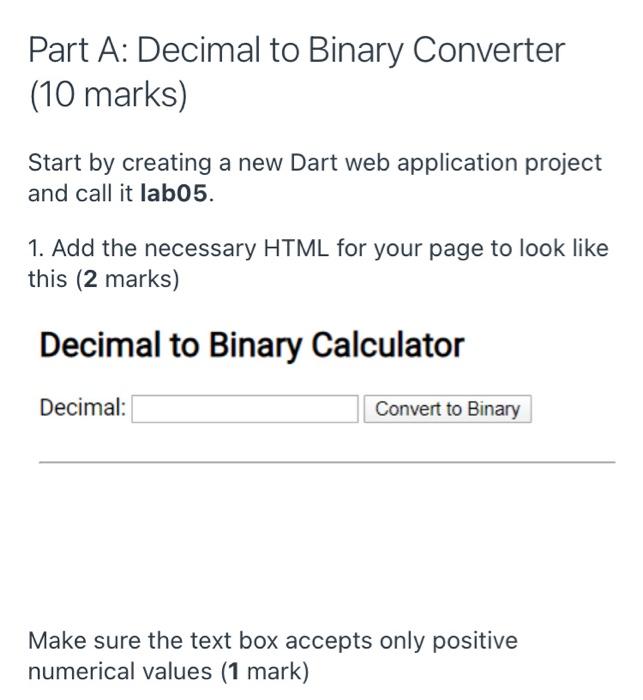
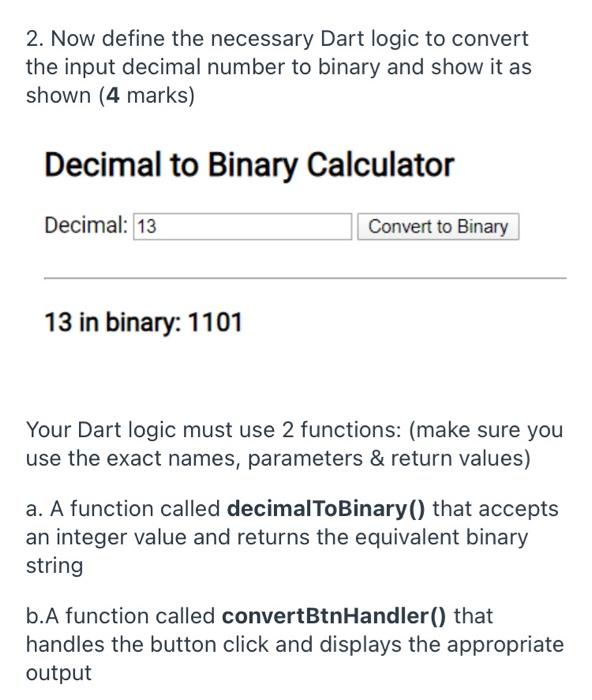
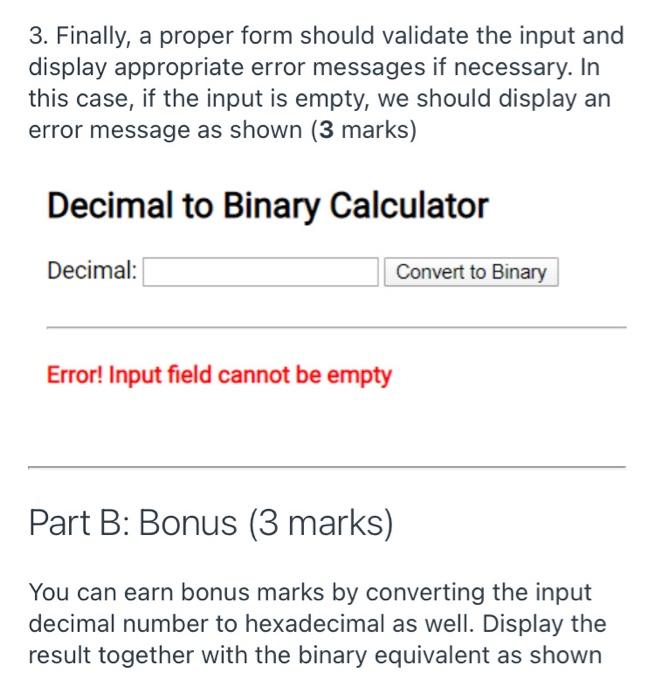
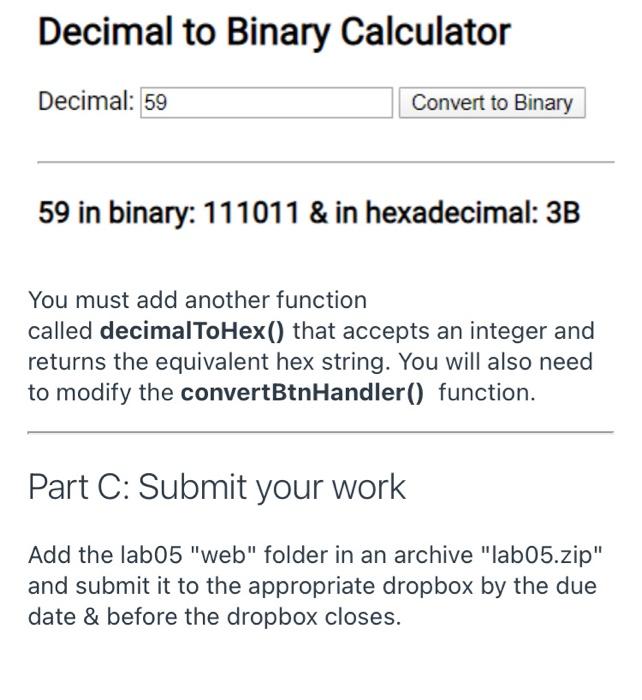
Part A: Decimal to Binary Converter (10 marks) Start by creating a new Dart web application project and call it lab05. 1. Add the necessary HTML for your page to look like this (2 marks) Decimal to Binary Calculator Decimal: Convert to Binary Make sure the text box accepts only positive numerical values (1 mark) 2. Now define the necessary Dart logic to convert the input decimal number to binary and show it as shown (4 marks) Decimal to Binary Calculator Decimal: 13 Convert to Binary 13 in binary: 1101 Your Dart logic must use 2 functions: (make sure you use the exact names, parameters & return values) a. A function called decimal To Binary() that accepts an integer value and returns the equivalent binary string b.A function called convertBtnHandler() that handles the button click and displays the appropriate output 3. Finally, a proper form should validate the input and display appropriate error messages if necessary. In this case, if the input is empty, we should display an error message as shown (3 marks) Decimal to Binary Calculator Decimal: Convert to Binary Error! Input field cannot be empty Part B: Bonus (3 marks) You can earn bonus marks by converting the input decimal number to hexadecimal as well. Display the result together with the binary equivalent as shown Decimal to Binary Calculator Decimal: 59 Convert to Binary 59 in binary: 111011 & in hexadecimal: 3B You must add another function called decimalToHex() that accepts an integer and returns the equivalent hex string. You will also need to modify the convertBtnHandler() function. Part C: Submit your work Add the lab05 "web" folder in an archive "lab05.zip" and submit it to the appropriate dropbox by the due date & before the dropbox closes
Step by Step Solution
There are 3 Steps involved in it

Get step-by-step solutions from verified subject matter experts
 Study Help