







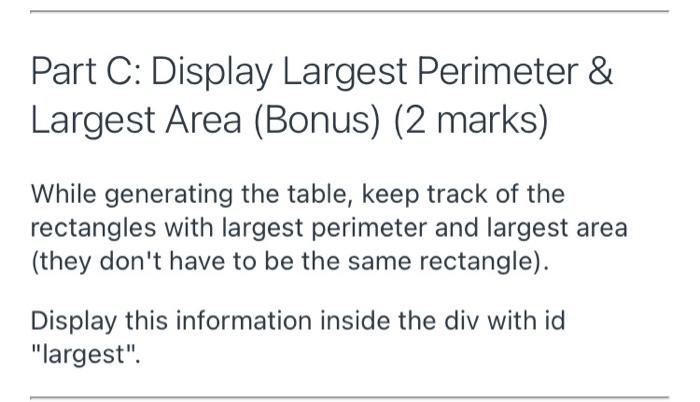
Question: make rectangle class using dart language and VS code only SOLVE using dart language and VS Code only Part A: Rectangle Class (3 marks) Create
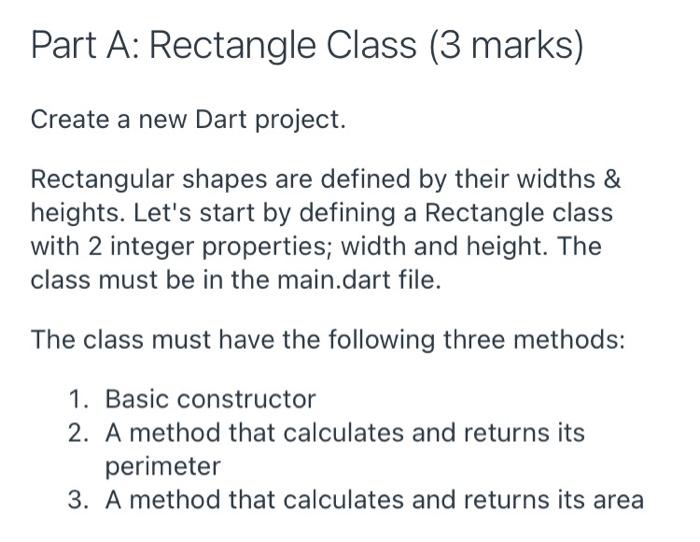
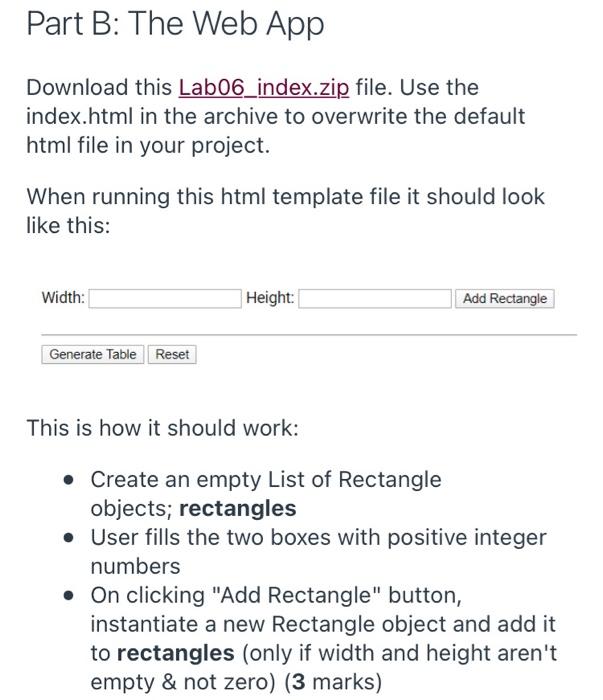
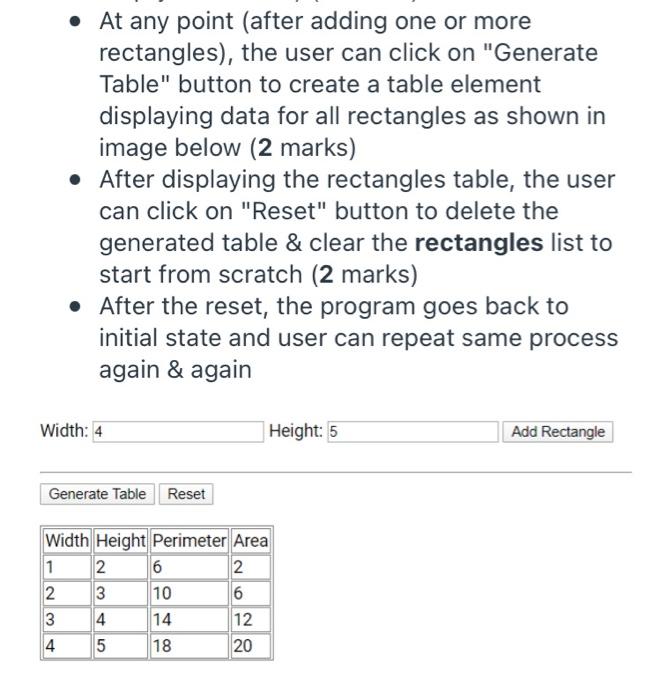
Part A: Rectangle Class (3 marks) Create a new Dart project. Rectangular shapes are defined by their widths & heights. Let's start by defining a Rectangle class with 2 integer properties; width and height. The class must be in the main.dart file. The class must have the following three methods: 1. Basic constructor 2. A method that calculates and returns its perimeter 3. A method that calculates and returns its area A Part B: The Web App Download this Lab06_index.zip file. Use the index.html in the archive to overwrite the default html file in your project. When running this html template file it should look like this: Width: Height: Add Rectangle Generate Table Reset This is how it should work: : Create an empty List of Rectangle objects; rectangles User fills the two boxes with positive integer numbers On clicking "Add Rectangle" button, instantiate a new Rectangle object and add it to rectangles (only if width and height aren't empty & not zero) (3 marks) Part A: Rectangle Class (3 marks) Create a new Dart project. Rectangular shapes are defined by their widths & heights. Let's start by defining a Rectangle class with 2 integer properties; width and height. The class must be in the main.dart file. The class must have the following three methods: 1. Basic constructor 2. A method that calculates and returns its perimeter 3. A method that calculates and returns its area A Part B: The Web App Download this Lab06_index.zip file. Use the index.html in the archive to overwrite the default html file in your project. When running this html template file it should look like this: Width: Height: Add Rectangle Generate Table Reset This is how it should work: : Create an empty List of Rectangle objects; rectangles User fills the two boxes with positive integer numbers On clicking "Add Rectangle" button, instantiate a new Rectangle object and add it to rectangles (only if width and height aren't empty & not zero)
Step by Step Solution
There are 3 Steps involved in it

Get step-by-step solutions from verified subject matter experts
 Study Help