Question: So I am getting an error like this. I have also uploaded the Logcat in this question. I also have my SQLite Database file. So
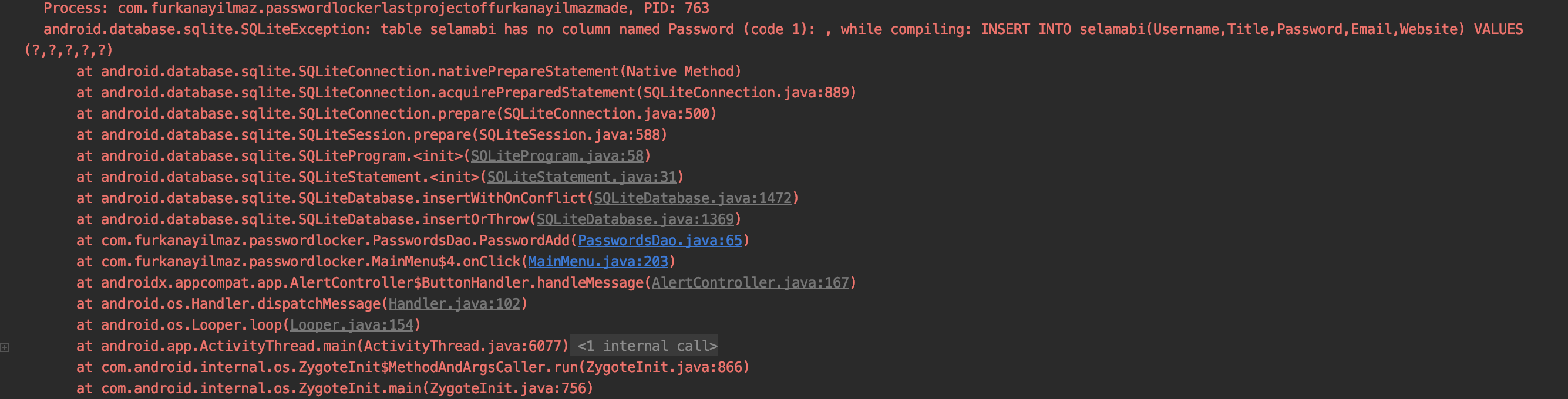
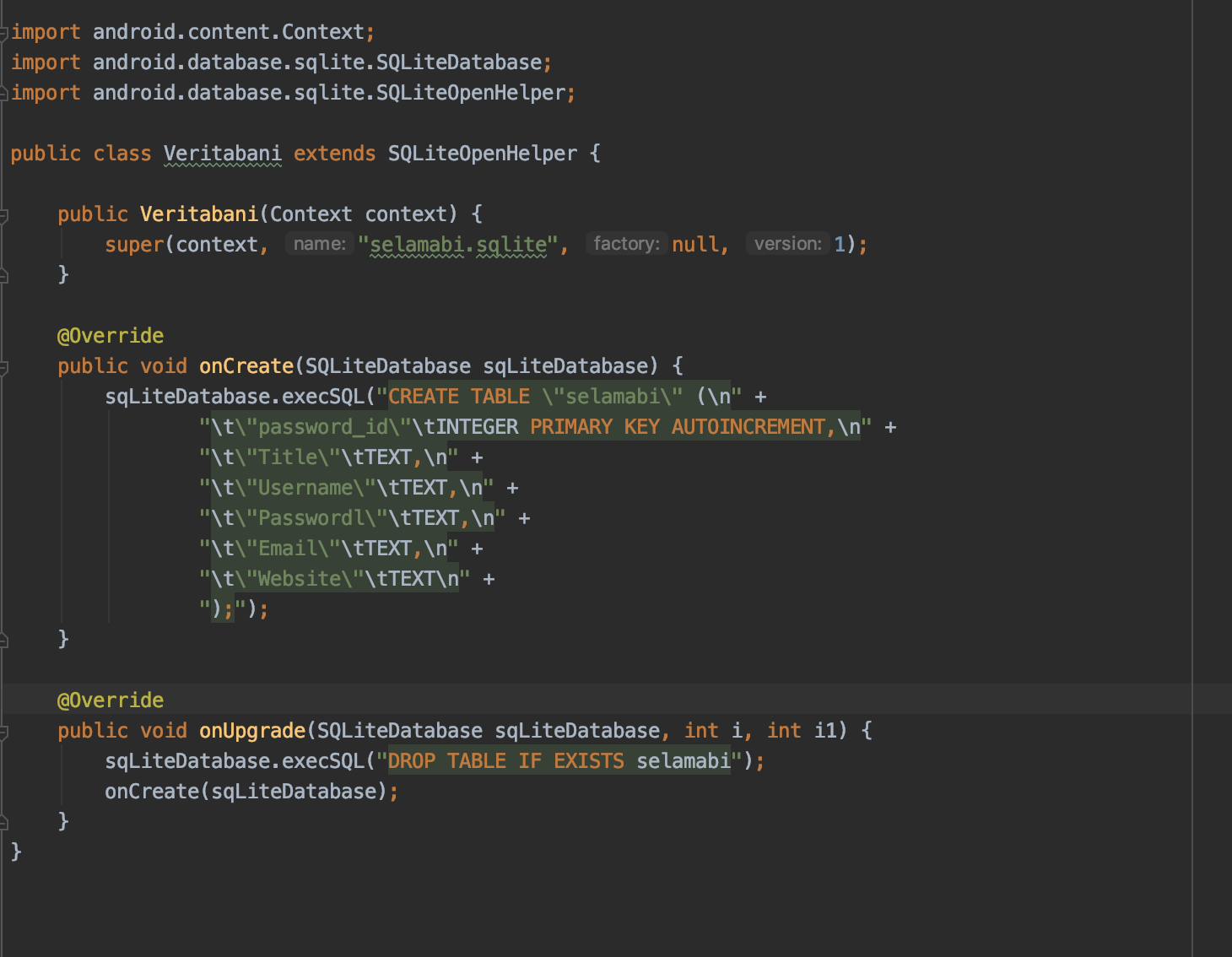
So I am getting an error like this. I have also uploaded the Logcat in this question. I also have my SQLite Database file. So you can see why. The Logcat where there are two blue lines that is the place where it gives error on that lines. So Ill be also uploading that too. The code lines where it gives error.
Process: com. furkanayi lmaz . password locker lastprojectoffurkanayilmazmade, PID: 763 android. database. sqlite. SQLiteException: table selamabi has no column named Password (code 1) : , while compiling: INSERT INTO selamabi(Username, Title, Password, Email, Website) VALUES (?, ?, ?, ?, ?) at android. database. sqlite. SQLiteConnection. nativePrepareStatement(Native Method) at android. database. sqlite. SQLiteConnection. acquirePreparedStatement (SQLiteConnection. java: 889) at android. database. sqlite. SQLiteConnection. prepare(SQLiteConnection. java:500) at android. database. sqlite. SQLiteSession. prepare(SQLiteSession. java: 588) at android. database. sqlite. SQLiteProgram. (SQLiteProgram. java:58) at android. database. sqlite. SQLiteStatement. (SQLiteStatement. java: 31) at android. database. sqlite. SQLiteDatabase. insertWithOnConflict (SQLiteDatabase. java: 1472) at android. database. sqlite. SQLiteDatabase. insertOrThrow(SQLiteDatabase. java: 1369) at com. furkanayilmaz . password locker . PasswordsDao. PasswordAdd ( PasswordsDao. java: 65) at com. furkanayilmaz . passwordlocker. MainMenu$4. onClick(MainMenu. java:203) at androidx. appcompat. app. AlertController$ButtonHandler . handleMessage(AlertController. java: 167) at android. os. Handler. dispatchMessage(Handler. java: 102) at android. os. Looper. loop (Looper. java: 154) at android. app. ActivityThread. main (ActivityThread. java: 6077) at com. android. internal. os. ZygoteInit$MethodAndArgsCaller. run(ZygoteInit. java: 866) at com. android. internal. os. ZygoteInit. main(ZygoteInit. java: 756)import android. content. Context; import android. database. sqlite. SQLiteDatabase; import android. database. sqlite. SQLiteOpenHelper; public class Veritabani extends SQLiteOpenHelper { public Veritabani (Context context) { super ( context, name: " : "selamabi. sqlite", factory: null, version: 1) ; @Override public void onCreate(SQLiteDatabase sqliteDatabase) { sqliteDatabase. execSQL("CREATE TABLE \\"selamabi\\" (\ " + "\\t\\"password_id\\"\\tINTEGER PRIMARY KEY AUTOINCREMENT, \ " + "\\t\\"Title\\"\\tTEXT, \ " + "\\t\\"Username\\"\\tTEXT, \ " + "\\t\\ "Password1\\"\\tTEXT, \ " + "\\t\\"Email\\"\\tTEXT, \ " + "\\t\\ "Website\\"\\tTEXT\ " + " ) ;") ; @Override public void onUpgrade (SQLiteDatabase sqliteDatabase, int i, int il) { sqliteDatabase. execSQL("DROP TABLE IF EXISTS selamabi") ; onCreate(sqliteDatabase) ;\f\f











 Study Help